Nuts and Bolts: Photoshop Action Tip
August 3, 2018

Nuts & Bolts – Photoshop Action Tip
We are pleased to bring you a guest post by GCU artist Betsy Bush of Dragonfire Graphics and Birthday Cards Cafe:
Good day, fellow GCU artists,
I hope everyone is having a great summer so far! It goes so fast!
I hope everyone is having a great summer so far! It goes so fast!
I made this Photoshop action to make designing one step faster and thought if it helps me so much, why not share with you! It is an action that with one click adds vertical and horizontal guides at 25%, 50%, and 75% to your design. We all know how tedious it is to add them one at a time. I know, it doesn’t really take that long, but hey, I am all for time-saving! I use it in conjunction with the GCU templates to police my margin allowances
Guides:
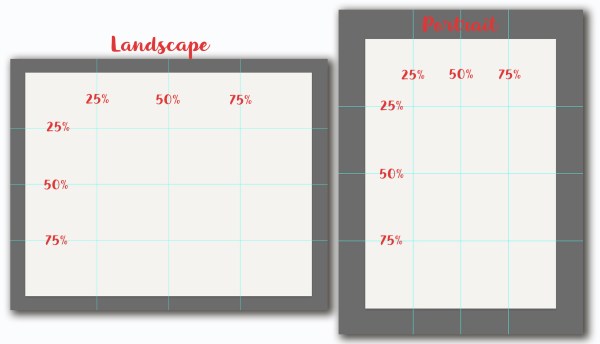
Landscape orientation with guides and template:

Portrait orientation with guides and template:

Just click on the link provided below and it will take you to Dropbox where you can download the zip file:
I hope you find this useful to create balanced compositions and centering graphics and text.
Take care,
Betsy
Betsy
P.S. Here is a link to a tutorial on installing and using actions if you aren’t familiar with the process. I love Aaron Nance’s tutorials at PHLEARN by the way!
The difference is made in the details!
Mindy
GCU Community Manager
GCU Community Manager
Share this:

3 Comments
leave one →

 GCU Community
Thank you for sharing, Betsy!
Happy to try to help, Doreen!
Many thanks, Betsy! We have such wonderful sharing artists in our community.