Wanted Cards – Wedding Planning Encouragement Extra
Wanted Cards – Wedding Planning Encouragement
Let’s talk about the other side of wedding bliss—the spreadsheets, vendor emails, dress fittings, family expectations, seating charts, and budget breakdowns. Yep, once the “YES!” is shouted and the ring selfies are posted, reality kicks in: planning a wedding is exciting but also exhausting.
That’s where you come in.
We’re looking for new cards in a category that deserves more attention—Wedding Planning Encouragement. While wedding congratulations are plentiful, there’s a real need for cards that support the journey toward the big day, not just the day itself.
This can be a stressful, year-long (or longer!) rollercoaster. A kind or funny message reminding the bride, groom, or wedding party that they’ve got this, and that all the chaos is worth it? That’s a gift in itself.

Who Needs Encouragement?
Plenty of people do! Consider creating cards for:
- The Bride – Whether she’s juggling work and Pinterest boards or just overwhelmed with options, she could use a little love.
- The Groom – A card that says “You’re doing great, and no, you haven’t forgotten anything (probably)” can go a long way.
- The Parents – Mother or Father of the Bride/Groom may be funding or organizing, and often feel the pressure to make it perfect.
- The Whole Couple – Sometimes the best way to ease tension is to laugh about it together.
- The Bridesmaids – From planning the bachelorette to fluffing the dress, they’ve earned a little boost.
- General Wedding Planning – For planners, helpers, friends, anyone caught in the wedding whirlwind.
Where to Post Your Cards
Upload your new designs to:
Occasions >> Encouragement >> Wedding Planning, and then choose the most fitting subcategory:
- For the Bride
- For the Groom
- For Groom & Bride to be
- For Bridesmaid
- For Mother of the Bride / MOB
- For Mother of the Groom
- For Father of the Bride
- For Father of the Groom
- For Parents of the Bride
- For Parents of the Groom
- General Wedding Planning
- Other Wedding Planning

Text Ideas for Wedding Planning Encouragement Cards
For the Bride:
Front: You can’t control everything… but you can control the cake tasting schedule.
Inside: Hang in there, beautiful bride-to-be. You’ve got this (and dessert!).
Front: Breathe. Sip. Delegate.
Inside: Just a reminder that perfection isn’t required — only love is.
For the Groom:
Front: They say weddings are stressful… but at least there’s cake.
Inside: You’re doing just fine. One checklist at a time.
Front: Tux? Check. Ring? Check. Nerves? Totally normal.
Inside: Hang in there, Groom-to-Be — you’ve got this.
For the Couple:
Front: Planning a wedding is basically an extreme sport.
Inside: Good thing you’re on the same team. You’ve got this — together!
Front: Behind every great wedding is a couple who survived wedding planning.
Inside: And you two are absolutely crushing it. Keep going!
For the Bridesmaid:
Front: Bridesmaid: Part friend, part planner, part therapist.
Inside: You are amazing — and you’re making a huge difference. Thank you!
For Mother of the Bride / Groom:
Front: Weddings are a whirlwind — but your love is the calm center.
Inside: Thanks for being the glue, the grace, and the guidance.
Front: Your support means more than you know.
Inside: You’re not just planning a wedding — you’re creating memories. Take a breath and enjoy the beauty of it all.
For Father of the Bride / Groom:
Front: Weddings are expensive. Emotions are high. And you’re doing great.
Inside: You’re a steady hand in a sea of chaos. Thank you for all you do.
General Wedding Planning:
Front: This too shall pass… probably right after the second round of RSVP drama.
Inside: Keep your eye on the prize: the love, the laughter, and the cake.
Front: One day it’ll all be worth it.
Inside: The chaos. The choices. The endless decisions. All leading to a moment that will take your breath away.

Design Inspiration
- Soft, calming florals or romantic pastels
- Elegant typography with gentle humor
- Wedding checklist motifs with a wink
- Champagne glasses, coffee cups, or cozy wedding planning scenes
- Scripted messages with space for heartfelt personalization
Tags & Keywords to Include
Consider adding relevant terms to help customers find your cards:wedding planning, bride encouragement, groom support, MOB card, MOG card, wedding stress, bridal prep, future bride, wedding nerves, planner encouragement, you got this, countdown to the big day, support for bride, support for groom
The takeaway:
Behind every wedding is a village of people trying to make magic happen — and most of them could use a little encouragement along the way. Whether it’s heartfelt, humorous, or something in between, your card might be the bright spot someone needs in the middle of wedding madness.
So let’s help keep the joy alive—one card at a time. 💍✨
Happy Designing,
Corrie
Share this:

Wanted Cards – Wedding Planning Encouragement
Wanted Cards – Wedding Planning Encouragement
The excitement of getting engagement quickly turns into planning for the big day. A wedding is typically a full year away and filled with countless decisions, details and events. Often the minutiae takes the fun out of it all and the financial worries are a cloudy overshadowing burden. An encouragement card to the bride, groom or anyone involved in the planning would likely be received like a breath of fresh air.
Please consider creating Wedding Planning encouragement cards. They should go here:
Occasions >> Encouragement >> Wedding Planning
>> For Bridesmaid
>> For Father of the Bride
>> For Father of the Groom
>> For Groom & Bride to be
>> For Mother of the Bride / MOB
>> For Mother of the Groom
>> For Parents of the Bride
>> For Parents of the Groom
>>For the Bride
>> For the Groom
>> General Wedding Planning
>>Other Wedding Planning

To expedite the review of these cards, please check Fast Track Review on the card image details page when you create your card and add a Note for Reviewers like “for BLOG– Wanted Cards”.
Consider using Stock Card Creations to create new cards quickly. These cards are automatically set for expedited review so no need to Fast Track. Remember, when you’re submitting your new stock card, add a little note about the intended category in your Notes to Reviewers.
Be inventive, be clever, be creative. Go for it!
Mindy Rosso
GCU Community Manager
mindy@gcuniverse.com

Share this:

Wanted Cards – Grandparents Day to New 1st Time Grandparents
For many people anxiously awaiting that golden time as grandparents, their 1st Grandparents Day is really something special.
Please consider creating cards for a first time grandparent(s) on Grandparents Day. They should go here:
Holidays >> Grandparents Day >> First / 1st Grandparent cid#2272

Note: cid# is the speed entry method of adding a category to your card via category id number (cid#) vs using search terms or click and hunt. See here on the blog:
To expedite the review of these cards, please check Fast Track Review on the card image details page when you create your card and add a Note for Reviewers like “for BLOG– Wanted Cards”.
Consider using Stock Card Creations to create new cards quickly. These cards are automatically set for expedited review so no need to Fast Track. Remember, when you’re submitting your new stock card, add a little note about the intended category in your Notes to Reviewers.
Be inventive, be clever, be creative. Go for it!
Mindy Rosso
GCU Community Manager
mindy@gcuniverse.com
Share this:

Dash of Inspiration: July Design Challenge

We all know what time it is! It’s time for Christmas in July!
……………………………………………………………
Theme: Christmas in July
Requirements:
- Choose ONE color palette below (2025 trends) and create a new Christmas design using the color palette of your choice.
- No Stock card creations will be accepted.
- Blank verse will not be considered for entry in this challenge.
 ……………………………………………………………
Entry Deadline: Thursday, July 31st
……………………………………………………………
How to Enter: Post the PID (card number) and the URL (public storefront link – please WAIT for the card to be available in the public marketplace, please DO NOT post a link to your Manage Cards area) as a post in the challenge blog. We’ll forward your entry to the jury.
……………………………………………………………….
Category:
Any Christmas category
…………………………………………………………….
Rules:
- Submission must meet GCU’s Submission Guidelines and be Approved through the usual Review Cycle– Fast Track your submission with this in the Notes to Reviewer: July Design Challenge Submission here is the link to the blog post: (include THIS blog post URL)
- Only ONE card per artist per challenge.
- Submissions must be NEW, no existing designs.
- Your entry must meet the Challenge Requirements and Theme or it will not be included in the challenge.
- Stock Card Creations entries will not be accepted.
- Your designs should differ from those already offered in the category of your choice to offer shoppers a variety of choices, not more of the same.
……………………………………………………………………
BLIND Judging: We hope each of you enters every month. Entries are submitted anonymously for judging by the GCU Challenge Jury which means that before and during the challenge, judges do not have any way of knowing what artist is behind each entry. This eliminates any and all concerns with ‘favoritism’. Results will post on the Community Blog. The jury will judge the entries on the following criteria:
- How well the card meets the Challenge Requirements and Theme.
- How well the card speaks to the Category the artist chooses for the card submission.
- Creativity, Execution and Marketability.
……………………………………………………………………
Winners: 1st Place:
- The winning designer’s card and store will be featured on the GCU Public Blog – the blog which customers view and follow.
- As well as featured on the GCU Public Facebook Page – over 55,000 followers, now THAT’S exposure!
- The winning card will be Design of the Day following the announcement of the winners (within 48-hours).
EXCEPTION: Horizontal (landscape) cards may not be featured as DOD due to GCU Home Page space restrictions. In these cases, GCU will choose a different vertically oriented card from your store to feature as DOD. Thank you for your understanding and apologies for this limitation.
- The winning card will be added to the Greeting Card Universe Design Challenge Winners Pinterest Board – currently GCU’s Pinterest Page followers: 14.9k!
- The winning card, should the artist choose, may be referenced in a new series by the winning artist and he/she may Fast Track all cards in the new series (being sure to give the Challenge URL and winning card PID in your Notes to Reviewer for each card in this series).
- Winning card will be included in a marketing email to over 100,000 customers!
- GCU will create a Meet the Team board for the winning artist under the Pinterest GCU account where the winning artist will be able to pin and promote her own storefront and all that makes them a unique card designer and one of GCU’s artistic community team member.
-
Winning card will be posted on GCU’s Instagram with 10.6k followers and counting!
- GCU will create a Meet the Team board for the winning artist under the Pinterest GCU account where the winning artist will be able to pin and promote her own storefront and all that makes them a unique card designer and one of GCU’s artistic community team member.
- 10 free greeting card credits added to your GCU account. Apply them at checkout and they never expire.
- A Design Challenge GCU digital award for 2025!
2nd Place:
- Your submission will be Design of the Day the following week of announcing the Challenge winners (within 7-days).
EXCEPTION: Horizontal (landscape) cards may not be featured as DOD due to GCU Home Page space restrictions. In these cases, GCU will choose a different vertically oriented card from your store to feature as DOD. Thank you for your understanding and apologies for this limitation.
- Your card will be added to the Greeting Card Universe Design Challenge Winners Pinterest Board.
- Winning card will be included in a marketing email to over 100,000 customers!
-
Winning card will be posted on GCU’s Instagram with 10.6k followers and counting!
- 5 free greeting card credits added to your GCU account. Apply them at checkout and they never expire.
- A Design Challenge GCU digital award for 2025!
………………………………………………………………………
Tips:
………………………………………………………………………
Be inspired to create and learn something new!
Share this:

💌 Design with Compassion: New Card Ideas for Breast Explant Recovery and BII Awareness
As awareness grows around Breast Implant Illness (BII) and the emotional and physical journey of explant surgery, more people are looking for ways to support friends, family, or even themselves through this deeply personal experience.
Greeting Card Universe is introducing two important new sub-categories to reflect this growing need:
✨ NEW CARD CATEGORIES:
- Get Well / Feel Better >> Plastic / Cosmetic Surgery >> Breast Explant / BII Implant Illness [cid#37434]
- Holidays >> National / International Days >> National Breast Implant Awareness Month (March) [cid#37436]
This is an opportunity to create supportive, validating, and empowering cards that speak directly to individuals navigating BII, recovery from explant surgery, or participating in awareness efforts.

💡 What Is Breast Implant Illness (BII)?
Breast Implant Illness (BII) refers to a collection of symptoms (such as chronic fatigue, brain fog, joint pain, hair loss, anxiety, and autoimmune issues) that some people experience after getting breast implants. Many choose to undergo explant surgery (implant removal) in hopes of improving their health.
These are real struggles—and real victories. Your cards can help affirm those experiences with compassion, strength, and solidarity.
🖊️ Text Ideas for Breast Explant / BII Get Well Cards
Here are some sample phrases to spark your creativity:
💬 Front Text Ideas
- “Healing isn’t always visible. But I see your strength.”
- “No regrets. Just healing.”
- “This isn’t vanity—it’s victory.”
- “Explant. Exhale. Evolve.”
- “Recovery isn’t easy, but you are worth every step.”
- “Your body, your choice. Your health, your power.”
- “Beauty doesn’t come with a warning label.”
💌 Inside Text Ideas
- Wishing you rest, strength, and complete healing as your body resets and reclaims its power.
- You made a courageous choice. May your path forward be clearer, brighter, and filled with wellness.
- One step closer to healing. One day at a time, you’ve got this.
- May your body and spirit breathe a little easier every day.
- This chapter is about you—your health, your voice, your freedom. I’m proud of you.

🎗️ Awareness Month Card Ideas (March – Breast Implant Awareness)
These cards can be educational, affirming, or advocacy-focused:
💬 Front Text Ideas
- “March is Breast Implant Awareness Month—Let’s talk about what’s really under the surface.”
- “This March, I stand with the survivors, the explant warriors, and the truth-tellers.”
- “Raising awareness. Reclaiming health. Respecting every body.”
💌 Inside Text Ideas
- Your story matters. Your symptoms matter. Your healing matters.
- Let’s shine a light on BII and support those making brave decisions for their health.
- To every woman who’s spoken up: You are not alone.
🎨 Design Considerations
When designing cards for this sensitive topic:
- Keep it body-positive and inclusive.
- Use gentle colors like soft pinks, earth tones, or calming neutrals.
- Consider imagery like flowers in bloom, abstract female forms, butterflies, hearts, or peaceful natural settings.
- Avoid glamorizing surgery or referencing implants in a joking or dismissive way.
- Empathy and authenticity are key.
🌼 Final Thoughts
This is a chance to offer something truly meaningful. Whether someone is recovering from explant surgery or raising awareness for BII, the right card can help them feel seen, heard, and supported.
Let’s help break the silence—and offer hope, healing, and validation one card at a time.

Ready to create? Submit your designs to:
🗂️ Occasions >> Get Well / Feel Better >> Plastic / Cosmetic Surgery >> Breast Explant / BII Implant Illness
🗂️ Holidays >> National / International Days >> National Breast Implant Awareness Month (March)
💖 Thank you for helping bring visibility, empathy, and care into the hands of those who need it.
Happy Designing!
Corrie
Share this:

Wanted Cards – Get Well Explant Surgery / BII
Wanted Cards – Get Well Explant Surgery / BII
Breast Implant Illness (BII) is a growing area of health concerns. Many patients who received implants and have experienced the onset of a collection of health issues (auto-immune and inflammatory responses) are removing their implants – explant surgery.
Please consider creating new cards for this new sub-category:
Occasions >> Get Well / Feel Better >> Plastic / Cosmetic Surgery >> Breast Explant / BII Implant Illness cid#37434
Related, consider creating new cards for this new sub-category:
Holidays >> National / International Days >> National Breast Implant Awareness Month / March cid#37436
Note: cid# is the speed entry method of adding a category to your card via category id number (cid#) vs using search terms or click and hunt. See here on the blog:
Please take some time to familiarize yourself with both of these topics before creating cards. To expedite the review of these cards, please check Fast Track Review on the card image details page when you create your card and add a Note for Reviewers like “for BLOG– Wanted Cards”.
Consider using Stock Card Creations to create new cards quickly. These cards are automatically set for expedited review so no need to Fast Track. Remember, when you’re submitting your new stock card, add a little note about the intended category in your Notes to Reviewers.
Be inventive, be clever, be creative. Go for it!
Mindy
GCU Community Manager
mindy@gcuniverse.com
Share this:

Nuts & Bolts – Update Winter Holiday YEAR specific cards
Nuts & Bolts – Update Winter Holiday YEAR specific cards
It’s nearly July and mid-year is a great time for getting holiday cards ready for sale. Get a head start on updating holiday cards! Do you offer Year Specific designs? Be sure not to miss out on sales or worse, have your card taken offline because you’ve neglected to update it for the new year.
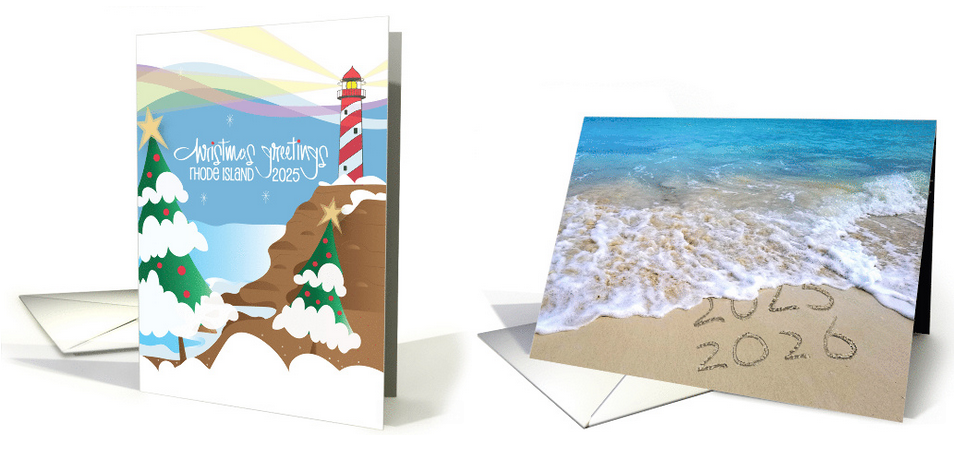
Not only should images be updated but also card titles, keywords and artist notes. This even applies to custom front designs to make them more marketable and avoid shopper errors.
Please add this to your to do list and begin to update cards while you have time well before the holiday season.
Christmas cards should reflect the current year (2025) and New Year cards should reflect the coming or new year (2026). Please take the time now to update your designs before 8/. After 8/1, GCU will take any outdated cards offline.
TIP: A quick way to pinpoint the bulk of your related cards is to search your storefront by entering in the search box “<holiday name year>” ie: “christmas 2024”, “new year 2025”.
The difference is made in the details!
Mindy
GCU Community Manager
mindy@gcuniverse.com
Share this:

Wanted Cards – National Guacamole Day Sept 16
Wanted Cards – National Guacamole Day Sept 16
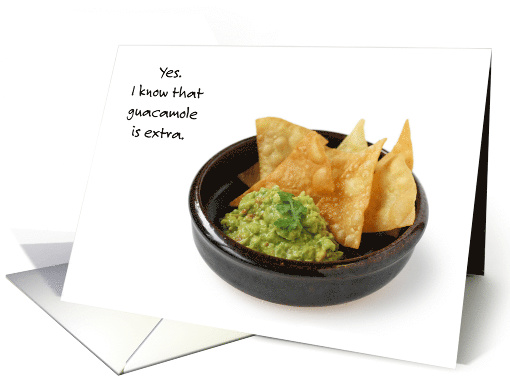
If you have a passion for avocados and are ripe to celebrate National Guacamole Day on September 16th, consider creating new cards for the delicious dip’s observation day.
These cards should go here:
Holidays >> National & International Days >> National Guacamole Day / Sept 16 cid#28370
And while were talking avocados, also consider cards for
Holidays >> National & International Days >>National Avocado Day / July 31 ci#39324
Note: cid# is the speed entry method of adding a category to your card via category id number (cid#) vs using search terms or click and hunt. See here on the blog:
To expedite the review of these cards, please check Fast Track Review on the card image details page when you create your card and add a Note for Reviewers like “for BLOG– Wanted Cards”.
Consider using Stock Card Creations to create new cards quickly. These cards are automatically set for expedited review so no need to Fast Track. Remember, when you’re submitting your new stock card, add a little note about the intended category in your Notes to Reviewers.
Be inventive, be clever, be creative. Go for it!
Mindy Rosso
GCU Community Manager
mindy@gcuniverse.com
Share this:

Nuts & Bolts – Reminder June 2025 Design Challenge.
Nuts & Bolts – Reminder June 2025 Design Challenge
Monday, June 30th is the last day to submit your entries for June’s Stock Card Creations DesignChallenge.
See here:
Theme: Food Puns

The difference is made in the details!
Mindy
GCU Community Manager
mindy@gcuniverse.com
Share this:

New Card Category Alert: Encouragement for Those Caring for Elderly Parents
Caring for an aging parent or parents is one of the most compassionate and selfless roles someone can take on. It’s often full of emotional ups and downs — filled with love, stress, exhaustion, patience, and bittersweet moments. These caregivers may not always hear “you’re doing a great job,” even when they’re giving everything they’ve got. That’s where your cards can make a meaningful difference.
GCU is looking for cards that support and uplift people who are navigating this challenging chapter. Whether they’re tending to a single aging parent or both, your cards can serve as a much-needed reminder that their efforts are seen, appreciated, and deeply valued.
These cards belong in:
Occasions > Encouragement Cards > For Caregivers > Aging / Ill Parents
(Consider both “parent” and “parents” versions!)

📝 Front & Inside Text Ideas
🌿 Gentle Affirmation
Front:
You’re doing so much.
Inside:
Even on the days it feels like too much — you are doing an incredible job.
You’re showing up with love, and that matters more than you know.
💛 From the Heart
Front:
Being there for them says everything about you.
Inside:
Your love, patience, and strength don’t go unnoticed.
You’re making a difference, every single day.
🌄 For the Tough Days
Front:
Some days feel heavier than others…
Inside:
But your heart keeps showing up.
That’s the kind of love that changes the world.
👩👩👧 From a Friend
Front:
I see you. I admire you. I’m here for you.
Inside:
You’re doing one of the hardest jobs with so much love.
Don’t forget to care for yourself, too.
🕊 For Faith-Based Cards
Front:
God sees the care you give.
Inside:
Every act of love, every sleepless night, every prayer whispered in silence —
He sees it all, and you are not alone.
💡 Design Themes to Consider:
- Peaceful nature scenes (to reflect quiet strength)
- Caregiver imagery (e.g. hands holding, blanket over shoulders, tea and tissues)
- Subtle religious symbols (for spiritual encouragement)
- Clean, comforting fonts and muted color palettes
- Simple florals or calming home scenes
💬 Keywords & Phrases to Use:
- Caregiver strength
- Love in action
- Selfless devotion
- Tending with love
- Holding space
- Sandwich generation
- Daily grace
- Heart of gold
- Quiet hero
- Encouragement for the long haul
💌 Card Category Reminder:
Submit your designs to:
Occasions > Encouragement Cards > For Caregivers > Aging / Ill Parents
Cards like these are soul-boosters. They help people feel seen, appreciated, and less alone during one of life’s more demanding journeys. Now’s a wonderful time to lend your creative voice to this deeply meaningful theme.
Happy Designing!
Corrie


 GCU Community