Nuts and Bolts – Instagram GCU Store Link
Nuts & Bolts – Instagram GCU Store Link
We’ve talked about getting social and about artists sharing their work and their cards on social media like Instagram.
Here are some prior posts and tips on the topic.
Here is a tip to consider:
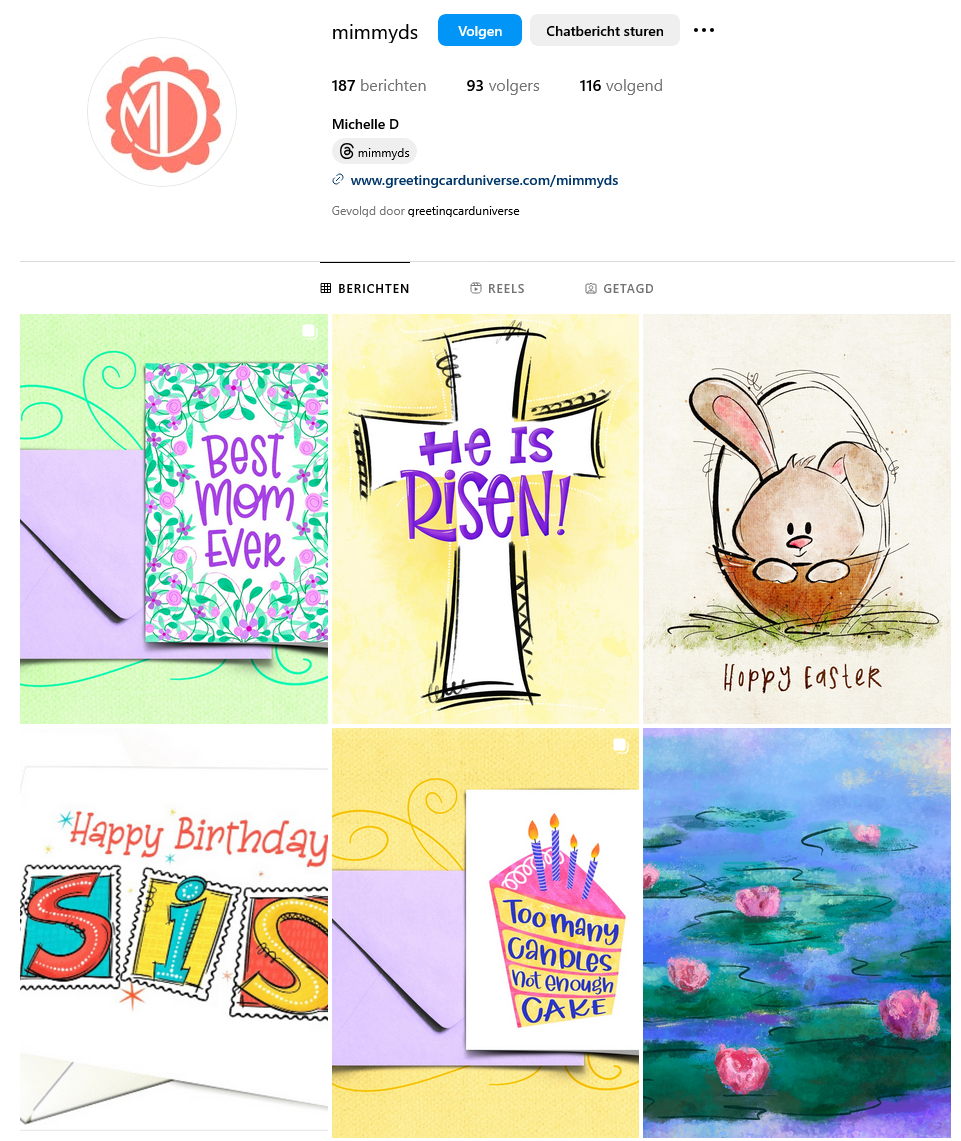
Add a link to your GCU storefront from your profile so anyone can click and find your cards quickly
to do so: Go to Edit Profile – Links Add links – enter the url to your GCU storefront as Add external link
Other tips:
1. post often – there is no such thing as too often – don’t be shy!
2. consider posting reels and stories
3. be sure your account is set to PUBLIC so people can view and explore your content freeley
4. tag @GreetingCardUniverse in your content so we have the opportunity to like and share
Here is an example of what a profile link to your GCU storefront looks like (if clicked from mobile device which is most likely, it will launch your cards on GCU’s mobile interface), thanks to GCU artist Michelle Downs of MimmyD’s cards:
The difference is made in the details!
Mindy
GCU Community Manager
mindy@gcuniverse.com


 GCU Community
I’ve had my link on my Instagram profile for some time. I just decided to test it on my Samsung phone, and it is not taking me to my cards but to the main GCU site. It works fine on my PC on MS Edge browser. Just thought you may want to have someone check on whether there may be an issue with Google and/or Samsung internet browsers. I hope it’s not just my shop’s link that has the problem.
Hi! I tested on an iPhone and the link does go directly to all of your cards. The Samsung must not be a supported device on our mobile site. I’ll ask around.
Thank for using my Instagram in this post. And so sorry it took me so long to see it!