Critique Clinic – October 13-14, 2012

How does it work? For three days a week (Friday-Sunday midnight), I will open the clinic to any artist who wants an honest peer review and critique of a card which gets plenty of clicks but no sales, so something’s probably not quite right, or you’ve got a new design you want to test drive, or you’re unsure about the marketability of a card. Or perhaps you’re a newbie who isn’t sure if a recently submitted card is up to a marketable standard. Anyone is welcome to participate. In fact, I encourage everyone to at least look at the cards in question and read the critique comments – you may learn something. The purpose of the clinic is to help artists improve the commercial appeal and marketability of their cards.
THE RULES
- ONE card per artist only.
- Card must be for sale at Greeting Card Universe.
- We will take an unlimited number of artists, including those who have submitted recently, HOWEVER I reserve the right to close a clinic for the day if the submissions become overwhelming. If the clinic has been closed, and you submit a card, your comment will be deleted.
- To submit a card for critique, post a link to the card at GCU in the comments section of this clinic post. Allowances will be made if you’ve had a card declined, or made a new design you’d like advice on. Give us the link where we can see the card, such as your private gallery, Flickr, Tinypic, etc.
- Any artist is free to comment and/or give a critique of a submitted card. HOWEVER, post-and-run comments like “great card” or “you suck” will not be tolerated, nor will abuse. Criticism should be constructive, not destructive. Play nice or you will be banned.
- I also won’t tolerate temper tantrums if you decide your “artistic integrity” is being stepped on because you asked for a critique, and someone told you the photo you’re using isn’t in focus. If you can’t take honest criticism, don’t submit. Once gets you a warning; twice and you’re banned from submitting in the future.
- Artists who critique may do so by giving their opinion, posting an example of another card, or pointing the submitter to a video, on-line article, or other helpful suggestion.
- Don’t forget that artists who are giving you tips and helpful advice are volunteering their time and trouble. Be nice. A link back to their store on your website or blog is appreciated (but not mandatory).
- You are free not to take any advice offered. There’s no guarantee any card will be a bestseller, so don’t come into the clinic with unrealistic expectations.
- Rules may change as we go along and we see how things turn out, okay?
So without any further ado, I declare this week’s Critique Clinic open!
Share this:

We Need Your Help!

Ever heard of a little thing called Facebook?
Almost all artists have a presence on Facebook, whether it’s private, related to your business, or both. Did you know Greeting Card Universe has its very own Facebook page? And we need your help.
GCU is making a new post every day on Facebook and have started a real effort to gain “edgerank.” What’s that, you ask? Put simply, Facebook uses an algorithm to determine how many “fans” see your posts. Here’s a neat little infographic that explains a lot if you want to get into it further. Look at it sort of like getting pagerank on a search engine. Not exactly the same, but the idea is more exposure.
Anyway, of course GCU wants to get as many fans and followers to see their posts as possible because that’s good business. The more people who see the posts on their timelines, the more potential shoppers are created, the more GCU’s business grows … and the more YOUR business grows. More shoppers = more sales.
So it makes sense for you to “like,” “share,” and comment on GCU’s Facebook posts once in a while. Doing this will increase GCU’s visibility, which ultimately increases the visibility of your cards.
If you haven’t become a “fan” of GCU’s Fzcebook page already, please do so, and drop a little love now and then by liking, sharing, and commenting on a post.
It helps them, it helps you, and every time you share a post, a kitten giggles. 🙂
Share this:

GCU News: New Widget Code, New Contest – Hurry!

HURRY!
HURRY!
HURRY!
Elizabeth Eels won the prize in the last contest, a $100 Amazon.com gift card. Congratulations!
But some of you still haven’t switched to the new widget code, so we’re running ANOTHER contest – how cool is that?
If you haven’t switched from the old code to the new, if you do so by October 15, 2012, you’ll be entered into a drawing for a $75 Amazon.com gift card. Just send me an email with a link to your website/blog(s) which now displays the new widget and a link to your GCU store, and I’ll make sure you’re entered into the drawing.
If you’ve already made the switch and were in the last drawing, sorry, you don’t qualify. This one’s only for those who still have the old code and need to make the switch.
Thanks!
Share this:

Tips and Tricks: FotoSketcher

There may be times when you want to transform a photo you’ve taken into something more artistic, say, a pencil sketch, a painting, or give it a vintage look. This can be done in most graphics editing programs (like Photoshop). You can also do it with a downloadable program called FotoSketcher.
I haven’t personally checked this out because I don’t use photos in my work except very, very rarely. However, it seems interesting, and I like what I’ve seen. You can get it at the FotoSketcher website and it’s 100% free. If you try it and like it, you have the option to make a donation to the developer.
Sorry, Mac users – looks like this one’s for Windows only.
Here’s what the developer has to say:
“FotoSketcher is a 100% free program for Windows which converts your digital photos into art automatically and in just a few mouse clicks. Over 20 different styles are available from pencil sketches to watercolor or oil paintings, pen & ink drawings and cartoons.
You can also improve your original photos with simple tools (enhance contrast, sharpen, simplify image, increase luminosity, color saturation etc…) and add simple or realistic frames and text.
FotoSketcher is completely free (even for commercial use, if you wish to sell your pictures) and does not contain any adware, spyware or virus. It runs on Microsoft Windows XP, Vista and 7 (sorry, no Mac version available).
I have created FotoSketcher as a fun project and I hope that you will enjoy using it.”
Have fun and be creative!
Share this:

Tips and Tricks: Text Effects – Ellipses …
What the heck are ellipses? Here’s an example:

Notice those three dots at the end of “Remember When?” That’s ellipses.
Ellipses are pretty popular with card designers. As punctuation marks go, ellipses indicate a pause, so they’re perfect to set up a sentiment or joke on the outside which continues on the inside of the card.
Officially, here’s how GCU wants ellipses formatted:
A single space between the word and the first dot. A single space between each dots is allowed. Do not use double spaces. So here’s how you should be making ellipses:
I just wanted to say …
… happy birthday, uncle!
OR
I just wanted to say . . .
. . . happy birthday, uncle!
Ellipses are always three dots. Three. Not two, not four, not twelve, but three. No more, no less.
Why should you care? Because doing the card right the first time leads to less delays in the reviewing process for you and everybody else. And getting ellipses wrong makes you look unprofessional, too. If the font you’re using has a tendency to put too much space in (we’ve all been there), just adjust the kerning.
So now you have the scoop on ellipses, and should be able to incorporate these valuable little marks into your designs without a hitch.
Have fun!
Share this:

Font Frenzy: Lauren Ashpole Collection

Lauren Ashpole is a font designer who creates some fun, funky fonts! A couple of her fonts include silhouettes, which can really come in handy for design work. At this time, she has 17 fonts in her on-line collection, many of which are also available to download from DaFont.
Her commercial license is $15 per font, which is quite affordable if you want to pick up one or two. Here’s an example of one of her fonts, Candy Randy, a playful font I think would be great on cards for kids.

Have fun!
Share this:

Dash of Inspiration: Mouth Watering Food Photography
A Dash of Inspiration, A Cup of Creativity by Doreen
Mouth Watering Food Photography

There are some categories on GCU where a great food image is a perfect choice for the occasion. However, food photography is one of the most difficult areas to master. So, if you choose to create a card using food as your imagery it’s imperative that you know HOW to take a great food shot.
Here are some important things to remember when setting up a food shot:
- Color balance is critical! Though proper color balance is important in all of your photographs, it’s necessary in food photography … no one is going to be drawn to a card with a cyan cast on your steak!
- Lighting is also very important. Lighting on a food shot should have even light, no deep shadows allowed in this area of photography. Bright or soft even lighting is a must for capturing a shot which makes the viewer want to drool!
- Setting – nothing in a food shot which does not add to the photograph should be visible. No kitchen floors, cupboards, or walls. Don’t let the surroundings, i.e. table cloth, dishes, etc clash or compete with the colors in your food.
For a bite of inspiration, check out the beautiful portfolio of Michael Ray
If you’d like to learn more tips on how to take greeting card worthy food photographs that make the viewer hungry, check these out!
Food Photography – An Introduction by Darren Rowse
The Ten Tastiest Food Photography Tips by PhotoJojo.com
The Art of Food Photography by Cooking Up a Story
Once you become an expert, considering creating cards for these categories:
Collections > Food & Wine Cards
Business > Christmas Cards > Industry Specific > Food / Restaurant
Business > Industry Specific Cards > Food/Restaurant
Collections > Recipe / Cooking Cards Cards
Invitations > Dinner Party, Rehearsal Dinner, Easter Dinner, Christmas Dinner Party
Occasions > Thank you Cards > Hospitality > Dinner
Remember, if it doesn’t look good enough to eat right off the card, it’s not a good choice for a greeting card!

Card by Maria Dryfhout, this image has great lighting, beautiful still-life setting, and perfect color!
Share this:

Critique Clinic – October 5-7, 2012
How does it work? For three days a week (Friday-Sunday midnight), I will open the clinic to any artist who wants an honest peer review and critique of a card which gets plenty of clicks but no sales, so something’s probably not quite right, or you’ve got a new design you want to test drive, or you’re unsure about the marketability of a card. Or perhaps you’re a newbie who isn’t sure if a recently submitted card is up to a marketable standard. Anyone is welcome to participate. In fact, I encourage everyone to at least look at the cards in question and read the critique comments – you may learn something. The purpose of the clinic is to help artists improve the commercial appeal and marketability of their cards.
THE RULES
- ONE card per artist only.
- Card must be for sale at Greeting Card Universe.
- We will take an unlimited number of artists, including those who have submitted recently, HOWEVER I reserve the right to close a clinic for the day if the submissions become overwhelming. If the clinic has been closed, and you submit a card, your comment will be deleted.
- To submit a card for critique, post a link to the card at GCU in the comments section of this clinic post. Allowances will be made if you’ve had a card declined, or made a new design you’d like advice on. Give us the link where we can see the card, such as your private gallery, Flickr, Tinypic, etc.
- Any artist is free to comment and/or give a critique of a submitted card. HOWEVER, post-and-run comments like “great card” or “you suck” will not be tolerated, nor will abuse. Criticism should be constructive, not destructive. Play nice or you will be banned.
- I also won’t tolerate temper tantrums if you decide your “artistic integrity” is being stepped on because you asked for a critique, and someone told you the photo you’re using isn’t in focus. If you can’t take honest criticism, don’t submit. Once gets you a warning; twice and you’re banned from submitting in the future.
- Artists who critique may do so by giving their opinion, posting an example of another card, or pointing the submitter to a video, on-line article, or other helpful suggestion.
- Don’t forget that artists who are giving you tips and helpful advice are volunteering their time and trouble. Be nice. A link back to their store on your website or blog is appreciated (but not mandatory).
- You are free not to take any advice offered. There’s no guarantee any card will be a bestseller, so don’t come into the clinic with unrealistic expectations.
- Rules may change as we go along and we see how things turn out, okay?
So without any further ado, I declare this week’s Critique Clinic open!
Share this:

GCU News: New Widget Code – Hurry!
HURRY!
HURRY!
HURRY!
Now that I’ve got your attention, GCU is changing its widget code. If you have the old code on your website or blog, you should have received a letter with the details.
The upshot is, if you have the old widget code, you need to get the new code and put it on your website/blog. If you make the switch by Friday, October 5, 2012 (tomorrow), you’ll be entered into a drawing for a $100 Amazon gift certificate.
Once you make the switch, send me an email with a link to your website or blog with the new code on it and a link to your GCU store before the end of the day on October 5, 2012, and you’ll be entered into the drawing. Late entries won’t be entered, so if I were you, I wouldn’t delay.
The old widget code won’t be supported after October 15 either – another reason to make the change.
Any questions? Post ’em or send ’em to me. Thanks!
Edited to add: Guess what, kids? GCU has extended the deadline to qualify for the drawing to Tuesday, October 9!
Share this:

Guest Post: Depicting Stamps and Currency
Today we’re giving you an informative guest post by Sun at Night. Whether you’re an illustrator or photographer – all artists should read this to ensure designs using stamps and currency aren’t declined.
DEPICTING STAMPS AND CURRENCY
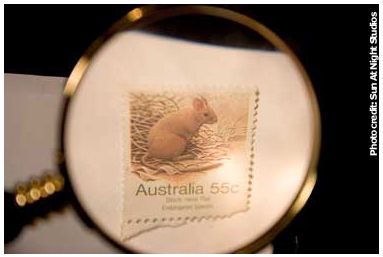 One of the many current topics right now addresses holidays and postal delivery. Postage stamps, mail delivery and postal carriers have over a century of graphic art history. This subject has been commercially portrayed for Christmas, Valentine’s Day, humorous birthdays, and of course thank you cards.
Postage stamps are coupled along with currency as they are legally treated in the same manner. They both represent monetary value. Commercial applications utilizing either paper money or coins have been associated with everything from St. Patrick’s Day to Christmas. Many cultures use money to depict good fortune and luck. The commercial usage is only limited by creativity and law.
In the United States the image of any currency or revenue stamps whether it is foreign or domestic is regulated. The governing federal agency is the United States Secret Service. It covers illustration as well as photography and even specifies no storage of original images that are used to make the final product. This means that if you scan a single bill of currency at 100% you may not keep a copy of it. The only object that falls into the category of currency is a depiction of coins. These are not regulated.
Below is a quick summary of how to depict postage stamps and currency for commercial use under US law. This is adapted to target digital media.
- United States and Foreign Postage Stamps Illustrated or Photographed
- Without the Cancellation mark (not used for postage)
- Use must be non-fraudulent
- Any size may be used of black and white depictions
- Color depictions
- 75% smaller than the actual size or
- 150% larger than the actual size
- With Cancellation Mark (official postal mark)
- Use must be non-fraudulent
- Any size, any color
- Cancellation mark must be prominent
- Without the Cancellation mark (not used for postage)
- United States Currency
- Single sided only
- 75% smaller than the actual size or
- 150% larger than the actual size
- May not keep any file on any type of storage that is 100% scale of the currency.
- Foreign Currencies
- 75% smaller than the actual size or
- 150% larger than the actual size
- Black and white only
- Original files made to use the final image are to be destroyed
Additional Info and Resources
- Secret Service Money Illustrations
- Globe and Mail By: MELANIE PATTENHALIFAX and HALIFAX — The Canadian Press Article: Mint Drops Penny-Pinching Move Against Folksinger Date: Sept. 13 2013
- Caslon Analytics – Intellectual Property Crown Copyright Currency and Stamps


