Dash of Inspiration: To Use or Not to Use

That is the question you must ask yourself before you purchase clip-art or graphics and before you download free 3rd party elements; and use them in your designs. Be smart and choose wisely, and your designs will make money for you for years to come.
- FREE does not automatically mean Free for Commercial Use (CU) – AND – Free for Commercial Use does not automatically mean you can use it in a design you sell for resale to make money.
- If the TOU (Terms of Use) do not CLEARLY state one or more of the following then you should be very cautious:
- Okay to incorporate the elements in designs you sell.
- May be used for any commercial purpose
- Carries both CU and CU4CU licenses.
- Is licensed through a CC (Creative Commons) license which allows CU and allows derivatives.
- Is dedicated to Public Domain
- Be sure you understand that a site which states CU (Commercial Use) is okay, does not automatically mean it’s okay to use to make a profit. CU may be allowed for use in your business as a website banner, as a business card image or on a flier – BUT – that does not mean you can SELL the image in whole or in part of a design for profit.
- If the TOU state “not okay for selling on POD’s like Zazzle, Cafe Press“, then it’s not okay to sell on GCU either.
- Make sure you understand that when the TOU say; “No As Is Usage” or “Must not contribute to the core value of the design.” that you understand what that means –AND – that you understand that GCU no longer allows ANY 3rd party graphics or photographs to be used As Is, regardless of whether you have permission or not.
- PAY ATTENTION! Licensing can change, it’s rare, but it happens as it recently did with Creative Market. Their Simple License went to a Standard License in December of 2015 and they added the Extended License. If you purchased graphics without the Extended License (EL) from them in the past, then you must go back and purchase the EL in order to use those graphics in designs you sell. It is up to you as the artist to follow TOU and changes to licensing, and it’s you who will be sued and have your designs pulled if you don’t.
- Lastly, remember that EVERY 3rd party element used to create your card design needs to be listed in your Notes to Reviewer with a link to the item page showing both the item used and the TOU.
Here are some other blog posts which may be helpful:
…………………………………………………….
Remember only two weeks left for our January Dash of Inspiration Design Challenge!
Share this:

Font Frenzy: Rockmasta

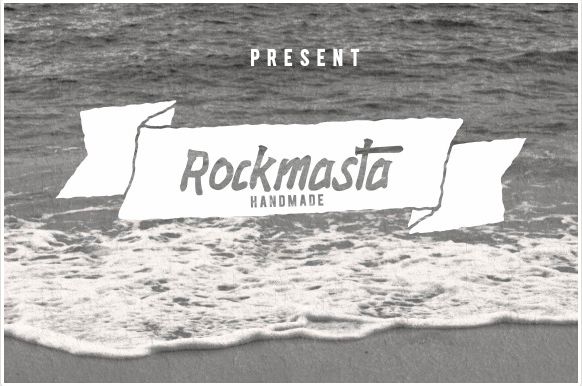
Creative Market has a free font on offer called Rockmasta by Ijemrockart.
What’s included:
Comes with upper and lowercase characters, large set of punctuation glyphs, numerals, ligature, and supports international languages.
This font is on offer for 5 days.
Share this:

Dash of Inspiration: Font Deals
Every month, this Fontaholic must share great finds with all of you, should you wish to take advantage of any of these terrific finds.
FREE Fonts …
Riffic – fun alternative to the ugly and over-used Comic-Sans. Great for humor related cards and those for children. FREE for CU!

Sunday – A Vintage hand drawn typeface by Anastasia Dimitriadi


SudegnakNo2 Font by gluk – This is a fun choice for those chalkboard style and for comic designs.

……………………………………………………….
Treat yourself, but hurry it’s a time-sensitive deal!
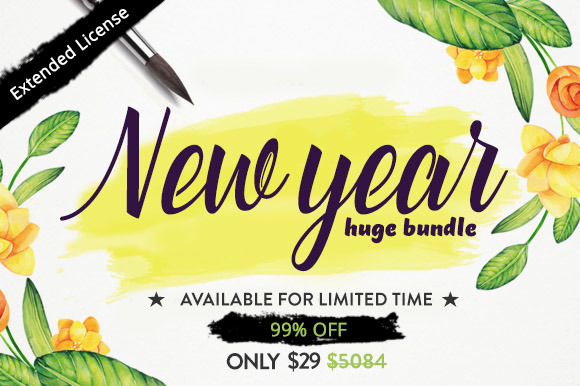
New Year Bundle of 56 Fonts from Creative Market – Until January 30
……………………………………………….
Remember to stop by our January Dash of Inspiration Challenge and create a winning card design!
So until next week … Learn … Create … Inspire!
Share this:

Wanted New Cards: Leap Year Birthdays

We have a categorie that needs some attention:
A long list of relationships have been added to the category :

We’d like you to create at least one card for these sub-categories using the Stock Cards function (Bigstock) or your own graphic designs.
Remember, when you’re submitting your new card, add a little note about the intended category in your Notes to Reviewers. Be inventive, be clever, be creative. Good luck!
Share this:

Tips and Tricks: Free Hand Drawn Sunburst

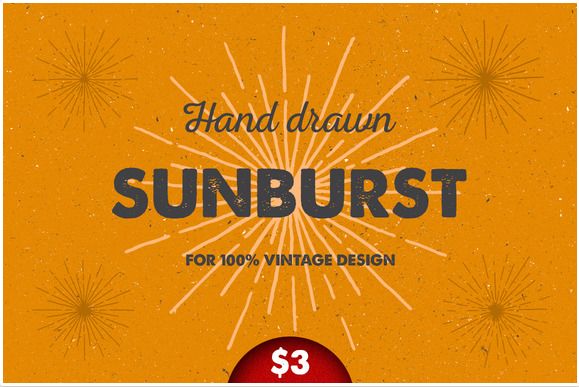
Creative Market has a nice free set of Hand Drawn Sunburst on offer from creator Pavel Korzhenko.
This set includes:
- 4 different sunburst with vintage noise (all in vector).
- 1 png file with transparent background.
Share this:

Dash of Inspiration: January 2016 Design Challenge
Congratulations to our 1st Place Winner of our “Back to Nature” challenge goes to Christie Black with PID 1418346
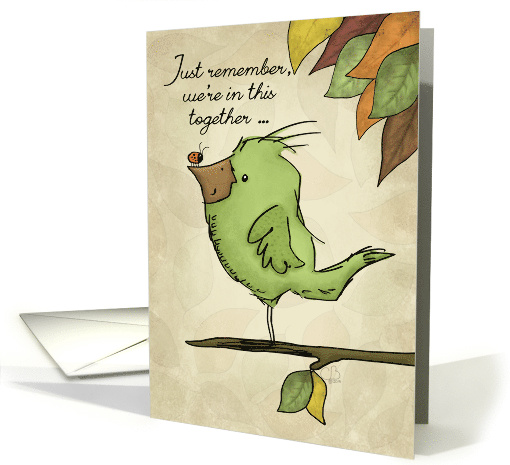
2nd Place was awarded to Barbara Schreiber with PID 1418842

CONGRATULATIONS ladies! Well done!
……………………………………………….
As life returns to normal for all of us, and for GCU as well, we will soon be announcing the results from our BYBC December Challenge, in the meantime, let’s kick off 2016 with a new Dash of Inspiration Design Challenge!
……………………………………………….
Theme: Back to Nature
Requirements:
- Must include plants, animals, landscape, and other features and products of the earth, as opposed to humans or human creations.
- Anything from a macro leaf to an expansive scenic is acceptable as long as both are VOID of anything man-made.
- Must include one tiny creature (e.g., ladybugs, lizards, fish, mouse, spider, etc. ).
- Card front and/or inside verse must speak to a nature theme (i.e., the beauty of it, preservation, strength, etc…). There must be a direct correlation between your imagery, category choice and message.
……………………………………………………………
Entry Deadline: Sunday, January 31st, 2016
……………………………………………………………
How to Enter: Post the PID (card number) and the URL (public storefront link – please WAIT for the card to be available in the public marketplace, please DO NOT post a link to your Manage Cards area) as a post in the challenge blog. We’ll forward your entry to the jury.
……………………………………………………………….
Category: Any Category / Any Occasion where you can directly relate ‘Getting Back to Nature’.
Tips: Earth Day, Arbor Day, Summer Camp to name a few.
……………………………………………………………….
Rules:
- Submission must meet GCU’s Submission Guidelines and be Approved through the usual Review Cycle– Fast Track your submission with this in the Notes to Reviewer: January Design Challenge Submission here is the link to the blog post: (include THIS blog post URL)
- Only ONE card per artist per challenge.
- Submissions must be NEW, no existing designs.
- Your entry must meet the Challenge Requirements and Theme or it will not be included in the challenge.
- Stock Card Creations entries will not be accepted.
……………………………………………………………….
BLIND Judging: We hope each of you enters every month. Entries are submitted anonymously for judging by the GCU Challenge Jury which means that before and during the challenge, judges do not have any way of knowing what artist is behind each entry. This eliminates any and all concerns with ‘favoritism’. Results will post on the Community Blog. The jury will judge the entries on the following criteria:
- How well the card meets the Challenge Requirements and Theme.
- How well the card speaks to the Category the artist chooses for the card submission.
- Creativity, Execution and Marketability.
……………………………………………………………………
Winners: 1st Place:
- The winning designer’s card and store will be featured on the GCU Public Blog – the blog which customers view and follow.
- As well as featured on the GCU Public Facebook Page – over 26,000 followers, now THAT’S exposure!
- The winning card will be Design of the Day following the announcement of the winners (within 48-hours).
EXCEPTION: Horizontal (landscape) cards may not be featured as DOD due to GCU Home Page space restrictions. In these cases, GCU will choose a different vertically oriented card from your store to feature as DOD. Thank you for your understanding and apologies for this limitation.
- The winning card will be added to the Greeting Card Universe Design Challenge Winners Pinterest Board – currently GCU’s Pinterest Page followers: 1.2K!
- The winning card, should the artist choose, may be referenced in a new series by the winning artist and he/she may Fast Track all cards in the new series (being sure to give the Challenge URL and winning card PID in your Notes to Reviewer for each card in this series).
- Winning card will be included in a marketing email to over 100,000 customers!
2nd Place:
- Your submission will be Design of the Day the following week of announcing the Challenge winners (within 7-days).
EXCEPTION: Horizontal (landscape) cards may not be featured as DOD due to GCU Home Page space restrictions. In these cases, GCU will choose a different vertically oriented card from your store to feature as DOD. Thank you for your understanding and apologies for this limitation.
- Your card will be added to the Greeting Card Universe Design Challenge Winners Pinterest Board.
- Winning card will be included in a marketing email to over 100,000 customers!
………………………………………………………………………
Tips:
Check out these tips, tricks, freebies, and tutorials from our own GCU Community Blog which might be helpful in this month’s Challenge.
- Photography Tips and Tutorials
- The Image Speaks Volumes
- Our Blog is Full of Freebies for CU, check out this LINK
Please note that old links to Freebies may no longer be valid as some expire over a period of time. GCU has no control over these links, so enjoy those which still work and skip any which has been removed by the contributors.
………………………………………………………………………
With the end of year challenge and the holidays upon me, I did not have the time to create a card as a sample for this challenge. I give you a card I created last year for Arbor Day which has a nature theme.

Let the New Year of Challenges begin!
Share this:

Font Frenzy: Onevia
The Hungry JPEG has another goody for you, only avaliable for 24 hours and it’s totally free!

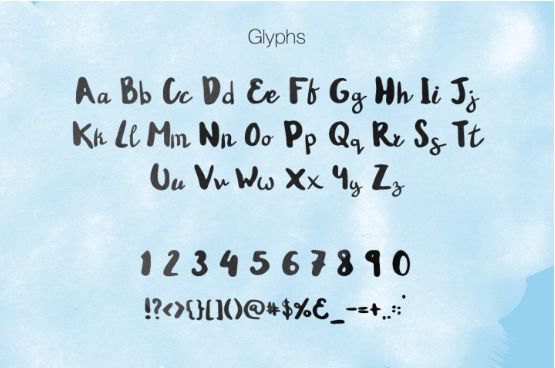
Take a look at Onevia, a fun-loving, perfectly imperfect font from Media Lab. This thick brush font is hand crafted to give an extra something to your designs, and is yours to own for FREE if you download in the next 24 hours. Hurry!
This item comes with a complete license included. Enjoy 🙂
Share this:

Font Frenzy: The Beauford Script
The Hungry JPEG has another one of their limited time $1 deals for you.
1. The Beauford Script by Annenkov Dmitriy
The Beauford font is one of the favourite fonts at TheHungryJPEG office at the moment! Thanks to the 100s of additional characters included, the possibilities are endless. All the extra glyphs are 100% accessible to everyone, without the need for fancy design software. Usually priced at $12, this incredible font is an absolute steal at just $1. But hurry, this deal won’t last forever. Grab your bargain today and see how easy it is to incorporate into your designs!
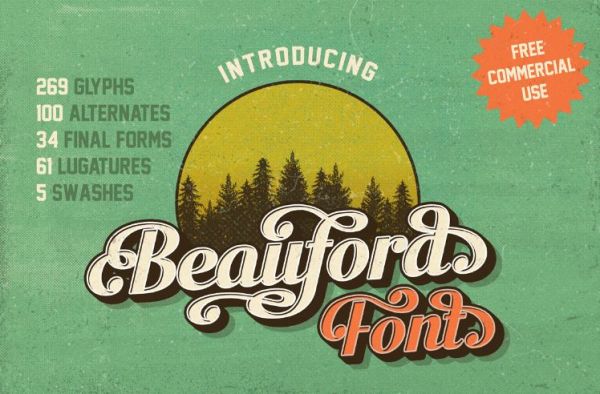
This deal also includes a full commercial licence! If doesn’t get much better than that.. Enjoy!
WHATS INCLUDED?
- Beauford Script (OTF & TTF Format)
- Web fonts included (EOT, SVG, WOFF & WOFF2 Files)
- Commercial License & Lifetime Download Guarantee
The deal ends in 23 days.
Share this:

Dash of Inspiration: Last Day for BYBC!
Today is the last day (midnight, California time) to enter our LAST Challenge of 2015!
Every artist is invited to attend and BYBC (Bring Your Best Card) created (and approved) in 2015! Collectively we’ll see all the talent at GCU, including all our newer artists who we hope will join in and introduce themselves!
If you haven’t yet, find out how to submit and enter your card HERE!
See you in the New Year!
Share this:

Custom Corner: Happy Holidays from ONE to ALL
Mindy has shared the following about the making of her 2015 holiday card:
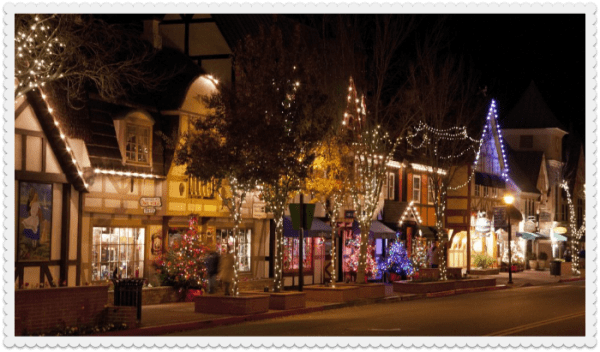

See how cute they look in the office!



Here’s what Jenn had to say about the designing process:


