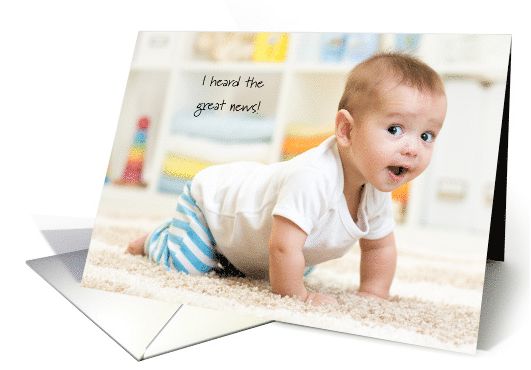
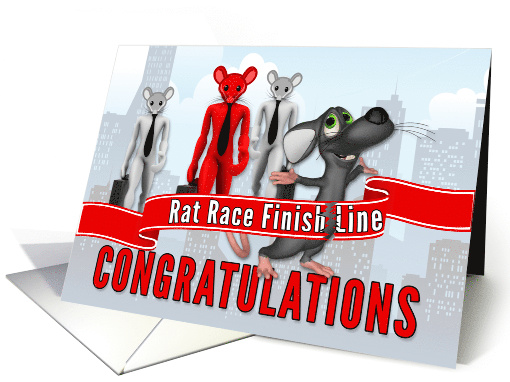
Send a Birthday Card to Frankie by 11/8!
For interested artists let’s see how many birthday smiles we can send to this little boy who turns 6 in the hospital on November 13th!
Click here to read the article
Using GCU, send a card BY 11/8 addressed specifically as listed below:
Company Name: Barnet Times
First Name: Anna Slater
Last Name: Chief Reporter
Address: Observer House
Address (line 2): Caxton Way
City: Watford
State/Province: Hertfordshire
Zip/Postal Code: WD18 8RJ
Country: UK
If you earned a card credit from sending a card to little Ava, please be sure to apply it to your card when you’re in the cart. Postage is a little more $ in the UK but Frankie is worth it!
After, post on this thread on the GCU forum your order id# and GCU will “reimburse” you by adding a free card credit to your account for a future card purchase as a thank you!
Send one of your own cards, send a different artist’s card, make a custom card! Be sure to add a special & uplifting note on the inside to Frankie.
Let’s delight him with special cards from GCU’s talented & thoughtful community of artists!
Dash of Inspiration: November Design Challenge
The winners of last month’s challenge, “Paint the Town … Red” will be announced mid-week and a HUGE THANK YOU to all for giving October’s Challenge a go and participating. We had a good turn out and many, many wonderful cards were created!
……………………………………………………………
This month, it’s time for romance and with Valentine’s Day coming in February, should you choose to design for this category choice, your cards will be done right on time for the customers purchasing in the ‘Month of Love’. Many of the categories at GCU have a Love and Romance sub-category and that is the theme for November. So let’s get to our challenge …
……………………………………………………………
November Design Challenge
Theme: Love is in the Air
Requirements:
- There must be a couple obviously enamored with each other in the imagery – two people, two animals, two zombies or two aliens, it matters not … it just needs to be a couple showing closeness and affection.
- Though the verse does not have to say “Love is in the air”, it should speak to love and romance.
……………………………………………………………
Entry Deadline: Monday, November 30th, 2015
……………………………………………………………
How to Enter: Post the PID (card number) and the URL (public storefront link – please WAIT for the card to be available in the public marketplace, please DO NOT post a link to your Manage Cards area) as a post in the challenge blog. We’ll forward your entry to the jury.
……………………………………………………………….
Category: Any Category / Any Occasion where Love and Romance is the theme.
……………………………………………………………….
Rules:
- Submission must meet GCU’s Submission Guidelines and be Approved through the usual Review Cycle – Fast Track your submission with this in the Notes to Reviewer: November Design Challenge Submission here is the link to the blog post: (include THIS blog post URL)
- Only ONE card per artist per challenge.
- Submissions must be NEW, no existing designs.
- Your entry must meet the Challenge Requirements and Theme or it will not be included in the challenge.
- Stock Card Creations entries will not be accepted.
……………………………………………………………………
BLIND Judging: We hope each of you enter every month. Entries are submitted anonymously for judging by the GCU Challenge Jury which means that before and during the challenge, judges do not have any way of knowing what artist is beyond each entry. This eliminates any and all concerns with ‘favoritism’. Results will post on the Community Blog – by December 2nd. The jury will judge the entries on the following criteria:
- How well the card meets the Challenge Requirements and Theme.
- How well the card speaks to the Category the artist chooses for the card submission.
- Creativity, Execution and Marketability.
……………………………………………………………………
Winners: 1st Place:
- The winning designer’s card and store will be featured on the GCU Public Blog – the blog which customers view and follow.
- As well as featured on the GCU Public Facebook Page – over 22,000 followers, now THAT’S exposure!
- The winning card will be Design of the Day following the announcement of the winners (within 48-hours).
EXCEPTION: Horizontal (landscape) cards can not be DOD due to GCU Home Page space restrictions. In these cases, GCU will choose a different vertically oriented card from your store to feature as DOD. Thank you for your understanding and apologies for this limitation.
- The winning card will be added to the Greeting Card Universe Design Challenge Winners Pinterest Board – currently GCU’s Pinterest Page followers: 1.2K!
- The winning card, should the artist choose, may be referenced in a new series by the winning artist and he/she may Fast Track all cards in the new series (being sure to give the Challenge URL and winning card PID in your Notes to Reviewer for each card in this series).
- Winning card will be included in a marketing email to over 100,000 customers!
2nd Place:
- Your submission will be Design of the Day the following week of announcing the Challenge winners (within 7-days).
EXCEPTION: Horizontal (landscape) cards can not be DOD due to GCU Home Page space restrictions. In these cases, GCU will choose a different vertically oriented card from your store to feature as DOD. Thank you for your understanding and apologies for this limitation.
- Your card will be added to the Greeting Card Universe Design Challenge Winners Pinterest Board.
- Winning card will be included in a marketing email to over 100,000 customers!
………………………………………………………………………
Tips:
Check out these tips, tricks, freebies, and tutorials from our own GCU Community Blog which might be helpful in this month’s Challenge.
Dash of Inspiration: Tips from Professional Digital Artists
Nuts and Bolts: How to Write Greeting Card Verse
Dash of Inspiration: Working with Color
………………………………………………………………………
ENJOY and JOIN in the Challenge Fun!
Dash of Inspiration: Tropical Themed FREEBIES
Last Monday I mentioned that one of the ‘hot’ design themes for 2016 is the tropics. Today I’m sharing some great FREE commercial use tidbits for your designs next year centered around this style. We’ll start out with these great shapes form Photoshop …
46 Palm Leaf Shapes from All-Silhouettes.com
PLUS: 38 Palm Trees and Tropical Scene Shape Set, also from All-Silhouettes.com
…………………………………………….
CoffeeShop.blog – “Large Chevron” Digital Paper Kit
…………………………………………….
Here are some fun tropical-themed dingbat fonts for those of you who like to use them in your designs.
Tropicana BV font — Created in 2004 by Blue Vinyl
Hibiscus Dingbat Font by pokelele
…………………………………………….
For those who don’t mind investing a bit of their card earnings back into their business, here are some great places to shop for tropical design elements:
Creative Market has thousands of beautifully designed elements for the designer and over 5,000 in a sort for ‘tropical’!
…………………………………………….
Enjoy and have fun designing!
Dash of Inspiration: Design Trends for 2016
Time to be thinking well into 2016, so what will be trending that we greeting card designers should know?
- Wedding Colors for 2016 from Tulle and Chantilly
- Color Trends in Invitation Designs for 2015 / 2016 from Mospens Studio
- Trends for designers in 2016 include, organic textures and shapes, wild and exotic animals, tropics and warm metallic hues to name a few, are all in vogue next year.The Top Ten Design Trends for 2016 from the Ace of Spades Blog
……………………………………………………………………
There’s still time to enter this month’s Design Challenge: Paint the Town … Red
…………………………………………………………………….
Until next week … LEARN … CREATE … INSPIRE!
Dash of Inspiration: Mastering the Art of Greeting Card Design
We all know that pushing yourself to be better, creates a natural ability in ourselves to improve. Most of us are very competitive with ourselves even if not so with others and that’s what drives us to improve. Whether that’s pushing through another mile for the runner, getting closer to the target for the marksman, or growing as an artist in both technique, quality and marketability; the same desire for growth exists. To be competitive with the best in the ‘business’, such as professional athletes, the greeting card artist never stops improving their knowledge base and skill level.
For those artists who have recently jumped into the greeting card world – and for any artist who has not mastered all these areas, whose cards are not making it through the review cycle at GCU with 100% approval rate – be honest with yourself and look at your cards to date. You should recognize the areas which need strengthening in order for you to grow as a greeting card designer. If you do the time to master your craft, your cards sales will grow and those thresholds will be met every quarter!
Eight areas to master to be a competitive greeting card designer. For the past four-years, the Community Blog has been offering tips and tutorials from some of GCU’s best selling artists. Take advantage of these tools and you will reap the benefits!
1. Ability to create artwork and verse well-suited to the occasion, age, gender.
Occasion/Gender/Age Marketability
Make the Image Match the Occasion
2. Creative and proficient typography skills.
Hundreds of Fonts to Grab for Your Toolbox

3. Strong understanding of composition and how to balance elements in an image.
4. Fine tuned expertise in the medium you choose to work in, e.g., photography, digital, watercolor …
5. Willingness to write unique verse.
How to Write Greeting Card Verse
6. Attention to detail, e.g., grammar, spelling, image quality, alignment …
7. Strong color sense, i.e., the ability to create pleasing and appropriate colors and to combine colors.

8. Thorough comprehension of Terms of Use, i.e., public domain vs. creative commons, crediting the resource, commercial use vs. personal use …
…………………………………………………..
Why not push yourself to be GREAT at what you love to do?
Check out our October Dash of Inspiration Design Challenge, you could be the next winner!
Dash of Inspiration: October Design Challenge
AND OUR WINNERS ARE …
1st Place goes to Michelle Lanoue with PID 1405754
2nd Place goes to Ron Magnes with PID 1405010
CONGRATULATIONS to both of you and to ALL who participated with your fabulous designs. We just loved seeing the different directions creativity and inspiration took each of you, and this was a very close race to the finish line .. Well done!
……………………………………………………………
Congratulations to our September winners, Barbara Schreiber and Julia Bryant!
The entries for the past two months of challenges has been sparse. We do hope you’ll join us and take advantage of the fun, challenge yourself to create outside the box, and compete for the opportunity to reap the rewards of having your card picked by the GCU Panel of Challenge Judges for free promotion!
……………………………………………………………
For all the wonderful artists at GCU who paint their greeting card images, this design challenge should be right up your alley! And – with all the exceptional digital tools and tutorials out there for the photographer and digital artist to use to create realistic paintings from photographs – (many of which are free to try) – this month’s challenge should be a lot of fun and give you the reason you’ve been waiting for to experiment with some of these great painting tools! Okay, let’s get to it …
……………………………………………………………
October Design Challenge
Theme: Paint the Town … Red
Requirements:
- Paint the town, city, or neighborhood – your own, one you’ve visited, one you’d like to visit or one that exists only in your mind – what’s important is that it LOOKS like a painting.
- Since an entire town painted red may not make for a marketable greeting card (unless you paint a zombie town!) just add a touch of red somewhere in your painting big or small, as long as it’s there (text alone doesn’t count).
- Watch your perspective! Look at my example, see how slanted the perspective was, with the buildings falling backwards in the original photograph? Make sure that your vertical and horizontal lines are straight on your buildings or your submission won’t pass the GCU Review Cycle and if it doesn’t get approved, it can’t be entered.
- In order to be considered for the challenge, the image must consist of three or more buildings.
……………………………………………………………
Entry Deadline: Friday, October 30th, 2015
……………………………………………………………
How to Enter: Post the PID (card number) and the URL (public storefront link – please WAIT for the card to be available in the public marketplace, please DO NOT post a link to your Manage Cards area) as a post in the challenge blog. We’ll forward your entry to the jury.
……………………………………………………………….
Category: Any Category / Any Occasion where Home, House, Neighborhood or Location is appropriate.
Tips: From Our House – New Home – Greetings from Your State, Country, Town – New Address
……………………………………………………………….
Rules:
- Submission must meet GCU’s Submission Guidelines and be Approved through the usual Review Cycle – Fast Track your submission with this in the Notes to Reviewer: August Design Challenge Submission here is the link to the blog post: (include THIS blog post URL)
- Only ONE card per artist per challenge.
- Submissions must be NEW, no existing designs.
- Your entry must meet the Challenge Requirements and Theme or it will not be included in the challenge.
- Stock Card Creations entries will not be accepted.
……………………………………………………………………
BLIND Judging: We hope each of you enter every month. Entries are submitted anonymously for judging by the GCU Challenge Jury which means that before and during the challenge, judges do not have any way of knowing what artist is beyond each entry. This eliminates any and all concerns with ‘favoritism’. Results will post on the Community Blog – by November 4th. The jury will judge the entries on the following criteria:
- How well the card meets the Challenge Requirements and Theme.
- How well the card speaks to the Category the artist chooses for the card submission.
- Creativity, Execution and Marketability.
……………………………………………………………………
Winners: 1st Place:
- The winning designer’s card and store will be featured on the GCU Public Blog – the blog which customers view and follow.
- As well as featured on the GCU Public Facebook Page – over 22,000 followers, now THAT’S exposure!
- The winning card will be Design of the Day following the announcement of the winners (within 48-hours).
EXCEPTION: Horizontal (landscape) cards can not be DOD due to GCU Home Page space restrictions. In these cases, GCU will choose a different vertically oriented card from your store to feature as DOD. Thank you for your understanding and apologies for this limitation.
- The winning card will be added to the Greeting Card Universe Design Challenge Winners Pinterest Board – currently GCU’s Pinterest Page followers: 1.2K!
- The winning card, should the artist choose, may be referenced in a new series by the winning artist and he/she may Fast Track all cards in the new series (being sure to give the Challenge URL and winning card PID in your Notes to Reviewer for each card in this series).
- Winning card will be included in a marketing email to over 100,000 customers!
2nd Place:
- Your submission will be Design of the Day the following week of announcing the Challenge winners (within 7-days).
EXCEPTION: Horizontal (landscape) cards can not be DOD due to GCU Home Page space restrictions. In these cases, GCU will choose a different vertically oriented card from your store to feature as DOD. Thank you for your understanding and apologies for this limitation.
- Your card will be added to the Greeting Card Universe Design Challenge Winners Pinterest Board.
- Winning card will be included in a marketing email to over 100,000 customers!
………………………………………………………………………
Tips:
Check out these tips, tricks, freebies, and tutorials from our own GCU Community Blog which might be helpful in this month’s Challenge.
Dash of Inspiration: Digital Tablet, Digital Painting
Dash of Inspiration: Image Quality – Excessive Effects
Dash of Inspiration: Submission Guidelines: Composition – Perspective
Dash of Inspiration – A Matter of Perspective
List of some Digital Painting Free Programs and/or Free Trial Programs – NOTE: I have NOT downloaded from this site, therefore this link is not a personal recommendation. It’s a list, if you have experience with the site and/or are comfortable with you computers protection to download, then great – if not, use it as a list to get names of software you might be interested in trying and go search for a site you do trust.
………………………………………………………………………
Participants:
Wanted New Cards: Police Officer
We’d like you to create at least one card for this category using the Stock Cards function (Bigstock) or your own graphic designs.
Remember, when you’re submitting your new card, add a little note about the intended category in your Notes to Reviewers – cards submitted for underused categories are much more likely to be approved provided they follow the Submission Guidelines. Be inventive, be clever, be creative. Good luck!
Today’s category with 9 cards is:
Holidays – Christmas – Occupation Specific – Police Officer
The customer especially requested K9 Officers Christmas cards.
Dash of Inspiration: Tutorial Monday
Sorry for the ‘disappearance’ the past few Mondays. September is a hectic month for me in a normal year, our wedding anniversary, hubby’s birthday and our local Wildlife Rehab Organization’s big fund-raiser of the year – all of which take a tremendous amount of my time. This year, added to that load was one of California’s huge fires – we were without power for four-days and had the cars loaded on evacuation notice. I’m blessed to be able to say we and our neighborhood was out of danger when the fire turned directions and headed towards the next county over.
With all that said, today I wanted to bring some tutorials worth looking at – maybe you’ll see something you’d like to know more about.
……………………………………………………………….
Photoshop is known for it’s image editing, compositing and restoration abilities for professionals, but it’s also a powerful vector-based program for graphic designers and artists. Check out this great tutorial:
Vector Shapes vs Pixel Shapes In Photoshop – Written by Steve Patterson at Photoshop Essentials
……………………………………………………………….
When you have the right tools as a photograph and a full understanding of how to use the tools you have to their fullest potential, then you can do just about anything with your photographs – including removing noise.
Photoshop tutorial: Remove Noise in photos in Photoshop, and sharpen an image – The definitive guide to how to remove noise photos in Photoshop. By Tigz Rice at DigitalArtsOnline.co.uk
……………………………………………………………….
For those of you who might be considering using Illustrator to take your drawings to vividly wonderful greeting cards images, here’s a starter tutorial for you.
Adobe Illustrator tutorial: Create Colorful vector character art by onesidezero at DigitalArtsOnline.co.uk
……………………………………………………………….
ENJOY!
Today is the last day to enter your submissions to our September Dash of Inspiration Design Challenge, so don’t delay and good luck to all who are participating this month!
Tips and Tricks: Card Designer Checklist
Let’s face it, creating a gorgeous, wonderful, perfect card design is only half the battle. The other half is making sure you’ve done everything possible on your end to ensure no unnecessary delays during the card review process. Please don’t rely on the review team to point out your mistakes. That causes reviews to take longer and longer, and also leads to frustrating returns and declines.
Here’s a checklist of what you should be doing BEFORE you submit your cards for review.
Common Errors In Copyright
- If using third party elements, have you checked the terms of use? Is commercial use clearly permitted? Are there any restrictions on usage by commercial parties? If you’re not sure, don’t use it.
- If you believe an element is in the public domain, have you checked to be sure this is correct? Just because something is on-line, that doesn’t mean it’s free to use as you please.
- Are you using a copyrighted character (for example, Rudolph the Red Nosed Reindeer or Frosty the Snowman) anywhere on your card, or in the keywords, card title, or Artist’s Notes? If so, your card will be declined.
- Are you using a quote or work such as a poem written by someone else? Do you have permission? If you believe the work is in the public domain, have you double checked that it isn’t trademarked or under copyright?
- Are you using song lyrics in the title, keywords, inside verse, or keywords? That’s clear copyright violation unless you are the author of the song or have permission from the song’s creator.
- Have you taken photographs of a building, monument, structure, artwork, or statue? Have you checked to be sure the structure/art hasn’t been copyrighted or trademarked? For example, the Eiffel Tower can be photographed during the day without a problem, but once the structure is lit at night, it is trademarked by the City of Paris.
- Does your design include copyrighted/trademarked elements that are clearly identifiable (such as football team logo, make/model of automobile, corporate logo)? If so, your card will be declined.
Tip: Bottom line – if you didn’t create it yourself, double and triple check that it’s okay for you to use commercially. If there’s even the slightest doubt, don’t use it! See the section on Notes to Reviewers.
Spelling and Grammar
- Are all words spelled correctly and used properly? Beware of homonyms – words that sound the same but are spelled differently and may have different meanings.
- Is punctuation correct?
- Is grammar correct?
- Is holiday spelled/punctuated correctly? For example, Mother’s Day, not Mothers Day. Some holidays use the apostrophe, some don’t. Check the category at GCU to find out the preferred spelling.
Common Errors:
Your – Possession, as in “your baseball card collection.”
You’re – You are.
Its – Possession, as in “its baseball collection.”
It’s – It is.
Their – Possession, as in “their baseball collection.”
They’re – They are.
There – Location, as in “over there.”
Correct: “It’s your birthday today!”
Incorrect: “Its you’re birthday today!”
Tip: Read a contraction out loud. In the last example, if you read aloud, “Its you are birthday today,” you’d know immediately it was incorrect. If you read aloud the first example, “It is your birthday today,” you’d know it was right.
Card Design and Composition
- Are all elements and typography on the card within the safety margin?
- Does the font/typography suit the design and purpose of the card?
- Do design elements fit the purpose of the card?
- Is the composition balanced and pleasing to the eye?
- Does your design follow GCU’s submission guidelines?
- Is the photograph in focus? How’s the depth of field? Any distracting elements? How’s the lighting? Does it have the look of a professional photograph or a casual snapshot? See the submission guidelines!
- Have you included third party credits in the design? Are they unobtrusive and subtle? If you aren’t sure how to do this or when you should, read Doreen Erhardt’s Credit Where Credit Is Due.
Common Errors:
If elements are supposed to be centered, make sure they are actually in the center of the card.
Don’t confuse “cutting edge” design with plain old mistakes. Before you can break the rules of design, you have to have a basic understanding of those rules, and you also need plenty of experience as a greeting card designer.
Unprofessional looking photographs and snapshots – blurry, out of focus, red eye, etc. – should not be submitted at all.
Overly manipulated images are never acceptable. Use a light hand.
Tip: If you don’t think you need to read the submission guidelines, think again.
Card Title
- Are all words spelled correctly?
- Does card title address the purpose of the card? For example, “Happy Birthday Sister.”
- Does card title include some other unique description? If your birthday card features a pink flower, the title would be “Happy Birthday – Pink Flower.” Keep it concise but descriptive.
- Have you just used a string of words separated by commas as a card title? If so, that won’t do. Give your card a proper title or it may be returned.
Tip: If you were a shopper, would you find the card title attractive enough to click on it in a search so you can find out more? The card title plays a big role when it comes to being indexed by search engines and it’s the first thing shoppers see. If you want sales, you need to ensure your cards are looked at by shoppers, so give each card a good title.
Keywords
- Do all keywords reflect the card’s actual purpose? Like “happy birthday to my sister.”
- Have you included keywords describing the elements on your card? Like colors, patterns (stripes, polka dots, chevrons, etc), themes (old fashioned, contemporary, playful, etc).
- Have you included your name in the keywords? This is important for branding.
Tip: Use keyword phrases when possible, as search engines give a little more weight to unique keyword phrases. Example, instead of a string of words such as happy, birthday, sister – use happy birthday to my sister.
Category
- Have you chosen a category that fits your card literally and exactly? For example, if your card says, “Happy birthday, sister,” you’ll want to choose Birthday – Relationship Specific – Sister. If your card simply says, “Happy birthday,” you cannot put it in a specific relationship category.
- Is there a second category that fits your card literally and exactly?
- If there is not an exact match, have you posted in the Forum under Category Help or sent an e-mail to the review team and asked for a new category to be created? Do this BEFORE you submit the card!
Tip: Categorize your card only by what it actually is, not what what it could be. GCU accepts only very literal categorization. An image of a flower does not automatically mean the card can go into Mother’s Day and Birthday for Sister. If you’re designing a card and want to put it in Birthday – Relationship Specific Sister, your design must mention birthday AND sister somewhere on the card (inside or out) for it to go in that category.
Tip #2: Always design cards to suit a category, not the other way around.
Artist’s Notes
- Have you included a good product description that will entice shoppers to purchase your card?
- Does your product description include descriptive words and phrases that are unique to the card?
- Have you included third party credits as required by terms of use or licensing agreements (such as, “Photograph courtesy of Bob Jones.”)? Never include links to outside websites!
- If the card is in a foreign language, have you included an English translation in the Artist’s Notes?
Common Errors:
Never include links to other websites or stores, even if they’re your own. Never, never, never. If you want to promote your other POD shops, put those links in your store module – nowhere else.
Tip: Want to learn how to write product descriptions? Read this Nuts and Bolts article.
Notes to Reviewers
- Have you included all image source information such as links to the sources/terms of use or licensing agreements for all elements?
- If using elements – illustrations, photographs, poems, quotes, clip art – you believe are in the public domain, have you included proof of public domain status for the reviewers? Such as a link to a website stating the elements are public domain and free to use commercially. Be careful, as not everything old is fair game. For example, some translations of the Bible are trademarked.
- Do you have permission from the trademark/copyright holder to use their work? If so, state it here.
- If a person’s face is visible in a photograph, do you have a model release? Or the person’s permission (if it’s a relative or someone you know personally)? Include this information to avoid card returns.
- If elements are your own photographs/original illustrations, have you stated this fact? It’s especially important if, for example, you license your art with another company or your work is on-line elsewhere under a different name.
- When submitting a series of cards, has a card in this same series already been approved? Such as, you submitted a test card to find out if the design would be acceptable. If so, include the PID# of the approved card in your Notes to Reviewers to expedite reviews of the rest of the series.
Tip: Is there anything else you could explain that would help the reviewer expedite the card’s review? The more a reviewer has to research to find information on elements in your design, the longer the review will take.
The best overall tip I can give you is … READ THE SUBMISSION GUIDELINES (the GCU Wiki). Also read the various articles that have appeared on this blog on topic like those above. You’ll find lots and lots of tips here.
Armed with this checklist, you should be able to submit your cards with a much lighter heart, knowing you’ve done everything possible to ensure your designs go through the review process more smoothly and with less chance of returns and declines.
Nuts and Bolts: Artist’s Notes and Product Description
ARTIST’S NOTES:
A Reason You May Be Invisible to Potential Buyers
Let’s talk about the Artist’s Notes field, shall we? This field accompanies every single card you make at Greeting Card Universe, yet many of us (myself included) don’t always take advantage of it. I’ve also seen artists use this field to add some puzzling, irrelevant information to their cards. Few of us use it properly, which is big shame, because the Artist’s Notes field is a lot more important than you think.
Why? Well, there are two reasons. One has to do with shoppers, the other with search engines (that SEO thing, but don’t run away – I swear it isn’t that complicated).
I’ll start with SEO (which stands for Search Engine Optimization). Simply put, search engines use complex algorithms to determine a web page’s place (ranking) when it comes up in search results.
So that part is pretty clear, but what can you do to improve your web page’s ranking, and make it appear higher in the list of results? And why is should you care?
You need to care because each and every one of your cards sits on its own web page. Yes, those pages are hosted on GCU, but there are still individual pages, each of which will be indexed by search engines. For example, when someone does a search on Google for “purple elephant niece’s 14th birthday card,” your lovely lavender elephant 14th birthday for niece greeting card on GCU will come up in the results. Where your card appears in the results – on page one, two, three, or page two million – will likely affect your sales.
Being number one on page one is preferred (much like an Olympic athlete would much rather win gold than bronze, or nothing at all).
How do you improve that ranking? Search engines are constantly tweaking and changing their algorithms so they can offer the most relevant results in a search. Exactly WHAT criteria is used by a search engine is secret and complex. However, I can tell you that while good and relevant keywords remain an important part of allowing your cards to be indexed properly, it’s HOW you use those keywords that will affect you the most.
Search engines love original content. Let me repeat that because it’s important to our discussion – search engines LOVE original content. What that means is, while search engines will definitely use strings of keywords as part of their ranking system, they tend to give preference to sites that use those keywords as part of original content.
I’ll give you an example. This is a card I recently designed and uploaded (yes, I’m kind of late for this year’s Thanksgiving, but I tend to work a year ahead). It’s a “Happy Thanksgiving from all of us” card.
These are the keywords I used: thanksgiving card from all of us, thanksgiving card from group, turkey, happy thanksgiving, gobble till you wobble, pilgrims, thanksgiving dinner, feast, harvest.
So far, so good. HOWEVER, to take maximum advantage, I now include a brief description in the Artist’s Notes, using as many keywords as possible in a relevant way.
Here’s what it says: “A turkey pilgrim pair stands on top of a “subway art” inspired banner in autumn colors with a Thanksgiving feast mini word cloud on a light wood grain background. A playful and trendy Thanksgiving card that can be sent by a group.”
Notice how I’ve covered my bases in the description?
That will make the search engines happy.
It will make shoppers happy, too. This is the second reason you shoud be using your Artist’s Notes this way. Have you ever seen a catalog that didn’t have product descriptions, just pictures and prices? Of course not! And if you put on your shopper’s hat, you’ll realize that someone shopping for greeting cards really likes to see a nice description of what they’re buying. It just make your design that much more attractive.
Unless you’ve only got a few cards in your store, I’m not advocating you go back and add descriptions like that to all your greeting cards at GCU. Lord knows, I sure can’t. Not enough hours in the day! But since I learned this trick, I will be adding product descriptions to my cards from now on.
Writing good, relevant product descriptions is, I admit, not for everyone. To help you out, tomorrow I’ll be posting another Nuts & Bolts, this one explaining how to write a product description, what to include, and what to avoid.