Skip to content

Nuts and Bolts: Wordsmithing for Unique Artist Notes

September 23, 2016


Nuts & Bolts – Wordsmithing for Unique Artist Notes
When creating cards, I find it challenging to create unique Artist Notes.  Particularly with a similar occasion or collection.  You have to get crafty with words and good at wordsmithing.


Here is my advice:
– use synonyms to change words
– consult a thesaurus
– move around the order of words and sentences
– change up the sentiment
– add a new fact, tidbit or image description that makes it unique to the text


Here are a few examples of my Artist Notes for similar cards that I’ve created for Thinking of You >> Away at College >> From the Pet category.  I’ve re-worked the Artist Notes (AN) to achieve a green thumbs up.


Pug – Version 1:
Thinking of your child who has moved away to college? Chances are the family dog is too. Wondering where that special person went that gave them extra attention and companionship. Since no pets are permitted on campuses and in dorms, your student is probably missing the dog too. Send this cute pug card to your student to let them know the dog is wondering where they went, and more importantly, when they’ll be back with a little touch of humor.


Golden Retriever – Version 2:
There’s a void and deafening silence at home when a child moves away to college – everyone misses them, even the family pets! We underestimate the impact on your attention hungry dog who is likely missing the petting, belly scratching, walks and special bond. Your student probably misses the dog too as there are no pets on college campuses or allowed in the dorms. Send this cute golden retriever dog card to your student to let them know the dog misses them too. The eyes say it all!
 
Black Lab – Version 3:
The family pet is sure to feel the absence of a child moving away to college. Missing the special feedings, walks, fetch and cuddle times. One of the top things college students miss are their pets! With none on campus and not permitted in the dorms this is no surprise. Send this adorable black lab dog patiently balancing a bone treat on his nose and patiently awaiting the students visit home.


Shih Tzu – Version 4:
When a child moves away to college it’s not only the family that misses them. The dog misses them too! Certainly one less belly scratch-er, walker, ball thrower, treat giver in the house affects the dog. Campus dorms don’t allow pets, so your college student is likely missing the companionship of the family pet as well. Let this running black and white Shih Tzu card deliver the message with a touch of lighthearted humor to your student letting them know the dog is thinking of them too.


Essentially I’m saying the same thing four times, just a little differently each time.


See this related post on Artist Notes & Uniqueness Factor.
TIP:  When creating a new card that is similar to another one of my cards I have two windows open.  One window for creating the new card and the other to refer to the other card so I can copy and paste the card title, keywords and Artist Notes fields and then simply modify them on the new card vs starting from scratch each time.


The difference is made in the details!


Mindy
GCU Community Manager

Wanted New Cards: Sorry I Hit your Mailbox!

September 22, 2016

wanted new cards head

Wanted Cards: Sorry I Hit your Mailbox!

A brand new category in need of cards.  It sounds quite outlandish, but bumping into mailboxes happens quite often, especially in inclement weather.


Occasions >> I’m Sorry / Apology >> Hit / Ran Over / Damaged your Mailbox
hit-your-mailbox-with-car-apology-humor-minding-my-own-1451438
So let’s help all of those unfortunate drivers out there by offering them a wonderful selection of cards to confess and soften the “blow”.


We only have 1 card in this category:


We’d like you to create at least one card for these categories using the Stock Cards function (Bigstock) or your own graphic designs.

Remember, when you’re submitting your new card, add a little note about the intended category in your Notes to Reviewers. Be inventive,  be clever, be creative. Go for it!

Rainbow Connection: Apples

September 20, 2016

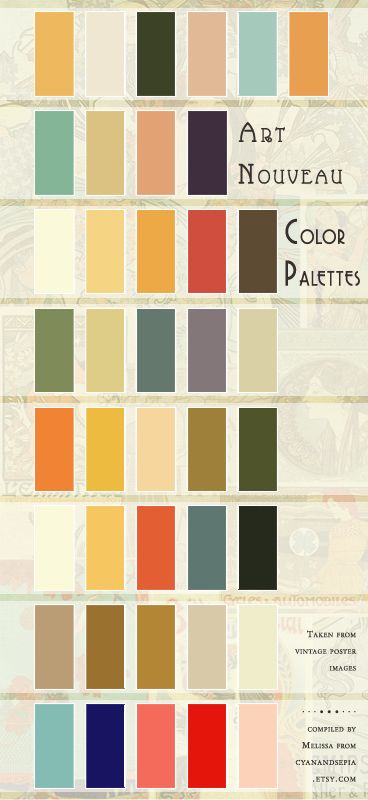
Here are some Apple color inspirations I found on Pinterest this week:
 

apple-1

apple-2

apple-3

apple-4

apple-5

apple-7


Nuts and Bolts: Stock Card Creation – Tips

September 16, 2016


Nuts & Bolts: Stock Card Creations – Tips


Having free access to high quality images from BigStock via GCU’s Stock Card Creations is a real treat. It’s an ideal way to make cards FAST!  Especially for Wanted Cards requests in which we set the shoppers’ expectations to see new cards in just 48 hours.


There are a few things to keep in mind when creating these cards:
1. Cards undergo regular review, BUT will appear immediately in your Private gallery as they await review.  If approved, the reviewer will move them to the public gallery.
2. Card reviews abide by the standard review process and Submission Guidelines PLUS extra scrutiny to ensure they are as good as, if not better than, current cards being offered.
3. Utilize the Notes to Reviewer field to include any helpful notes to the reviewer AND to indicate your intended category since you cannot select a category during submission.  


All approved Stock Card Creation cards automatically reside in the Collections >> Off the Cuff category as their primary category, which currently has over 2,200 cards.


TIP: You are limited to font size (16, 18, 20, 24) and colors (black only) in the inside verse during the creation process.  So, if those options do not meet your needs just create the inside verse close to what you want, then right after submission go into Manage Cards and edit the inside verse to your desired font size and color.


See more on Stock Card Creations here.


The difference is made in the details!


Mindy
GCU Community Manager

Wanted New Cards: Congratulations Cancer Survivor / Treatment – General Cancer-free / In Remission

September 15, 2016

wanted new cards head

Wanted Cards:  Cancer-free / In Remission – Teens & Males


We have a  new category that needs your attention:

Occasions >> Congratulations >> Cancer Survivor / Treatment >> General Cancer-free / In Remission 


We have many great cards for Cancer in Remission and Cancer-free congratulations.  We’d like to offer shoppers more variety in gender and age range choices – specifically for teens and for males.
cancer-survivor-male-boxer-a-force-to-be-reckoned-with-card-1450604


We’d like you to create at least one card for these categories using the Stock Cards function (Bigstock) or your own graphic designs.

Remember, when you’re submitting your new card, add a little note about the intended category in your Notes to Reviewers. Be inventive,  be clever, be creative. Go for it!

Font Frenzy: Sathscha Script

September 14, 2016
tags:

The Hungry Jpeg has a lovely free font for you (only!) this week.
sathscha-script-by-thehungryjpeg-thehungryjpeg-com
sathscha-script-by-thehungryjpeg2-thehungryjpeg-com


Sathscha Script by Mercurial comes with a full Commercial License.


Rainbow Connection: Edible Colors III

September 13, 2016

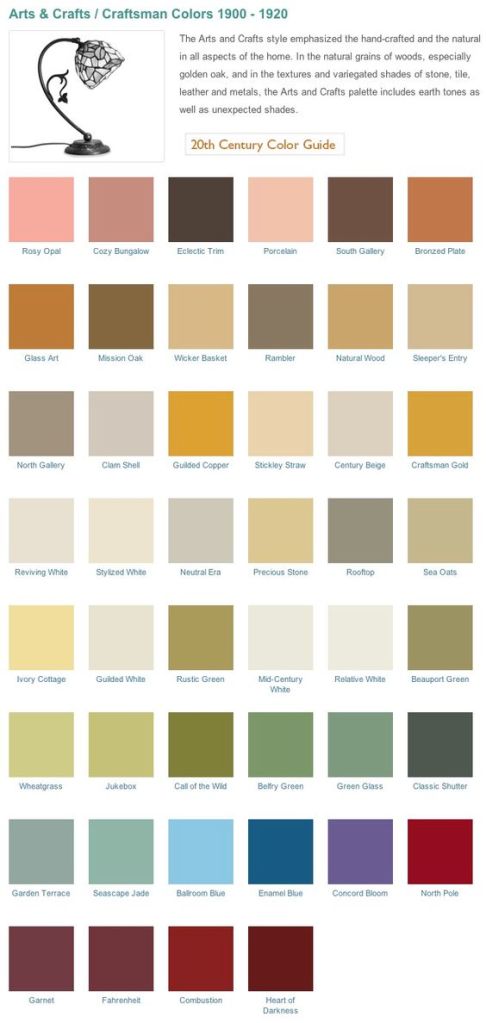
Here are some more Edible color inspirations I found on Pinterest this week:
 

eat-01

eat-02

eat-03

eat-04

eat-05

eat-06


Dash of Inspiration: GCU Storefront

September 12, 2016

DashInspirationBanner_2015

Tis the time of year when I’m always inspired to give my GCU Storefront a fresh face for the upcoming Holiday Season and I wanted to share a few tips which might be an inspiration for your own store.

Arranging your Gallery looks more ominous than it really is. Here’s a trick that I use to arrange my cards for the holiday season.

  • Go to Administrative Settings » Images & Cards » Arrange Gallery
  • On the lower portion of that page is Advanced Positioning – In the “Change position of cards with keywords” field I entered Halloween – in the “to position” field I entered 1.

sep_12_2016_a

Now all my Halloween cards begin on the “ARTIST CHOICE” view beginning in the first position of my storefront.

Next is Thanksgiving. So …

  • Go to your Public Storefront View (Artist choice view) and find what position your Halloween cards END. For me, that was position 90:

sep_12_2016_b

  • Go back to Administrative Settings » Images & Cards » Arrange Gallery
  • On the lower portion of that page is Advanced Positioning – In the “Change position of cards with keywords” field I entered Thanksgiving – in the “to position” field I entered 91.

Now it’s a repeat the process to show Christmas for example which is what I did next by placing Christmas in position 252.

My choice was to then use my Featured Card area to showcase Kwanzaa, New Years, Winter Solstice, Hanukkah and Chinese New Year.

While you are arrange. Give your store a fresh look by possibly creating a new banner, tidy up those old bulletins. Reduce the ‘clutter’ in your side panel. Perhaps your bio has changed.

Hope you find these tips inspiring and don’t forget to check out this month’s Dash of Inspiration Design Challenge.

Nuts and Bolts: The Art of the Title

September 9, 2016


Nuts & Bolts – The Art of the Title


A card title is just that, a title.  A one liner that gives the reader a quick idea of what to expect.


Along with the other important descriptive fields for your cards, like the keywords and Artist Notes fields, your card title provides valuable data and clues to both shoppers and search engines.


What are the makings of an effective card title?
1. Descriptive
2. Unique
3. Differentiating terms first, especially when part of a series
4. Does NOT need the word “card” in it as GCU appends that automatically
5. Does NOT need punctuation like commas or periods
6. Proper capitalization use of upper & lower case
7. Reads like a sentence or short phrase, not “word soup” (a list of terms)


Here is a summary of the helpful Card Title tips that the review team provides to artists:


Please make your Card Title more descriptive and unique. It is very important to have a unique and descriptive card title that relates to your card and image that is as descriptive as possible within the allowed space. Titles are not only used by shoppers but also provide valuable data to search engines and will help searching shoppers find your cards. Do not use generic titles like XMAS1, XMAS2, etc. Titles should be meaningful to shoppers. If your card is a blank any occasion card please add the terms Blank Any Occasion into your title. Please do not add the word Card at the end of the title as GCU automatically adds this to all titles. Lastly, do follow proper punctuation using upper and lower case letters.


TIP: When creating card titles for a series you can use the same card title, but put the differentiating text at the start of the title so it catches shoppers’ attention at a glance.  This is also helpful when the display of a long title gets truncated.
 
for example:
Godson’s 1st Birthday with Teddy Bear and Train
Grandson’s 1st Birthday with Teddy Bear and Train
Son’s 1st Birthday with Teddy Bear and Train


If the differentiating text, relationship in this example, is placed at the end of the title it risks being truncated when displayed or overlooked when read and these titles will all appear identical.


1st Birthday with Teddy Bear and Train for Godson
1st Birthday with Teddy Bear and Train for Grandson
1st Birthday with Teddy Bear and Train for Son


See more about what makes a good card title on the GCU Community Blog here: https://gcucommunity.com/2012/05/16/nuts-and-bolts-card-titles/  


The difference is made in the details!


Mindy
GCU Community Manager

Wanted New Cards: Congratulations – New Baby – Single Mom

September 8, 2016

wanted new cards head

We have a new sub category that needs a special touch:

 new-baby-card-124808


We will be very picky in reviewing that these are tasteful and fitting for these non-traditional circumstances.


We only have 0 cards in this category:


We’d like you to create at least one card for these categories using the Stock Cards function (Bigstock) or your own graphic designs.

Remember, when you’re submitting your new card, add a little note about the intended category in your Notes to Reviewers. Be inventive,  be clever, be creative. Go for it!