Nuts and Bolts: Where’s My Card?!

Share this:

Wanted New Cards: Thank You House Mom/Mother

We have a brandnew category that needs your attention:

We’d like you to create at least one card for these categories using the Stock Cards function (Bigstock) or your own graphic designs.
Remember, when you’re submitting your new card, add a little note about the intended category in your Notes to Reviewers. Be inventive, be clever, be creative. Go for it!
Share this:

Tips and Tricks: Custom Requests

I hear from GCU that customer requests remain a popular option for shoppers looking for that extra special, personalized card design – yay!
I also hear that at the moment, a more than usual amount of custom requests are going unanswered. That’s not so yay.
If you’re going on vacation and taking a summer holiday, remember that you can alter your automatic message to customers by going to Manage Store > Images & Cards > Global Preferences. Here you can make changes to your custom request message such as, “On vacation and unavailable until 8/12. If your request can wait until then, I’ll contact you on my return.”
If you don’t want to accept custom requests at all for whatever reason, then go through the same steps above, except your custom request message should then be something like, “Thank you for your interest in my cards at GCU. At this time, I am not accepting custom requests. I’m sure another artists will be able to better accommodate you. Have a great day.”
At that point, if you STILL get a custom request (because let’s face it, people sometimes don’t read), then do not ignore it. Send the customer a message stating that you aren’t doing custom requests OR “reject” the request via the custom request tool (see below).
The point is, you need to make some kind of contact, not just let these requests languish.
And speaking of contact… some artists are hitting “REPLY” to the notification e-mail. This sends your reply to GCU, not the customer! Instead, you should be using the custom request tool on the GCU site.
You’ll find a link in the notification e-mail, but you can also go to Manage Store > Images & Cards > Manage Custom Requests where you’ll find a list of all your custom requests. You can contact requestor, accept request, and reject request. It works, so start using it.
If you have questions re: custom requests, let’s have ’em. There are plenty of experienced artists here who are willing to help.
Share this:

Dash of Inspiration: Nik Collection Now FREE

Years ago, I paid good money for the full Nik Collection and it’s always been money well spent in my opinion, as it’s one of my favorite tools to “pull more” out of photographs. Back in early 2015 or late 2014 I think, it was taken over by Google. In Google’s own words; “… we’ve decided to make the Nik Collection desktop suite available for free, so that now anyone can use it.”
So as of March 24, 2016 – Google now generously offers these tools to anyone for FREE!
It has wide-spread compatibility. I use it as a plug-in with Photoshop CS5, but before you go through the hassle of download, be sure to know if it’s compatible with your system and tools – and – read through the installation options which best suit your computer.

Nik Collection by Google Compatibility
My tip for you as a professional photographer … there IS NOT a better set of FREE tools out there for the photographer, amateur or pro. I use the Nik Collection, Topaz Labs, On 1 and Perfect Photo Suite. All are great tools and professionals all over the world use these tools, Nik included. So here’s your chance!
This collection – which was $99.00 for each of the seven plug-ins back in the day – offers you HDR effects, darkroom inspired Black and White tools, Selective Color and Tone adjustments and so much more. What you can improve upon, is almost endless!

Google Nik Collection is NOW FREE
This may not be a permanent offer by Google. They may at some point decide to start charging for this collection again. If you are serious about your photography, this collection is a MUST HAVE and for FREE? How could you possibly go wrong?
So until next week … Learn … Create … Inspire!
Don’t forget to tune in and participate in our April Dash of Inspiration Design Challenge!
Share this:

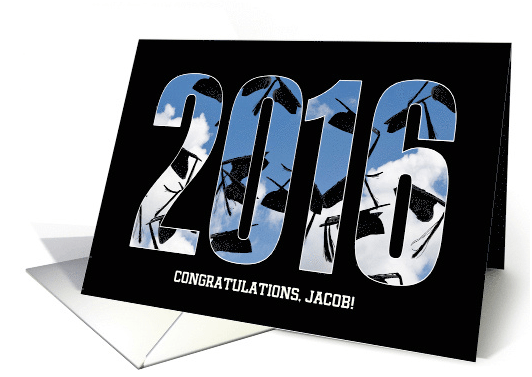
Nuts and Bolts: Graduation 2016 from 2015
Share this:

Wanted New Cards: Cheese 3 Ways
We have three categories that need your attention:

We’d like you to create at least one card for these categories using the Stock Cards function (Bigstock) or your own graphic designs.
BONUS for this week only: You may set these submissions for Fast Track review
Remember, when you’re submitting your new card, add a little note about the intended category in your Notes to Reviewers. Be inventive, be clever, be creative. Go for it!
Share this:

Font Frenzy: Nexa Rust Free Font

Nexa Rust Free is a 5 font, multiple classification super family by Fontfabric.
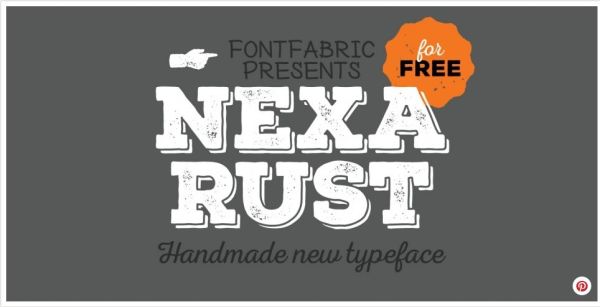
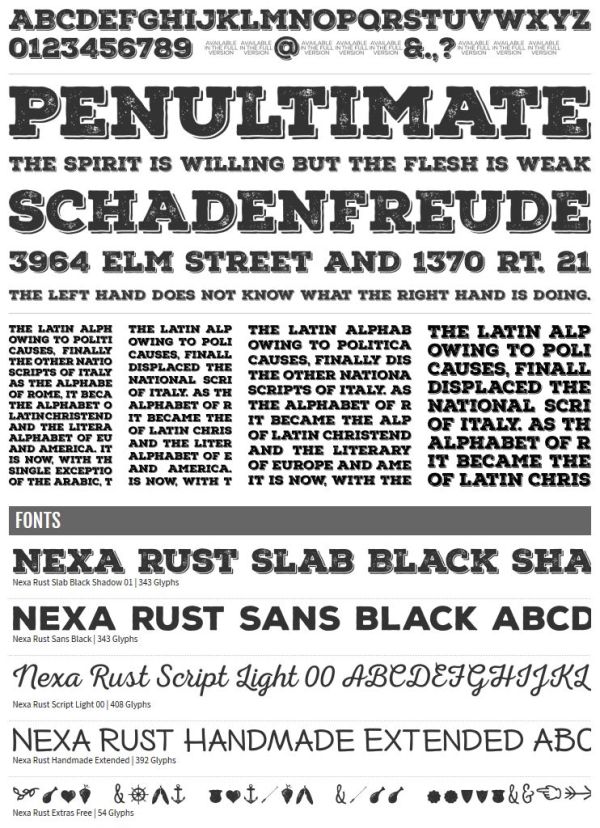
Nexa Rust from Fontfabric Type Foundry is a multifaceted font system consisting of font sub-families Sans, Slab, Script, Handmade and Extras.
Each of these sub-families contains a number of font weights which have a characteristic warm, rough look and display a few degrees of saturation.
Five (5) fonts from all 83 are available for direct download from Fontspring. Can be used in commercial as well as in personal projects!
Share this:

Rainbow Connection: Design Seeds

Design Seeds is a lovely site to get color inspiration. Design Seeds celebrate colors found in nature and the aesthetic of purposeful living.
It has an easy search function. You can search by color value or by theme.


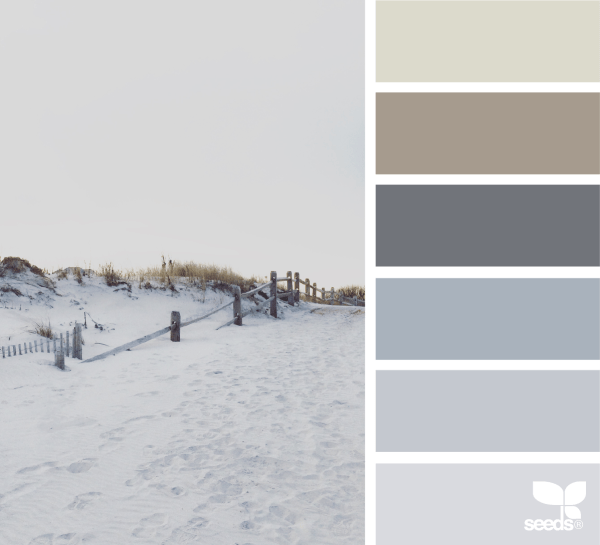
You can also folow Design Seeds on Pinterest, Twitter, Facebook and Instagram.
Share this:

Dash of Inspiration: April 2016 Design Challenge

Wow, time is just flying by! April already and time for another fun Dash of Inspiration Design Challenge. This month let’s sprinkle a little gold dust around and go for the gold! Have you guessed the theme?
………………………………………………
Theme: A Golden Age
Many directions to go with “GOLDEN” as your theme …
- A 50th Anniversary is called a Golden Anniversary.
- Of course there is the lovable Golden Retriever.
- Champagne birthdays are also referred to as Golden (A person’s Golden or Grand Birthday, also referred to as their “Lucky Birthday”, “Champagne Birthday”, or “Star Birthday”, [from Wikipedia] occurs when they turn the age of their birth day (e.g., when someone born on the 25th of the month turns 25 or when someone born on the ninth turns nine).
- Consider using Idioms to inspire you: http://idioms.thefreedictionary.com/golden
Requirements:
- Golden must be prominent in your theme, both visually and in the message. Prominent does not mean the entire card needs to be gold.
- Cards with no message (cover and/or inside verse) will not be accepted. Having a gold element such as a dog, flower, vase, etc. as imagery without a strong tie to a message which speaks to the category and recipient will be disqualified.
- When you visually portray the color gold, keep in mind that excessive beveling does not meet GCU Submission Guidelines and that yellow is not considered gold.
……………………………………………………………
Entry Deadline: Saturday, April 30th, 2016
……………………………………………………………
How to Enter: Post the PID (card number) and the URL (public storefront link – please WAIT for the card to be available in the public marketplace, please DO NOT post a link to your Manage Cards area) as a post in the challenge blog. We’ll forward your entry to the jury.
……………………………………………………………….
Category: Any occasion/holiday where you can fit the Golden theme will be accepted. GCU has some categories which may inspire you:
50th Anniversary / Golden Jubilee
Golden / Champagne Birthday
Occasions > Anniversary – Wedding Cards > Year Specific > 50th Anniversary
Invitations > Wedding Anniversary Invitations > Year Specific > 50th Anniversary
……………………………………………………………….
Rules:
- Submission must meet GCU’s Submission Guidelines and be Approved through the usual Review Cycle– Fast Track your submission with this in the Notes to Reviewer: April Design Challenge Submission here is the link to the blog post: (include THIS blog post URL)
- Only ONE card per artist per challenge.
- Submissions must be NEW, no existing designs.
- Your entry must meet the Challenge Requirements and Theme or it will not be included in the challenge.
- Stock Card Creations entries will not be accepted.
……………………………………………………………….
BLIND Judging: We hope each of you enters every month. Entries are submitted anonymously for judging by the GCU Challenge Jury which means that before and during the challenge, judges do not have any way of knowing what artist is behind each entry. This eliminates any and all concerns with ‘favoritism’. Results will post on the Community Blog. The jury will judge the entries on the following criteria:
- How well the card meets the Challenge Requirements and Theme.
- How well the card speaks to the Category the artist chooses for the card submission.
- Creativity, Execution and Marketability.
……………………………………………………………………
Winners: 1st Place:
- The winning designer’s card and store will be featured on the GCU Public Blog – the blog which customers view and follow.
- As well as featured on the GCU Public Facebook Page – nearly 30,000 followers, now THAT’S exposure!
- The winning card will be Design of the Day following the announcement of the winners (within 48-hours).
EXCEPTION: Horizontal (landscape) cards may not be featured as DOD due to GCU Home Page space restrictions. In these cases, GCU will choose a different vertically oriented card from your store to feature as DOD. Thank you for your understanding and apologies for this limitation.
- The winning card will be added to the Greeting Card Universe Design Challenge Winners Pinterest Board – currently GCU’s Pinterest Page followers: 1.4K!
- The winning card, should the artist choose, may be referenced in a new series by the winning artist and he/she may Fast Track all cards in the new series (being sure to give the Challenge URL and winning card PID in your Notes to Reviewer for each card in this series).
- Winning card will be included in a marketing email to over 100,000 customers!
2nd Place:
- Your submission will be Design of the Day the following week of announcing the Challenge winners (within 7-days).
EXCEPTION: Horizontal (landscape) cards may not be featured as DOD due to GCU Home Page space restrictions. In these cases, GCU will choose a different vertically oriented card from your store to feature as DOD. Thank you for your understanding and apologies for this limitation.
- Your card will be added to the Greeting Card Universe Design Challenge Winners Pinterest Board.
- Winning card will be included in a marketing email to over 100,000 customers!
………………………………………………………………………
Tips:
Check out these tips, tricks, freebies, and tutorials from our own GCU Community Blog which might be helpful in this month’s Challenge.
- Typography Golden Rules
- Nuts and Bolts Categories
- Typography Effects
- You’ve Got Style
- Don’t Mean to Deceive
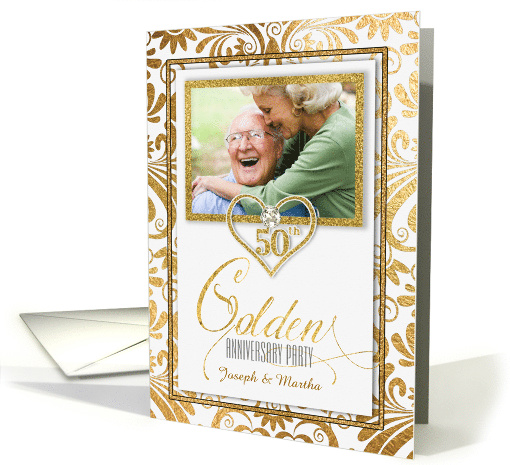
Doreen Erhardt©2016 – SalonOfArt.com
Share this:

Nuts and Bolts: Text Capitalization
Nuts & Bolts: Text Capitalization
A short phrase or one line of text on the cover of a greeting card for the most part serves as a title or an introduction to a story. It should be pleasing to the eye and work with the overall composition. Aside from typographic considerations your use of capitalization plays into the composition and balance of elements of your design. The use of upper and lower case letters can make or break your cover design. So let’s talk about capitalization.
Below are some basic tips that the Review Team will look for you to consider in your designs and will be applied on a card by card basis per the overall composition.
Sentence Case: this is what’s used in everyday writing, only capitalizing the first letter of the first word in a heading – like you would in a sentence. Proper nouns also have a capital.
For example:
My love for you is never-ending.
Title Case: This is a vexing matter, and policies vary. The usual advice is to capitalize only the “important” words. But this isn’t really very helpful. Aren’t all words in a title important?
The following rules for capitalizing titles are virtually universal.
. Capitalize the title’s first and last word.
. Capitalize all adjectives, adverbs, and nouns.
. Capitalize all pronouns (including it).
. Capitalize all verbs, including the verb to be in all forms (is, are, was, has been, etc.).
. Capitalize no, not, and the interjection O (e.g., How Long Must I Wait, O Lord?).
. Do not capitalize an article (a, an, the) unless it is first or last in the title.
. Do not capitalize a coordinating conjunction (and, or, nor, but, for, yet, so) unless it is first or last in the title.
. Do not capitalize the word to, with or without an infinitive, unless it is first or last in the title.
Otherwise, styles, methods, and opinions vary; for instance, certain short conjunctions (e.g.,as, if, how, that) are capped by some, lower cased by others.
For example:
All Caps, not ideal: Grandpa, I Wish You Only The Best On Your Special Day
Upper & Lower, ideal: Grandpa, I Wish you only the Best on your Special Day
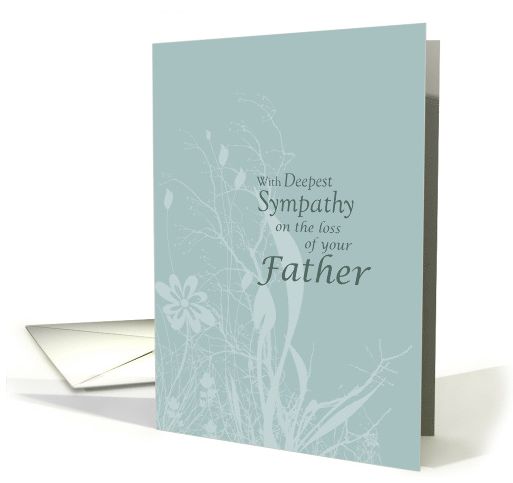
A tasteful design by Sandra Rose where the “less important” words are in lower case:
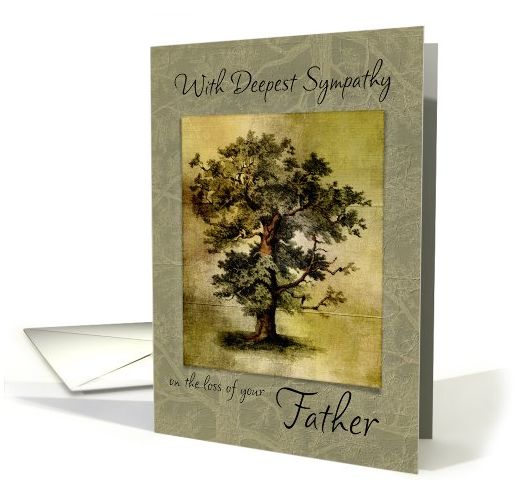
and similarly by Marcee J. Duggar:
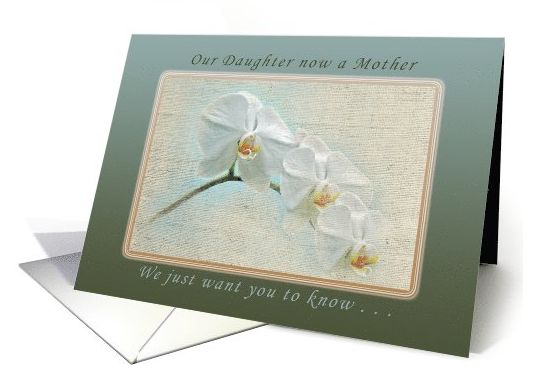
A nice example by Michael Peychich with title case in the upper text and sentence case in the lower text:
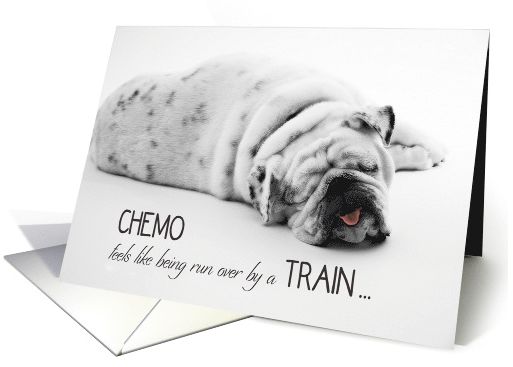
The use of ALL CAPS can add interest and emphasis but should be used with great care and intent as they can be overpowering and be perceived as SHOUTING. The font style chosen when using all caps is also a consideration on the mood that is sets. A script font, for example, does not lend itself to all capital letters.
This card by Barbara Schreiber is well done, with select words in all caps for emphasis and a light font chosen for lower case text providing balance, (here is a great post on pairing fonts):
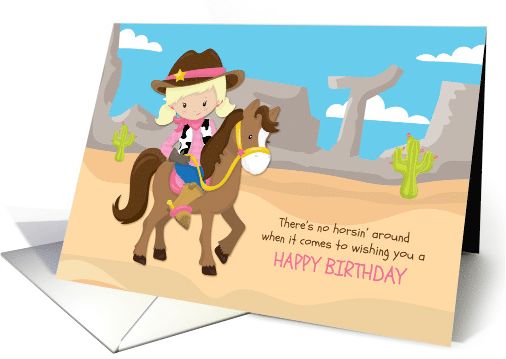
and another nice example by Liz Van Steenburgh:
Special Note: While your Card Title provides valuable data to search engines GCU also displays them on the site. Card Titles are in fact just that, titles. Shoppers are put off by a title that looks like a jumble of keywords and therefore proper upper and lower case lettering should be used for a consistent and professional look for shoppers.
Incorrect Title: cute green cat in a box birthday for cat lover
Correct Title: Birthday for Cat Lover a Cute Green Cat in a Box
Put as much thought into your use of capitalization as you do into choosing a font style and colors. They are all important elements into your overall design. The difference is made in the details.


 GCU Community