Skip to content

Wanted New Cards: National Siblings Day / April 10
March 31, 2016

wanted new cards head

We have a new categorie that needs your attention:

FireShot Screen Capture #607 - 'Sister's Day Photo Insert Card' - www_greetingcarduniverse_com_holidays_sistersday_namespecific_greeting-card-1389556#product=919127

At the moment there are 0 cards in this category.

We’d like you to create at least one card for these categories using the Stock Cards function (Bigstock) or your own graphic designs.

Remember, when you’re submitting your new card, add a little note about the intended category in your Notes to Reviewers. Be inventive,  be clever, be creative. Go for it!

BONUS for this week only: You may set these submissions for Fast Track review

Font Frenzy: Flowers of Camelot

March 30, 2016

The Hungry JPEG has a lovely $1 deal on offer called Flowers of Camelot by Old Market.

Flowers of Camelot includes 100 floral elements and 30 background elements!  Combine the flowers and backgrounds in endless combinations.  These floral elements are perfect for merchandise design, invitations, weddings, apparel, websites, branding, packaging, banners, scrapbooking, digital art creations and much more!  The possibilities are endless!

FireShot Screen Capture #604 - 'Flowers of Camelot - 130 Clip Art Elements by Old Market I TheHungryJPEG_com' - thehungryjpeg_com_product_5397-flowers-of-camelot-130-clip-art-elements

FireShot Screen Capture #603 - 'Flowers of Camelot - 130 Clip Art Elements by Old Market I TheHungryJPEG_com' - thehungryjpeg_com_product_5397-flowers-of-camelot-130-clip-art-elements

FireShot Screen Capture #605 - 'Flowers of Camelot - 130 Clip Art Elements by Old Market I TheHungryJPEG_com' - thehungryjpeg_com_product_5397-flowers-of-camelot-130-clip-art-elements

What You Get:

–  100 Floral Elements PNG, approx. 1800 at widest point – 300 dpi, transparent background

–  30 Background Elements, approx. 3000 at widest point – 300 dpi, transparent background

–  2 EPS Vector Files, includes all floral elements

–  2 AI Files, includes all floral elements


Rainbow Connection: Creativecolorschemes

March 29, 2016

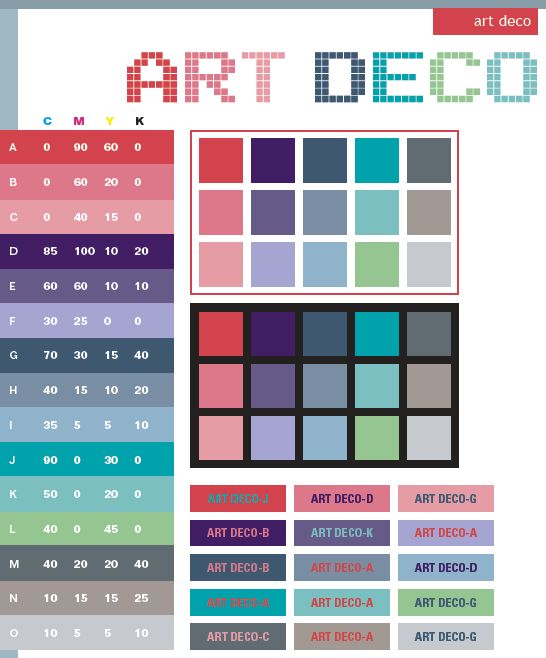
Pinterest is a great source to gather information on color trends. You can search for a particular color scheme, or look at a whole collection like the one from Creativecolorschemes.

a175da7d0ac2ccdbae8b71f6da944ef1

bf4bf166ae30487cee973c28c917fee7

3e387fae0f07d2d28fe6ea6acfb1a69d

There are a whole host of colorschemes to get inspired by. Don’t grab the same 5 colors you always use in your card designs but step outside the box for a change. Happy hunting!


Dash of Inspiration: Great Tutorials

March 28, 2016

DashInspirationBanner_2015

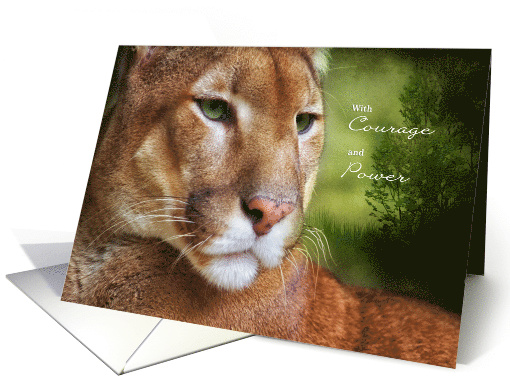
When working with ‘digital effects’ and layering textures, it’s important to vary the intensity of the effect within your image. For example, faces and eyes especially, whether human or animal, should have a very light touch, whereas you may wish to have a background show an extreme effect. Understanding how to work with these cool techniques, when and how to apply them is a learning process and these finds today will help you get started.

CoffeeShop Photoshop/PSE Tutorial: Fine Art Texture, Selective Removal

Painting Textures – Free for CU from the Coffee Shop Blog

1402272_3d

Notice the eyes and nose have very little textured layer showing Doreen Erhardt©

CoffeeShop Tutorial: Flower Art – Editing with Textures

How to Apply a Texture to a Selection in Photoshop by ZaniuM
1175606-1_3d

The lion was added the foliage on the right was layered in, then a colored texture layer was added and removed from the lion. Doreen Erhardt©

How to Add a Texture in Illustrator

Digital Painting 101: Using Texture Brushes in Adobe Photoshop

1379776-1_3d

Flower photo, added the swirl decor on the corners, then began applying texture layers and slightly removing it from the flower offered a pleasing glow for a wedding image. Doreen Erhardt©

There are lots and lots of great textures out there to try and wonderful tutorials to show you how to create with them regardless of the software you use to create with. Just remember as with all digital ‘goodies’ – never use them full strength and paint them out of areas where they make the subject difficult to see.

So until next week … Learn … Create … Inspire!


Nuts and Bolts: Inside Verse & Unsupported Characters

March 25, 2016

There are many non-standard and special characters that can be created using keystroke combinations. This is quite common when creating foreign language verses. All of these characters however are NOT necessarily supported by GCU in the inside verse and may not print correctly. When creating your inside verse please be sure to use only the printable characters that GCU supports AND to preview the card inside text in Large View before submitting.


In the inside verse GCU only supports printable ASCII and Extended ASCII characters.  You can see all supported characters here, excluding the ASCII control characters 0 – 31:
http://www.ascii-code.com/


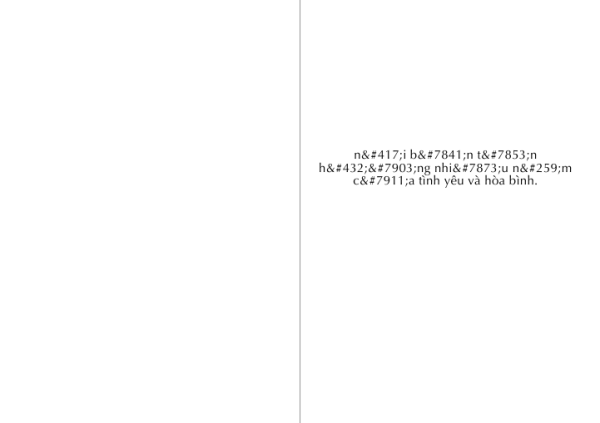
If your inside verse has one or more unsupported characters they will NOT print correctly.  You can see the cryptic characters in the inside text Large View of your card(s).
Our card review team reviews the inside verse and will typically catch these during review but to avoid extra review time and having to edit your submission please be sure to preview your inside text in Large View before submission.


We have identified public cards (not private cards) on the site with unsupported characters in the inside verse and will be returning these cards to the artists for edits by the end of March.


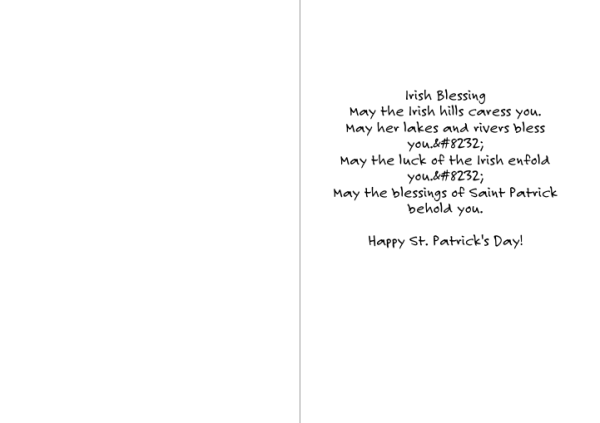
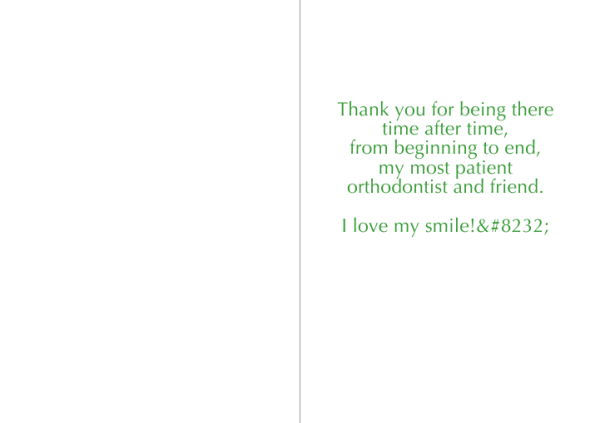
Here are some examples of how the unsupported characters can look in inside text Large View:


371565-inside-unsupported3

540047-inside-unsupported2

983801-card-inside_unsupported


Wanted New Cards: Congratulations Hajj / Umrah

March 24, 2016

wanted new cards head

We have a category that needs your attention:
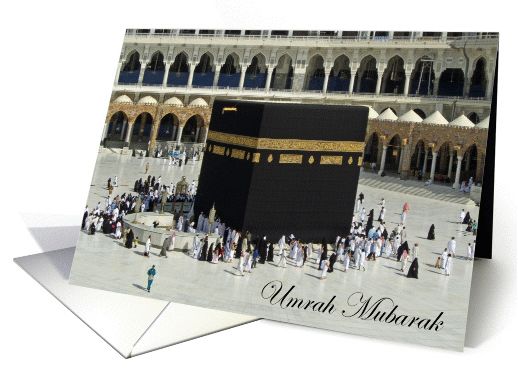
FireShot Screen Capture #596 - 'Umrah Mubarak Islamic Pilgrimage to Mecca Kabah card (1281206)' - www_greetingcarduniverse_com_occasions_congratulations_hajjumrah_umrah-mubarak-islamic-pilgrimage-to-1281206

At the moment there are only 3 cards in this category.

We’d like you to create at least one card for these categories using the Stock Cards function (Bigstock) or your own graphic designs.

Remember, when you’re submitting your new card, add a little note about the intended category in your Notes to Reviewers. Be inventive,  be clever, be creative. Go for it!

Dash of Inspiration: Fonts & Freebies

March 21, 2016

DashInspirationBanner_2015

This weeks’ Dash of Inspiration is short and very sweet. I found some wonderful specials on fonts and a few freebies too I wanted to share.

These fonts from Hungry JPEG are $1.00 right now and though they state they come with a Commercial Use License, but remember it’s YOUR JOB as the person paying for the font and using the font to make sure before sticking them in your shopping cart.

Also, be aware that you should read about each font, as some may require specific software and/or know how to access the swash and glyph additions.

Hedgehog By Pollem.Co

260818317191f20819e0f6b064d6b620bc337bf5

Image courtesy of The Hungry JPEG

Cinderella Script By Moriztype

7960deb62351b12419fcba07cff477f1081ddd5c

Image courtesy of The Hungry JPEG

Reckless Brush By Spasibenko Art

ff7c5a8ac396f41a09d06c46ae3220e965f4f534

Image courtesy of The Hungry JPEG

Khanza Script By Bonjour Type

ab3bc945f9aff30bb4ae5353ca6446fded367368

Image courtesy of The Hungry JPEG

Matthew Jason By Decavantona

bee1ba1b2108cde078e3c867b37bce0af68c48b9

Image courtesy of The Hungry JPEG

WOW! What a great way to spend FIVE BUCKS!


Okay for those of you who want FREE fonts with a CU license, check out these:

BlowBrush Font Made by thizizraz

blowbrush-regular

Genome Font Made by Hanken Design Co.

genome-thin

Please use the following font sparingly. This is an impact font and you should not use it to write more than one or two words in a design.

Laff Riot NF Font Made by Nick Curtis

laffriotnf-regular


So until next week … Learn … Create … Inspire!

Remember to get those March Dash of Inspiration Design Challenge entries in!

Nuts and Bolts: Superscript & Ordinal Numbers
March 18, 2016

Nuts & Bolts – Superscript & Ordinal Numbers


First things first, a few basic definitions …


Ordinal Numbers – words representing position or rank in a sequential order. The order may be of size, importance, chronology, and so on.  1st or first.
 
Ordinal Indicators –  indicating the order or position in a series: st, nd, rd, th.
 
Superscript – of a letter, figure, or symbol, written or printed above the line.


Ordinal numbers are commonly used in birthdays and anniversaries so we see them quite often in greeting card designs.  1st, 2nd, 3rd, 4th, etc or written as superscript, 1st, 2nd, 3rd, 4th
While commonly acceptable to be inline (not superscript) in verse, on the front cover design of a greeting card, moving forward (effective 4/1/16, no fooling!) GCU will require artists to represent ordinal indicators in superscript. Existing cards (approved prior to 4/1/16) that do not comply may be returned for edits at GCU’s discretion.
 
Superscript is something you as an artist must create in your design. This can be achieved by using your applications superscript formatting function or creating superscript text as its own text element and placing it accordingly. This can be easily achieved with Stock Card Creation (BigStock created cards). Simply create a second text field for the ordinal indicator and place it accordingly.
 
Here are some references on superscript formatting for Photoshop and Illustrator.  If you use a different program look to their How To instructions.
Sometimes your chosen font may not work or look pleasing as ordinal indicators so consider choosing a different font for your entire design OR a different font for the ordinal indicators themselves.
Ordinal indicators are typically lowercase letters, however depending on the design GCU will consider lowercase (th) or uppercase (TH) as the artists design choice and appropriateness will be determined by the review team on a card by card basis.


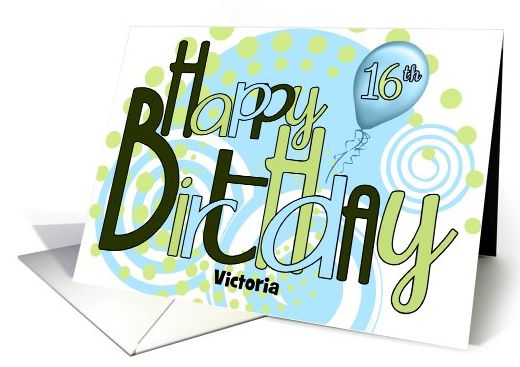
Here are some well done examples by GCU artists:
Doreen Erhardt
FireShot Screen Capture #585 - 'Happy 16th Birthday Funky Blues and Greens card (1000625)' - www_greetingcarduniverse_com_16th-birthday-cards_happy-16th-birthday-funky-blues-1000625
Eugenia Bacon
FireShot Screen Capture #586 - 'happy 1st Christmas cupcake customise card (962013)' - www_greetingcarduniverse_com_holiday-cards_christmas-cards_1st-first-christmas_babys-1st-first-christmas_general_happy-1st-christmas-cupcake-customise
PamJArts
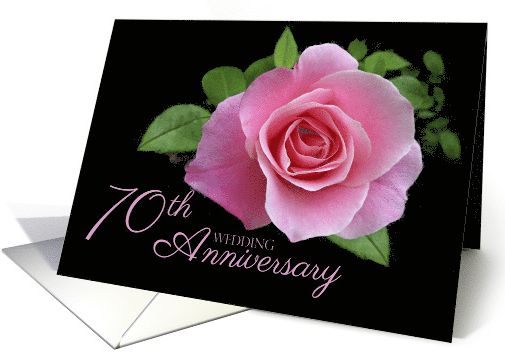
FireShot Screen Capture #587 - '70th Wedding Anniversary Romantic Pink Rose card (403921)' - www_greetingcarduniverse_com_anniversary-wedding-cards_70th-anniversary_greeting-card-403921
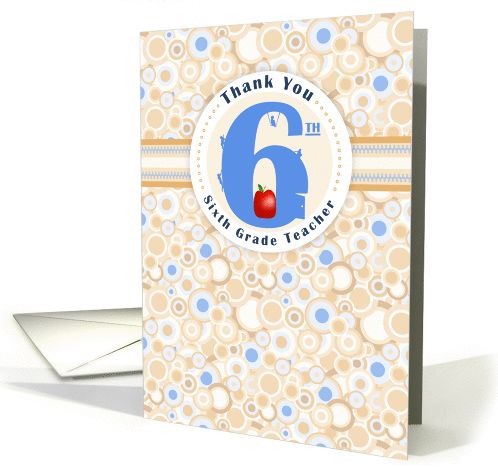
Sun at Night Studios using upper case TH is very fitting here:
FireShot Screen Capture #588 - 'Room 6 - Sixth Grade Teacher Thank You card (1038001)' - www_greetingcarduniverse_com_thank-you-cards_teacher_6th-grade-teacher_room-6-sixth-grade-1038001
This can even be accomplished with two separate custom text fields as done here by CWD Designs:
FireShot Screen Capture #589 - 'Elegant Teal Heart Damask 1st Wedding Anniversary Custom Photo card' - www_greetingcarduniverse_com_anniversary-wedding-cards_1st-anniversary_greeting-card-1022747
This is just one of the many Golden Rules of Typography of which you can read more here.  Ultimately this will give your designs a more polished, and professional look that is second to none!

Wanted New Cards: Letter of Recommendation / Reference

March 17, 2016

wanted new cards head

We have a category that needs your attention:

FireShot Screen Capture #583 - 'Red Yes Stamp of Approval Job Letter of Recommendation Thank You card' - www_greetingcarduniverse_com_occasions_thankyou_letterofrecommendationreference_red-yes-stamp-of-approval-1364840

At the moment there are only 3 cards in this category.

We’d like you to create at least one card for these categories using the Stock Cards function (Bigstock) or your own graphic designs.

Remember, when you’re submitting your new card, add a little note about the intended category in your Notes to Reviewers. Be inventive,  be clever, be creative. Go for it!

Font Frenzy: Anodyne Font Family

March 17, 2016

Designcuts offers very trendy font packages for a big discount in their Build a Bundle option. Check out there latest offers, like Anodyne – a warm and weathered all-caps font from Yellow Design Studio.

This font offers a hand-printed texture and unique shadow options. Features include four distress variations for each letter and at least two for every other character. Double-letter ligatures add realism by eliminating identical texture in adjacent characters.

FireShot Screen Capture #580 - 'Anodyne Font Family_ 77% Off Intro Special « Design Cuts' - www_designcuts_com_product_anodyne-font-family

FireShot Screen Capture #581 - 'Anodyne Font Family_ 77% Off Intro Special « Design Cuts' - www_designcuts_com_product_anodyne-font-family

Included in this set:

• Anodyne
• Anodyne Italic
• Anodyne Shadow
• Anodyne Shadow Italic
• Anodyne Combined
• Anodyne Combined Italic

The Anodyne Font Family has a 77% off Intro Special and costs $9 (This intro price is available until April 20th, 2016)

The fonts comes with extended product license.