Rainbow Connection: How does Color make you Feel?

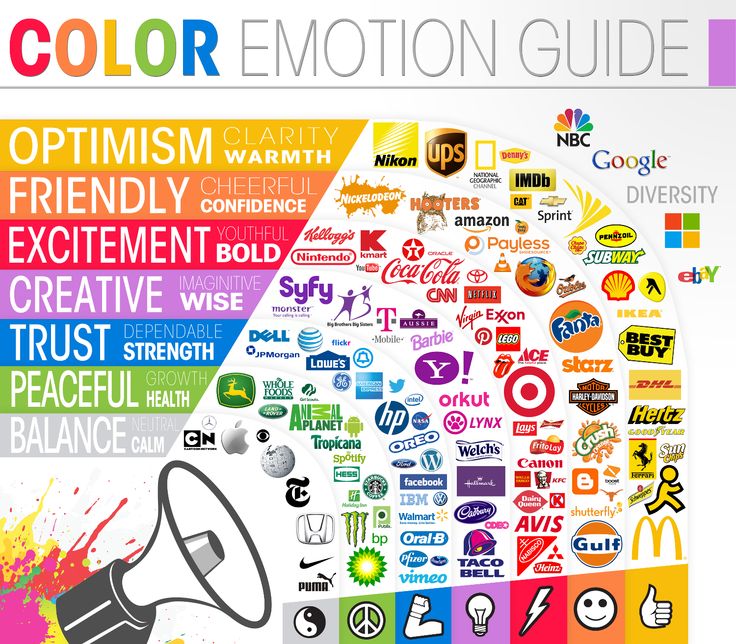
Thelogocompany.net put together an interesting little chart on the emotions behind color choices (see below, click for larger view). Next time you’re designing cards, think about the emotions you want to convey, not just what color suits you at the moment. Perhaps you’ll give your design some additional punch which results in more attention from shoppers and more sales!
For additional in-depth information, read The Meanings Behind Colors.
Share this:

Nuts and Bolts: Artist Interview Mindy Pierce

GCU Community Manager
Share this:

Wanted New Cards: Father’s Day subcategories


We’d like you to create at least one card for these categories using the Stock Cards function (Bigstock) or your own graphic designs.
Remember, when you’re submitting your new card, add a little note about the intended category in your Notes to Reviewers. Be inventive, be clever, be creative. Go for it!
Share this:

Freebie Wednesday:
The Hungry Jpeg has an adorable clipart set available for you this week. The Little Princess Birthday Clipart Set offers:
Birthday Clipart, Party Planner Stickers, Little Princess Clipart, Unicorn Clipart, Birthday Cake Clipart, Balloons Clipart, Cake Pop Clipart, Macaroons Clipart, African American Princess Clipart, Numbers Clipart, Princess Wall Art, Glitter Clipart, Crown Clipart, Phone Wallpaper
You get 37 images on PNG files with transparent background. Size is 12×12 inches (3600x3600px) for the longest file’s side and 6×6 inches and less (1800x1800px) for the smaller graphics, 300dpi.
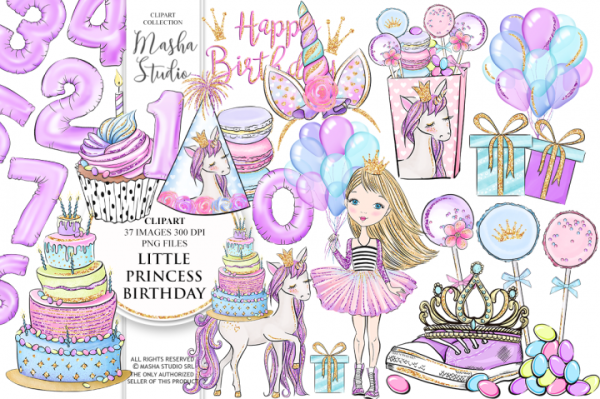


This product comes with a complete commercial license.
Share this:

Rainbow Connection: Top Color Sites
Here are a few Top Color Sites to suit your daily design needs:
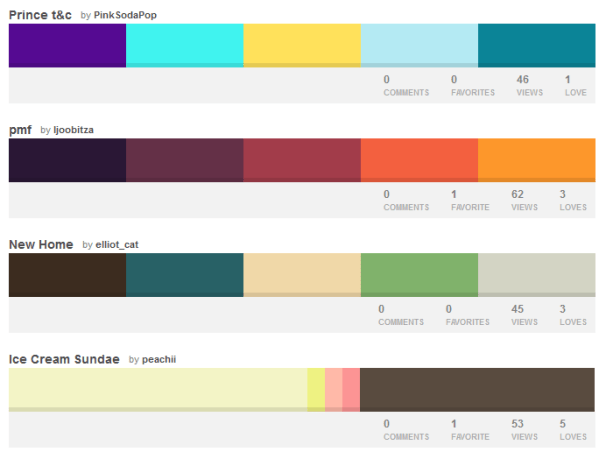
http://www.colourlovers.com/ 300,000-plus designers and color-minded folks share color palettes on this site constantly, so there’s always fresh inspiration at the ready.

http://colorhunt.co/ a site that offers a curated collection of color schemes for any purpose.

https://www.design-seeds.com/ Design Seeds celebrate colors found in nature and the aesthetic of purposeful living. Search palettes by color value or by theme.

http://colorpalettes.net/ a basic color palette site with nice social media integration.
Have fun!
Share this:

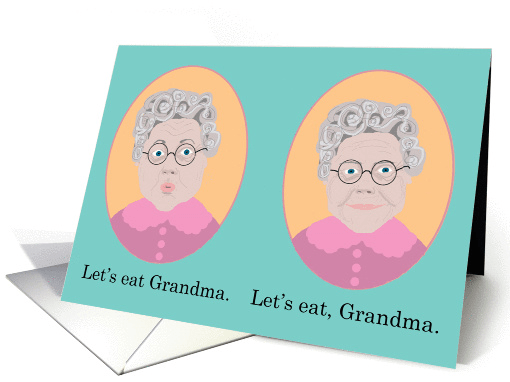
Nuts and Bolts: Punctuation Clean up.


GCU Community Manager
Share this:

Wanted New Cards: Lineman Appreciation Day

Note: both men and women hold the job as lineman so consider designs and verses that address either or both genders.
We’d like you to create at least one card for these categories using the Stock Cards function (Bigstock) or your own graphic designs.
Remember, when you’re submitting your new card, add a little note about the intended category in your Notes to Reviewers. Be inventive, be clever, be creative. Go for it!
Share this:

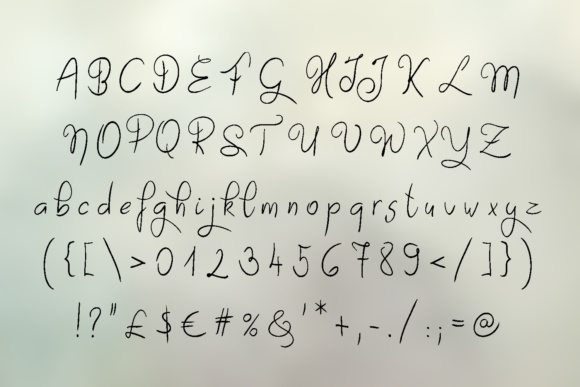
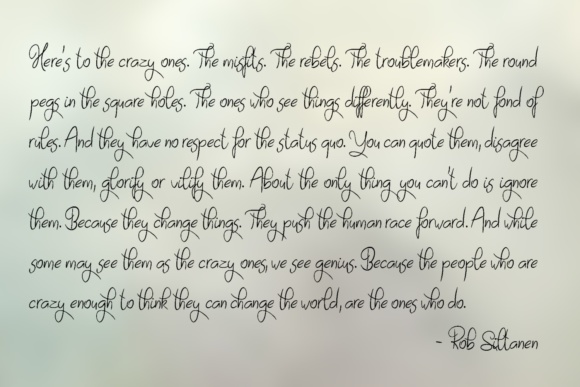
Freebie Wednesday: Sayes Free Handwritten Font
Freebie Wednesday:
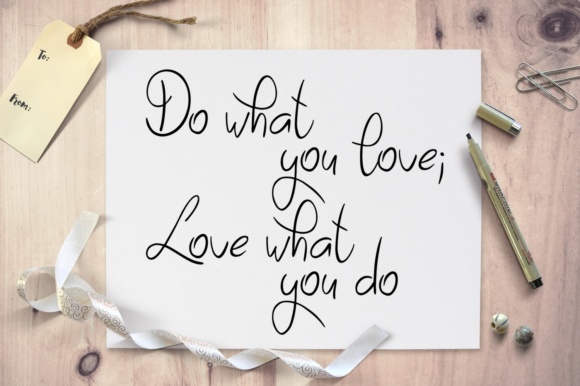
Sayes by Eva Barabasne Olasz is a smooth, handwritten font offered free for a limited time (just 5 days!)

Share this:

Rainbow Connection: Color Schemes that Inspire.
This week I’m showing you some websites that talk about Web Site Color Schemes that perhaps can be useful in our approach to chose color when designing cards.
Canva about Website Color Schemes:
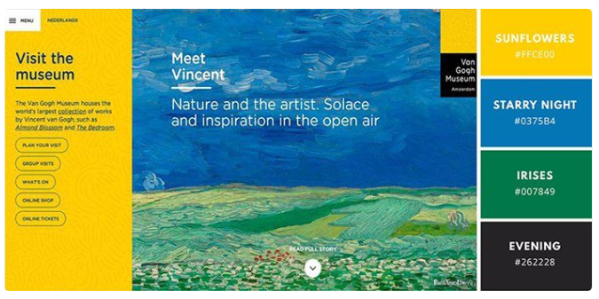
AWWWARDS about Trendy Web Color Palettes and Material Design Color Schemes:

Visme about the 50 Gorgious Color Schemes from Award Winning Websites:

Artonic about Color Makes a Comeback:

Share this:

Dash of Inspiration: May 2018 Design Challenge

It’s time for a new Design Challenge, so get your designer hats on and be creative!
……………………………………………………………
Theme: Trade School Graduates
Requirements:
- Choose one of the cateogories below in need of cards and create imagery and message which matches the theme of your Trade School Graduation choice.
- Write your own verse/message, be creative and write a message that clearly speaks to your imagery, occasion and recipient.
- Blank verse will not be considered for entry in this challenge.
……………………………………………………………
Entry Deadline: Thursday, May 31st
……………………………………………………………
How to Enter: Post the PID (card number) and the URL (public storefront link – please WAIT for the card to be available in the public marketplace, please DO NOT post a link to your Manage Cards area) as a post in the challenge blog. We’ll forward your entry to the jury.
……………………………………………………………….
Category:
Choose from one of these categories in need of new cards: Trade / Vocational / Career School
Chiropractic (9)
Fashion (5)
Massage Therapy (5)
Midwife (4)
Real Estate (5)
Travel (5)
Truck Driving (2)
…………………………………………………………….
Rules:
- Submission must meet GCU’s Submission Guidelines and be Approved through the usual Review Cycle– Fast Track your submission with this in the Notes to Reviewer: May Design Challenge Submission here is the link to the blog post: (include THIS blog post URL)
- Only ONE card per artist per challenge.
- Submissions must be NEW, no existing designs.
- Your entry must meet the Challenge Requirements and Theme or it will not be included in the challenge.
- Stock Card Creations entries will not be accepted.
- Your designs should differ from those already offered in the category of your choice to offer shoppers a variety of choices, not more of the same.
……………………………………………………………………
BLIND Judging: We hope each of you enters every month. Entries are submitted anonymously for judging by the GCU Challenge Jury which means that before and during the challenge, judges do not have any way of knowing what artist is behind each entry. This eliminates any and all concerns with ‘favoritism’. Results will post on the Community Blog. The jury will judge the entries on the following criteria:
- How well the card meets the Challenge Requirements and Theme.
- How well the card speaks to the Category the artist chooses for the card submission.
- Creativity, Execution and Marketability.
……………………………………………………………………
Winners: 1st Place:
- The winning designer’s card and store will be featured on the GCU Public Blog – the blog which customers view and follow.
- As well as featured on the GCU Public Facebook Page – nearly 56,000 followers, now THAT’S exposure!
- The winning card will be Design of the Day following the announcement of the winners (within 48-hours).
EXCEPTION: Horizontal (landscape) cards may not be featured as DOD due to GCU Home Page space restrictions. In these cases, GCU will choose a different vertically oriented card from your store to feature as DOD. Thank you for your understanding and apologies for this limitation.
- The winning card will be added to the Greeting Card Universe Design Challenge Winners Pinterest Board – currently GCU’s Pinterest Page followers: 2K!
- The winning card, should the artist choose, may be referenced in a new series by the winning artist and he/she may Fast Track all cards in the new series (being sure to give the Challenge URL and winning card PID in your Notes to Reviewer for each card in this series).
- Winning card will be included in a marketing email to over 100,000 customers!
- NEW starting this month, GCU will create a Meet the Team board for the winning artist under the Pinterest GCU account where the winning artist will be able to pin and promote her own storefront and all that makes them a unique card designer and one of GCU’s artistic community team member.
-
Winning card will be posted on GCU’s Instagram with 2,000 followers and counting!
- GCU will create a Meet the Team board for the winning artist under the Pinterest GCU account where the winning artist will be able to pin and promote her own storefront and all that makes them a unique card designer and one of GCU’s artistic community team member.
2nd Place:
- Your submission will be Design of the Day the following week of announcing the Challenge winners (within 7-days).
EXCEPTION: Horizontal (landscape) cards may not be featured as DOD due to GCU Home Page space restrictions. In these cases, GCU will choose a different vertically oriented card from your store to feature as DOD. Thank you for your understanding and apologies for this limitation.
- Your card will be added to the Greeting Card Universe Design Challenge Winners Pinterest Board.
- Winning card will be included in a marketing email to over 100,000 customers!
-
Winning card will be posted on GCU’s Instagram with 2,000 followers and counting!
………………………………………………………………………

Tips:
Check out these tips, tricks, freebies, and tutorials from our own GCU Community Blog which might be helpful in this month’s Challenge.
- Nuts and Bolts: How to Write Greeting Card Verse
- Nuts and Bolts: The Right Image for the Right Greeting Card
- Dash of Inspiration: Tools and Resources for Grammar and More
………………………………………………………………………
Be inspired to create and learn something new!


