Dash of Inspiration: FREE Font Monday

It’s been some time since I searched out fresh and fun new font finds for your design kits – well those which are not only FREE to download, but are CU (Commercial Use) friendly – so, please take a peek through the selection below and see if there is anything you need to have. I had to have them all, but then I admit to being a non-recovering fontaholic!
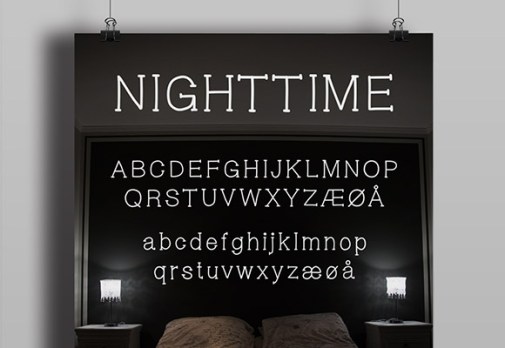
Nighttime Font created by Bettina Wormersen at TheHungryJPEG

Lumberjack Font by Aleksei Kalinin at The HungryJPEG
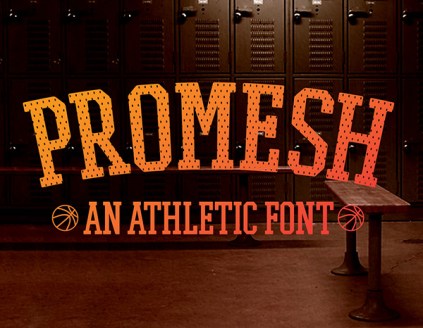
Promesh Font by Paul Reis at TheHungryJPEG
This next font is on FontSquirrel.com with an external link to FairGoods.com which has you adding the font to your cart and then continue to process through check out, but you do not pay anything or give any payment information for the download link.

Milkshake Font by Laura Worthington at FairGoods.com
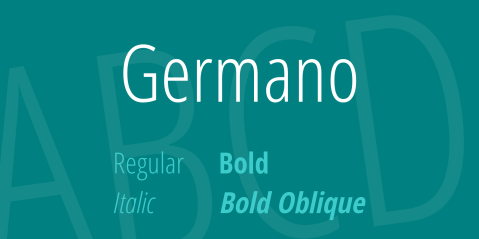
Germano Font by Steve Matheson from 1001Fonts.com

Emilys Candy Font by Font Diner at 1001Fonts.com
And our last CU Font Freebie of the week is a fun choice for children’s cards, casual designs and those with a humorous feel.

Chicle Font by Studtipos at 1001Fonts.com
………………………………………………………..
So until next week … Learn … Create … Inspire!
And don’t forget to join in the fun or our Dash of Inspiration Design Challenge for May.
Share this:

Wanted New Cards: International Tiara Day

We have a category that needs your attention:
Holidays > National & International Days Cards > International Tiara Day / May 24

We’d like you to create at least one card for these categories using the Stock Cards function (Bigstock) or your own graphic designs.
Remember, when you’re submitting your new card, add a little note about the intended category in your Notes to Reviewers. Be inventive, be clever, be creative. Go for it!
Share this:

Tips and Tricks: Guest Blogging


Marketing your greeting cards is an essential part of becoming a professional retailer. If you truly want to make money, you need to not only focus on your design work, you must also promote yourself to gain visibility with consumers.
You can find general marketing tips in the Artist Resources section. Today, we’re going to specifically talk about guest blogging, or how to approach blog owners to ask them to promote your products on their blog.
Before we get into the various steps, let’s make one thing clear: for every 10 blogs you contact, likely only 1 will say “yes.” Don’t get depressed. This is a fact of marketing you’ll have to live with. Don’t go into this with unrealistic expectations. The only way to succeed is by plugging along with sheer, dogged persistence until your result is achieved. Cultivate a professional attitude. If a blog owner tells you “no,” it’s not a personal rejection. Accept it and move on to the next.
Now let’s go over the specifics:
Choose
First, choose a collection of cards you want to promote. Do not try to promote your entire store. You’ll have much better luck picking a small group of specialist cards that have something uncommon in common—blackboard typography designs for baby showers, cards for cancer patients, etc. Or perhaps you want to promote a collection of retro designed cards sharing vintage images. If all you have are generic cards, consider making some for specialized markets.
Tip: If you’re promoting cards with a singular design in common—like the blackboard style card above and others I’ve recently created with a similar look—check for design blogs that post about paper products.
Identify
Do searches on the Internet to identify blogs that post on topics relating to your card collection. This will require you to at least skim the last few months of postings to get a feel for the blog. If the blog doesn’t have anything in common with your cards, move on to someone else. There’s no need to waste your time trying to promote cards inappropriate to the blog.
Research
Nearly all blogs have an About feature. Read it. You’ll learn about the blog owner, often including their name, interests, etc. This will allow you to tailor your approach.
Tip: Always use the blog owner’s name when contacting them. The personal touch makes your e-mail seem a lot less like spam.
Share this:

Rainbow Connection: floral color inspirations

I want to share a few nice floral color inspirations I found on Pinterest this week:
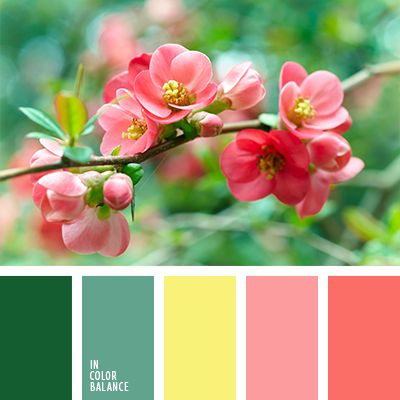

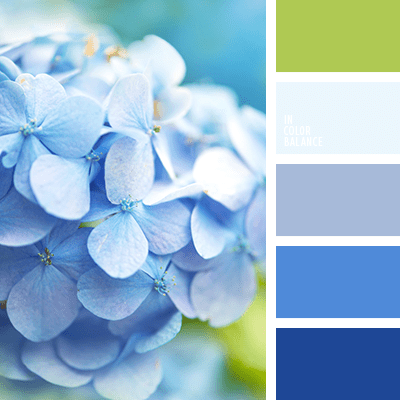
Have fun and happy designing!
Share this:

Dash of Inspiration: Blast from the Past
Today started off a bit rocky and put me way behind schedule. While out walking my sweet 12-year-old Golden Retriever/Lab dog she was charged by a similar sized dog who got away from it’s owner. The attacking dog was not playful, it was aggressive with her, knocking her down and nipping at her. I grabbed the dog by the scruff of the neck and pulled it off my dog holding it in that grip, hard enough to pull it’s head up and front legs off the ground until it’s owner caught up with us. Don’t mess with a Mama Bear! My old lady seems to be okay. I’ll keep an eye on her for a couple of days to make sure there aren’t any bites which didn’t bleed and instead swell with infection.
Clearly, a bad start to a Monday! So, today I’m going to simplify my day by leaving you with a blast from the past worth re-posting for the newbies and anyone who likes a refresher course. Thank you for understanding the lack of something new this week.
Type It Right from March 2015
Enjoy! See you next week.
Share this:

Nuts and Bolts: Watermarking

Nuts & Bolts – Watermarking

Share this:

We have two subcategories that need your attention:
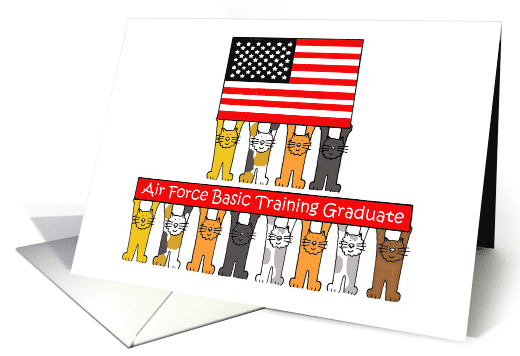
We’d like you to create at least one card for these categories using the Stock Cards function (Bigstock) or your own graphic designs.
Remember, when you’re submitting your new card, add a little note about the intended category in your Notes to Reviewers. Be inventive, be clever, be creative. Go for it!
Share this:

Font Frenzy: Old Harbour Vintage Font Collection

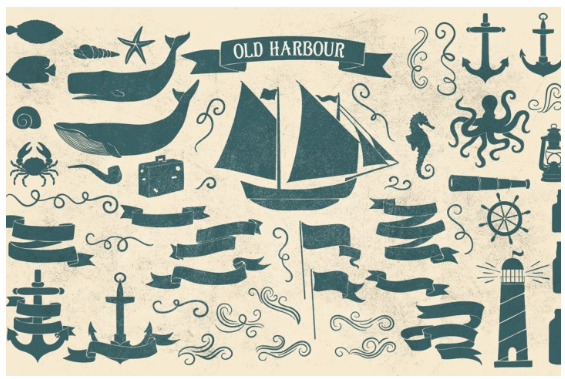
The Old Harbour is a font collection of 12 hand drawn fonts by Anastasia Dimitriadi and inspired by the vintage hand lettered signage, the old bottles’ labels and the aesthetic of old school tattoos. The fonts can work together in endless combinations, to create beautiful vintage designs for apparel, logos, labels, cards, posters or any merchandise product you can imagine.
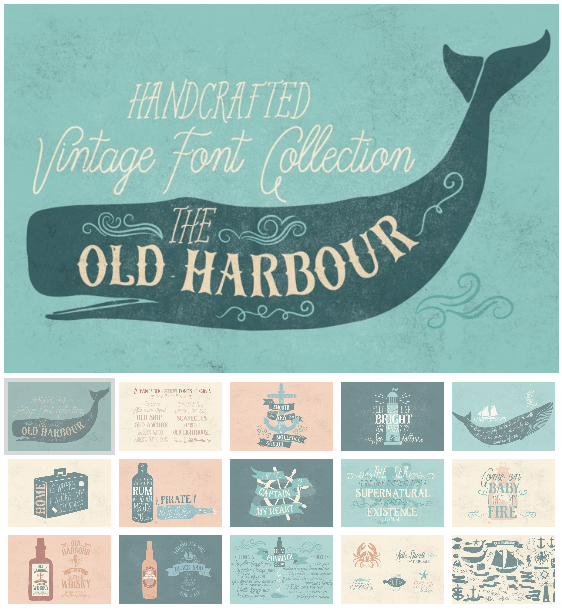
Collection fonts:
- Blue waves
- Blue waves striped
- Captain’s pipe
- Captain’s pipe Sans
- Sailor’s tattoo
- Sailor’s tattoo Sans
- Old Ship
- Old Anchor
- Old Lighthouse
- Seashells
- Starfish
- Old Harbour dingbats
In the collection you may also find a vector .eps file with the dingbats.
All the fonts support Western, Central and Eastern European languages and Turkish and delivered in OpenType and True Type format.
The font collection is offered in the introductory price of 24$ until 15 June 2016
Share this:

Rainbow Connection: Color Trends 2016/2017
We turn to Pinterest once again for color inspiration and trends of 2016/2017.
How about this board with 82 pins of color ideas for 2016/2017 in various industries.

Share this:

Dash of Inspiration: May 2016 Design Challenge
And our 1st Place Winner is …
Betsy Bush with PID 1435518

1st Place May 2016 Design Challenge – Betsy Bush©
With our Runner Up going to Christi Madden with PID 1436022
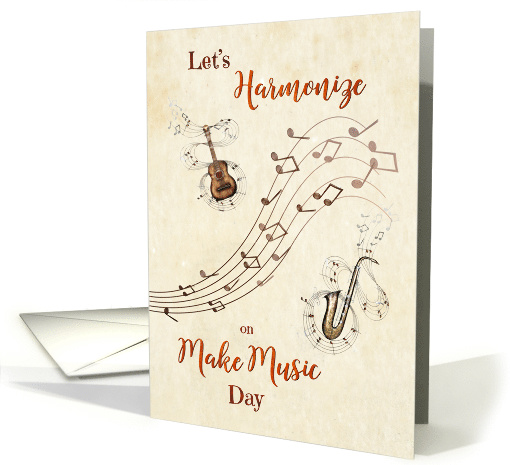
2nd Place May 2016 Design Challenge – Christi Madden©
Congratulations to both of you! Your beautiful cards are a welcome addition to the GCU marketplace, as are all the entries this month. Many thanks to each of you for participating and making this another fun and incredibly creative challenge!
……………………………………………………………
As our judges get to work today on judging April’s challenge, we are ready to kick off our new May Design Challenge …
Theme: National & International JUNE Days
Requirements:
- The Day you create a card for must be from this list of Days of the Year https://www.daysoftheyear.com/days/2016/06/
- Text and/or inside verse must speak to the Day in June you’ve chosen and you need to represent the reason behind the ‘holiday’, so do your research to understand why the day you chose is celebrated and what the message is they wish to get across.
- Create a card which accurately reflects the unique qualities of these unusual ‘holidays’ by visually creating imagery which ties to the Day to celebrate and your message together.
NOTE: Some of you have been working on these new categories already. IF you have created a card which was approved within the last 30-days for one of these Days in June, you may enter that card into the challenge.
……………………………………………………………
Entry Deadline: Tuesday, May 31st
……………………………………………………………
How to Enter: Post the PID (card number) and the URL (public storefront link – please WAIT for the card to be available in the public marketplace, please DO NOT post a link to your Manage Cards area) as a post in the challenge blog. We’ll forward your entry to the jury.
……………………………………………………………….
Category: Holidays > National & International Days Cards (http://www.greetingcarduniverse.com/holidays/nationalandinternationaldays)
Remember ONLY new cards for JUNE DAYS are eligible for entry.
GCU is adding these Days of the Year as fast as they can, so if the day you choose in the month of June is not listed in the category list yet, then choose OTHER (http://www.greetingcarduniverse.com/holidays/nationalandinternationaldays/other)
and REQUEST the new category in your Notes to Reviewer when you submit the card by clearly stating: “Created for May 2016 Challenge – please consider adding “Upsy Daisy Day” to the National & International Days categories here is the link: https://www.daysoftheyear.com/days/upsy-daisy-day/”
Also, please note your request for a new category to fill this challenge in the forum announcement for the May 2016 challenge – this gives Mindy a central place to look for all the new category requests to fill this challenge.
……………………………………………………………….
Rules:
- Submission must meet GCU’s Submission Guidelines and be Approved through the usual Review Cycle– Fast Track your submission with this in the Notes to Reviewer: May Design Challenge Submission here is the link to the blog post: (include THIS blog post URL)
- Only ONE card per artist per challenge.
- Submissions must be NEW, no existing designs.
- Your entry must meet the Challenge Requirements and Theme or it will not be included in the challenge.
- Stock Card Creations entries will not be accepted.
……………………………………………………………………
BLIND Judging: We hope each of you enters every month. Entries are submitted anonymously for judging by the GCU Challenge Jury which means that before and during the challenge, judges do not have any way of knowing what artist is behind each entry. This eliminates any and all concerns with ‘favoritism’. Results will post on the Community Blog. The jury will judge the entries on the following criteria:
- How well the card meets the Challenge Requirements and Theme.
- How well the card speaks to the Category the artist chooses for the card submission.
- Creativity, Execution and Marketability.
……………………………………………………………………
Winners: 1st Place:
- The winning designer’s card and store will be featured on the GCU Public Blog – the blog which customers view and follow.
- As well as featured on the GCU Public Facebook Page – nearly 30,000 followers, now THAT’S exposure!
- The winning card will be Design of the Day following the announcement of the winners (within 48-hours).
EXCEPTION: Horizontal (landscape) cards may not be featured as DOD due to GCU Home Page space restrictions. In these cases, GCU will choose a different vertically oriented card from your store to feature as DOD. Thank you for your understanding and apologies for this limitation.
- The winning card will be added to the Greeting Card Universe Design Challenge Winners Pinterest Board – currently GCU’s Pinterest Page followers: 1.4K!
- The winning card, should the artist choose, may be referenced in a new series by the winning artist and he/she may Fast Track all cards in the new series (being sure to give the Challenge URL and winning card PID in your Notes to Reviewer for each card in this series).
- Winning card will be included in a marketing email to over 100,000 customers!
2nd Place:
- Your submission will be Design of the Day the following week of announcing the Challenge winners (within 7-days).
EXCEPTION: Horizontal (landscape) cards may not be featured as DOD due to GCU Home Page space restrictions. In these cases, GCU will choose a different vertically oriented card from your store to feature as DOD. Thank you for your understanding and apologies for this limitation.
- Your card will be added to the Greeting Card Universe Design Challenge Winners Pinterest Board.
- Winning card will be included in a marketing email to over 100,000 customers!
………………………………………………………………………
Tips:
Check out these tips, tricks, freebies, and tutorials from our own GCU Community Blog which might be helpful in this month’s Challenge.
………………………………………………………………………
Off you go then! Be inspired to create and learn something new!
Created for International Jazz Day in April – Doreen Erhardt©
………………………………………………………………………
Participants:

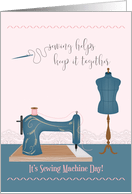
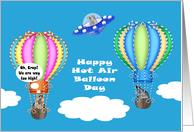
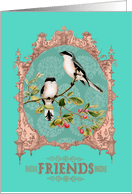


 GCU Community