Wanted New Cards: Sympathy Occupation Specific

Wanted Cards – Sympathy Occupation Specific
Please consider creating new Sympathy cards for the loss of these public servants:
Loss of Firefighter
Loss of First Responder
Loss of K9 Unit / Police Dog
Loss of Paramedic / EMT
Loss of Police Officer / Law Enforcement Officer
These subcategories are found under this category:
Occasions >> Sympathy >> Occupation Specific
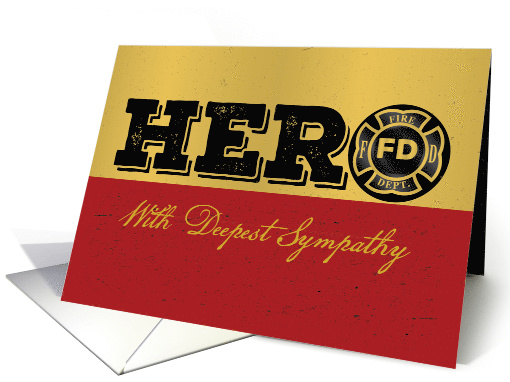
We’d like you to create at least one card for these categories using the Stock Cards function (Bigstock) or your own graphic designs. Remember, when you’re submitting your new stock card, add a little note about the intended category in your Notes to Reviewers.
Be inventive, be clever, be creative. Go for it!
Share this:

Freebie Wednesday: Funny Quotes Bundle vol. 2
The Funny Quotes Bundle Vol. 2 is jam-packed with 150 craft-friendly cut files in EPS, SVG, DXF, and PNG formats. Find a ton of funny, sassy quotes and puns in this freebie!
This funny freebie is brought to you by LoveSVG! Only available on the Hungry Jpeg site for a week so son’t miss out!


This product comes with a commercial license.
Share this:

Dash of Inspiration: AUGUST 2021 STOCK Design Challenge

Even though July’s challenge has not ended just yet, with GCU staff members heading off on vacation, I was asked to post next month’s Stock challenge a wee bit early.
……………………………………………………………
Theme: Retirement for Educators
Requirements:
- Choose a category from the Wanted Cards post: https://gcucommunity.com/2021/07/28/wanted-new-cards-retirement-for-educators/
- ONLY Big Stock cards will be accepted in this challenge.
- Write your own verse, be creative with this will be extremely important in this challenge.
- The judges will be looking for professional quality text layout, typography placement and font combinations in addition to a unique and captivating message that tells the story of the stock image you choose. Your added value needs to wow the judges!
……………………………………………………………
Entry Deadline: Tuesday, August 31st
……………………………………………………………
How to Enter: Post the PID (card number) and the URL (public storefront link – please WAIT for the card to be available in the public marketplace, please DO NOT post a link to your Manage Cards area) as a post in the challenge blog. We’ll forward your entry to the jury.
NOTE: Submissions will appear immediately in your Private gallery as they await review. If approved, the reviewer will move them to the public gallery – they will then become ‘live’ in the marketplace within 24-hours or so just like regular submissions. Be patient and wait.
……………………………………………………………….
Category:
Choose from:
Special Education Teacher
Special Education Consultant / Advocate
Reading Specialist
School Psychologist
School Counselor
Speech Language Pathologist / SLP
Educational Audiologist
Teacher’s Aide / Teaching Assistant
Educational Assessor / Diagnostician
These new subcategories can be found here: Occasions >> Congratulations >> Retirement >> Occupation Specific
…………………………………………………………….
Rules:
- Submission must meet GCU’s Submission Guidelines and be Approved through the usual Review Cycle. Big Stock creations are automatically identified as Fast Track – please add in the Notes to Reviewer: August Design Challenge Submission here is the link to the blog post: (include THIS blog post URL)
- Only ONE card per artist per challenge.
- Submissions must be NEW, no existing designs.
- Your entry must meet the Challenge Requirements and Theme or it will not be included in the challenge.
- Big Stock Card Creations ONLY will be accepted.
- Your designs should differ from those already offered in the categories above to offer shoppers a variety of choices, not more of the same.
- No BLANK cards will be accepted.
……………………………………………………………………
BLIND Judging: We hope each of you enters every month. Entries are submitted anonymously for judging by the GCU Challenge Jury which means that before and during the challenge, judges do not have any way of knowing what artist is behind each entry. This eliminates any and all concerns with ‘favoritism’. Results will post on the Community Blog. The jury will judge the entries on the following criteria:
- How well the card meets the Challenge Requirements and Theme.
- How well the card speaks to the Category the artist chooses for the card submission.
- Creativity, Execution and Marketability. Your overall ‘added value’ determines this.
……………………………………………………………………
Winners: 1st Place:
- The winning designer’s card and store will be featured on the GCU Public Blog – the blog which customers view and follow.
- As well as featured on the GCU Public Facebook Page – nearly 58,000 followers, now THAT’S exposure!
- The winning card will be Design of the Day following the announcement of the winners (within 48-hours).
EXCEPTION: Horizontal (landscape) cards may not be featured as DOD due to GCU Home Page space restrictions. In these cases, GCU will choose a different vertically oriented card from your store to feature as DOD. Thank you for your understanding and apologies for this limitation.
- The winning card will be added to the Greeting Card Universe Design Challenge Winners Pinterest Board – currently GCU’s Pinterest Page followers: 5.36K!
- The winning card, should the artist choose, may be referenced in a new series by the winning artist and he/she may Fast Track all cards in the new series (being sure to give the Challenge URL and winning card PID in your Notes to Reviewer for each card in this series).
- Winning card will be included in a marketing email to over 100,000 customers!
- GCU will create a Meet the Team board for the winning artist under the Pinterest GCU account where the winning artist will be able to pin and promote her own storefront and all that makes them a unique card designer and one of GCU’s artistic community team member.
-
Winning card will be posted on GCU’s Instagram with 2,000 followers and counting!
- GCU will create a Meet the Team board for the winning artist under the Pinterest GCU account where the winning artist will be able to pin and promote her own storefront and all that makes them a unique card designer and one of GCU’s artistic community team member.
- 10 free greeting card credits added to your GCU account. Apply them at checkout and they never expire.
- A Design Challenge GCU digital award for 2021!
2nd Place:
- Your submission will be Design of the Day the following week of announcing the Challenge winners (within 7-days).
EXCEPTION: Horizontal (landscape) cards may not be featured as DOD due to GCU Home Page space restrictions. In these cases, GCU will choose a different vertically oriented card from your store to feature as DOD. Thank you for your understanding and apologies for this limitation.
- Your card will be added to the Greeting Card Universe Design Challenge Winners Pinterest Board.
- Winning card will be included in a marketing email to over 100,000 customers!
-
Winning card will be posted on GCU’s Instagram with 2,000 followers and counting!
- 5 free greeting card credits added to your GCU account. Apply them at checkout and they never expire.
- A Design Challenge GCU digital award for 2021!
………………………………………………………………………
Tips:
- Visit all the available tips, tricks and guidelines offered on the Big Stock Creation blog page!
………………………………………………………………………
Be inspired to create and learn something new!
Share this:

Nuts and Bolts: July Design Challenge Deadline

Nuts & Bolts – July Design Challenge Deadline
July’s Design Challenge deadline is tomorrow! (submissions due Saturday, July 31st).
Theme: Christmas in July
Create a brand new design the Christmas in July category featuring appropriate summertime Christmas celebrations.
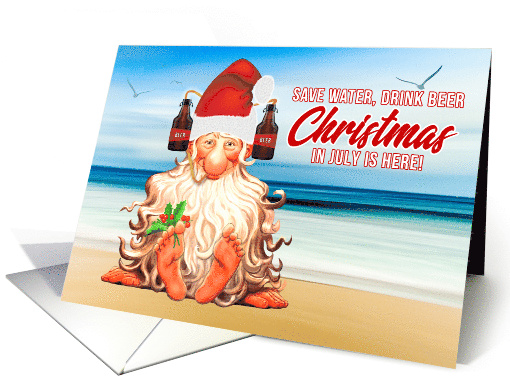
The difference is made in the details!
Mindy
GCU Community Manager
Share this:

Freebie Wednesday: Let’s Go Camping and Hiking Font.
FREE Let’s Go Camping & Hiking Font!
This font is excellent for your camping and hiking projects! In addition, The Let’s Go Hiking Extras font comes with 7 ready-to-go catchwords and a ton of camping-related silhouettes! We’ve also a bonus special DISCOUNT coupon inside the freebie files, make sure to redeem it!
This awesome freebie is brought to you by Anastasia Feya! Only available for 6 more days on the Hungry Jpeg site!




This product comes with a commercial license.
Share this:

Wanted New Cards: Retirement for Educators
Wanted Cards – Retirement for Educators
There are many different roles of educators in the classroom, district and additional instruction and support. Please consider creating cards for these different specialty roles in education. Specifically for Retirement Congratulations, but also for Thank You and other occasions.
Special Education Teacher
Special Education Consultant / Advocate
Reading Specialist
School Psychologist
School Counselor
Speech Language Pathologist / SLP
Educational Audiologist
Teacher’s Aide / Teaching Assistant
Educational Assessor / Diagnostician
These new subcategories can be found here: Occasions >> Congratulations >> Retirement >> Occupation Specific
If the speciality you are looking for does not have its own subcategory then please submit your card under >> Other.
As usual, consider general designs as well as designs that are gender specific. Be sure to fortify your meta-data for gender.
We’d like you to create at least one card for these categories using the Stock Cards function (Bigstock) or your own graphic designs.
Remember, when you’re submitting your new stock card, add a little note about the intended category in your Notes to Reviewers.
Be inventive, be clever, be creative. Go for it!
Share this:

Rainbow Connection: Christmas in July (part 4)

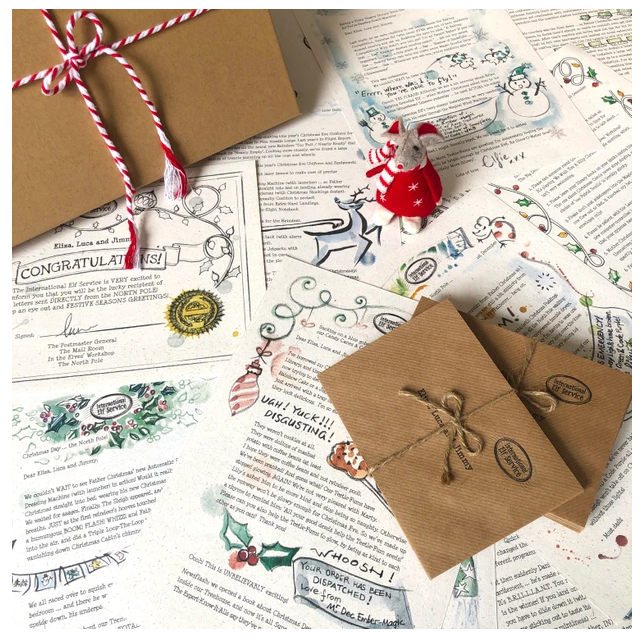
Following the GCU Design Challenge – Christmas in July, I have been posting Christmas trend colors for 2021. Rounding it up with some inspiring sites.
Mc&Co Trend shared 5 key trends for Christmas 2020 and show how they will evolve, endure, decline or emerge in 2021.
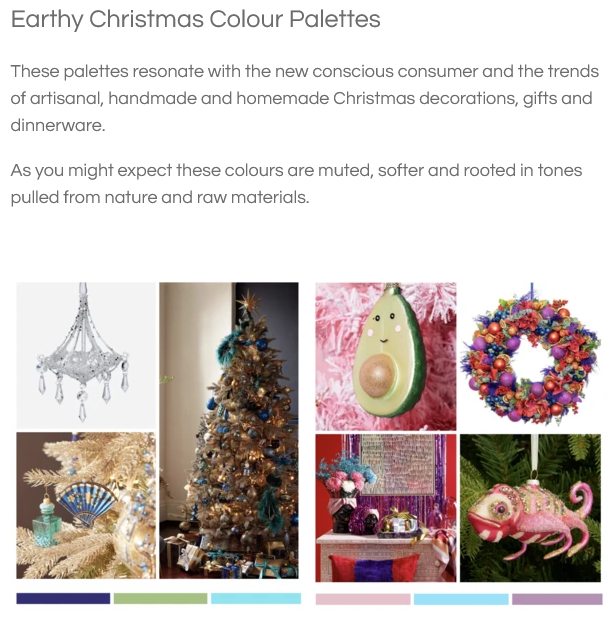
From Candle Holders to Christmas tree skirts, ELLEDecor seems to be a portal to many Christmas styling ideas.
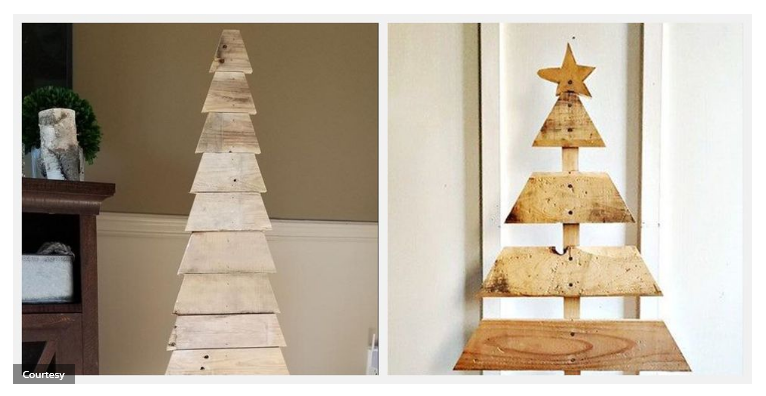
Gathered – discover your next craft project – shows us their 15 Christmas Trends for 2021
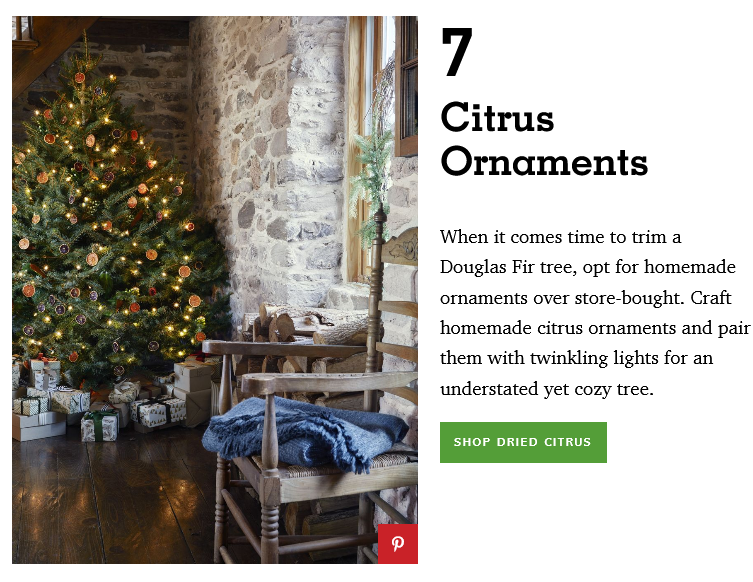
Country Living and their 87 Best Christmas Tree Ideas of 2021.
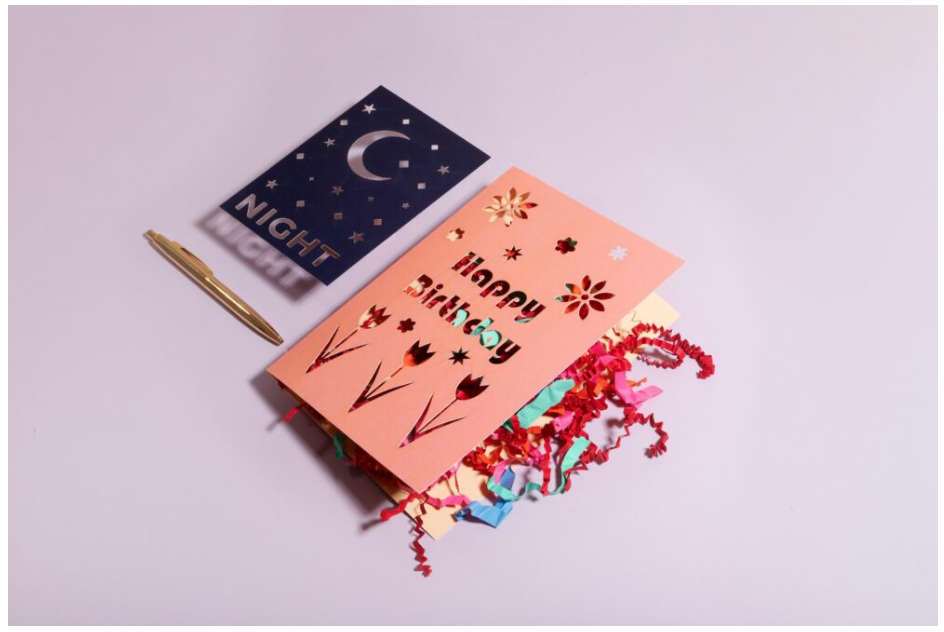
The trends for Christmasworld for 2021.

Top 5 Greeting Card Trends for 2021
And if all else fails, there is always Pinterest to see to your card design idea needs.
Share this:

Nuts and Bolts: 2Q2021 Payment Discrepancy
Mindy
GCU Community Manager
Share this:

Wanted New Cards: Congratulations New Electric Bike.
Wanted Cards – Congratulations New Electric Bike
As electric vehicles gain popularity and the technology gets better and cheaper, we will see more of them on the road – or sidewalk, or trails. Congratulate someone on their new electric bike.
Note: bikes need to be generic and / or abstract in nature to not infringe on trade dress or manufacturer IP.
The shopper will find these cards here:
Occasions >> Congratulations >> New Car / Vehicle >> New Electric Bike / E bike

We’d like you to create at least one card for these categories using the Stock Cards function or your own graphic designs.
Remember, when you’re submitting your new card, add a little note about the intended category in your Notes to Reviewers.
Be inventive, be clever, be creative. Go for it!
Share this:

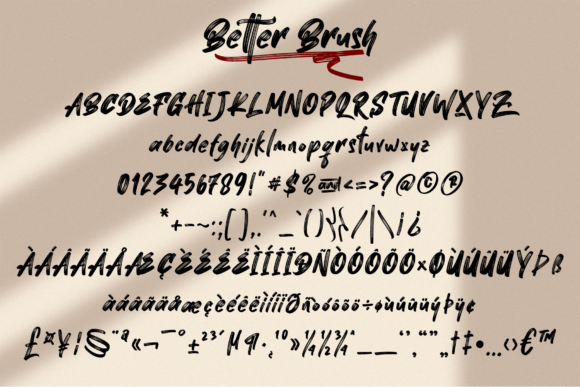
Freebie Wednesday: Better Brush Font
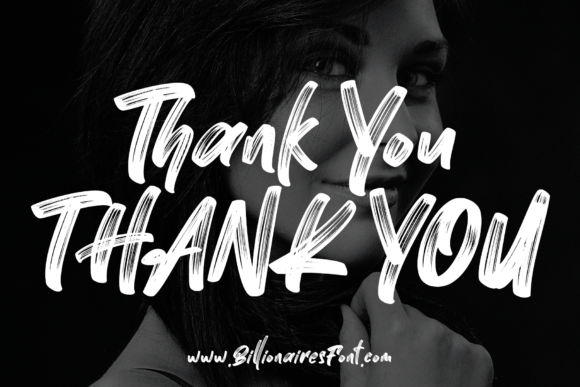
Better Brush is a cool and bold brushed handwritten font. It can be used for various purposes such as logos, wedding invitations, headings, t-shirts, letterhead, signage, labels, news, posters, badges and so much more. Available for free on the Creative Fabrica website for 5 days. Don’t miss out!
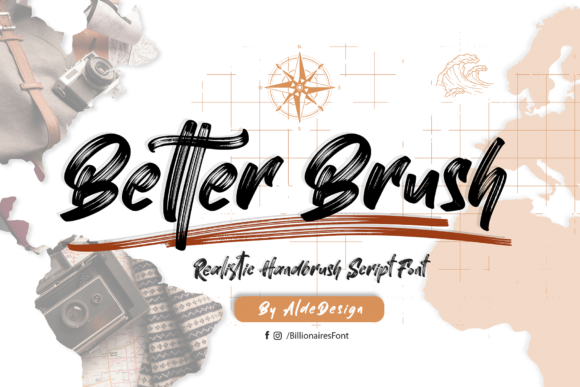


This product comes with a commercial license.


