Dash of Inspiration: July 2018 Design Challenge

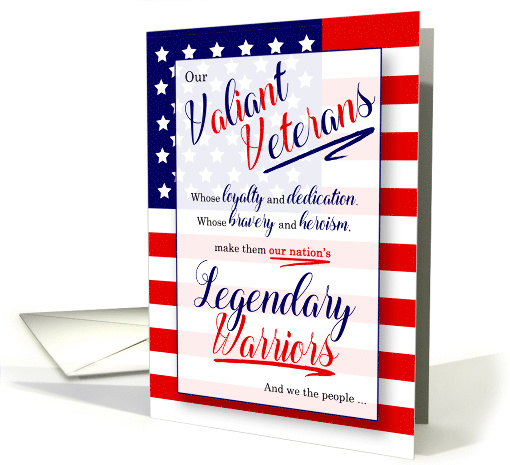
WOW! Summer is definitely here in California and July always brings up a feeling of patriotism here in the states. That leads us to our theme for this month’s design challenge – so here we go …
……………………………………………………………
Theme: Red, White and Blue
Requirements:
- Red, White and Blue is the color scheme. Other colors may be included, but these colors must be prominent in the design.
- Patriotic cards for USA are obviously welcomed, but ANY category and design featuring this color palette will be accepted and could be the winning card.
- Write your own verse/message, be creative and write a message that clearly speaks to your imagery, occasion and recipient.
- Blank verse will not be considered for entry in this challenge.
……………………………………………………………
Entry Deadline: Tuesday, July 31st
……………………………………………………………
How to Enter: Post the PID (card number) and the URL (public storefront link – please WAIT for the card to be available in the public marketplace, please DO NOT post a link to your Manage Cards area) as a post in the challenge blog. We’ll forward your entry to the jury.
……………………………………………………………….
Category:
Any category which fits your theme and message.
…………………………………………………………….
Rules:
- Submission must meet GCU’s Submission Guidelines and be Approved through the usual Review Cycle– Fast Track your submission with this in the Notes to Reviewer: July Design Challenge Submission here is the link to the blog post: (include THIS blog post URL)
- Only ONE card per artist per challenge.
- Submissions must be NEW, no existing designs.
- Your entry must meet the Challenge Requirements and Theme or it will not be included in the challenge.
- Stock Card Creations entries will not be accepted.
- Your designs should differ from those already offered in the category of your choice to offer shoppers a variety of choices, not more of the same.
……………………………………………………………………
BLIND Judging: We hope each of you enters every month. Entries are submitted anonymously for judging by the GCU Challenge Jury which means that before and during the challenge, judges do not have any way of knowing what artist is behind each entry. This eliminates any and all concerns with ‘favoritism’. Results will post on the Community Blog. The jury will judge the entries on the following criteria:
- How well the card meets the Challenge Requirements and Theme.
- How well the card speaks to the Category the artist chooses for the card submission.
- Creativity, Execution and Marketability.
……………………………………………………………………
Winners: 1st Place:
- The winning designer’s card and store will be featured on the GCU Public Blog – the blog which customers view and follow.
- As well as featured on the GCU Public Facebook Page – nearly 56,000 followers, now THAT’S exposure!
- The winning card will be Design of the Day following the announcement of the winners (within 48-hours).
EXCEPTION: Horizontal (landscape) cards may not be featured as DOD due to GCU Home Page space restrictions. In these cases, GCU will choose a different vertically oriented card from your store to feature as DOD. Thank you for your understanding and apologies for this limitation.
- The winning card will be added to the Greeting Card Universe Design Challenge Winners Pinterest Board – currently GCU’s Pinterest Page followers: 2K!
- The winning card, should the artist choose, may be referenced in a new series by the winning artist and he/she may Fast Track all cards in the new series (being sure to give the Challenge URL and winning card PID in your Notes to Reviewer for each card in this series).
- Winning card will be included in a marketing email to over 100,000 customers!
- NEW starting this month, GCU will create a Meet the Team board for the winning artist under the Pinterest GCU account where the winning artist will be able to pin and promote her own storefront and all that makes them a unique card designer and one of GCU’s artistic community team member.
-
Winning card will be posted on GCU’s Instagram with 2,000 followers and counting!
- GCU will create a Meet the Team board for the winning artist under the Pinterest GCU account where the winning artist will be able to pin and promote her own storefront and all that makes them a unique card designer and one of GCU’s artistic community team member.
2nd Place:
- Your submission will be Design of the Day the following week of announcing the Challenge winners (within 7-days).
EXCEPTION: Horizontal (landscape) cards may not be featured as DOD due to GCU Home Page space restrictions. In these cases, GCU will choose a different vertically oriented card from your store to feature as DOD. Thank you for your understanding and apologies for this limitation.
- Your card will be added to the Greeting Card Universe Design Challenge Winners Pinterest Board.
- Winning card will be included in a marketing email to over 100,000 customers!
-
Winning card will be posted on GCU’s Instagram with 2,000 followers and counting!
………………………………………………………………………
Tips:
Check out these tips, tricks, freebies, and tutorials from our own GCU Community Blog which might be helpful in this month’s Challenge.
………………………………………………………………………
Be inspired to create and learn something new!
Share this:

Nuts and Bolts: Custom Card Requests: Tips II

NUTS & BOLTS – Custom Card Requests: Tips II
We are pleased to bring you a guest post by GCU artist Cisillia Tay of Cisillia Tay Designs:
I always look forward to the Wanted Cards postings because they give me focus and a sense of direction.
For material, I draw on my past experiences with people, places and food. And pets who have come and gone. I let the design form in my head. For the text, I give thought to how my father would have worded it. For the colors, I recall my mother’s sewing basket with all her old fabric remnants, and the pictures I continue to take and store in my mind. You could say a trip down memory lane is how I draw my designs.
When a sketch is done, I like to walk away, grab a coffee, and come back to it. What makes the cutting room floor is fodder for another design. Some requests require a degree of researching which I find interesting, and I have learnt a lot during my time with GCU (internet searches, case studies, books, on the disciplines). Some require care and diplomacy, and where I find I have had to put myself in other’s shoes and ask myself how I would feel. And for some, I run wild and free with the GCU motto ‘any card imaginable’ and trust the review team to rein me in.
I feel the requesting shoppers have more than likely perused the site and not found any card that suited his/her purpose. If he/she had, it would either have been a sale or a personal request to the artist to modify an existing design. Because the request is in the ‘public domain’, a fresh design might result in a sale which is why I tend to create brand new designs vs. modifying existing ones.
Through my cards, I like to think I am helping someone convey a greeting to or share an emotion with another person. Reading the many shoppers’ feedback, our artist community has reached many hearts. I am sure many GCU cards have found their way into someone’s keepsake box as I believe souvenirs reside in our hearts. I am privileged to be able to call myself a member of the GCU family. With the guidance of Mindy and her review team, I hope my best designs are yet to come!
My inspiration for the following Wanted Cards:
Wanted Cards Request:
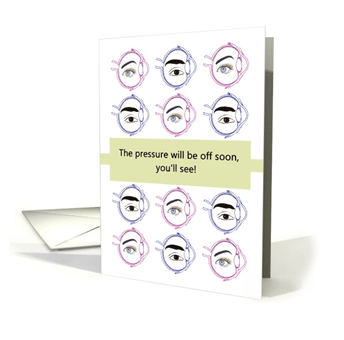
“Get well wishes for someone having glaucoma surgery”
I love a play on words. The text carries two meanings: anxiety about surgery will soon be alleviated -vs- surgery correcting the pressure within the eye and preserving eyesight.
Wanted Cards Request:
“Congratulations cards for PhD in Electrical Engineering”
For a short time, my work involved printed circuit boards and components. To me, the assembled board looked like an abstract piece of art.

GCU Community Manager
Share this:

Wanted New Cards: RAF Passing Out

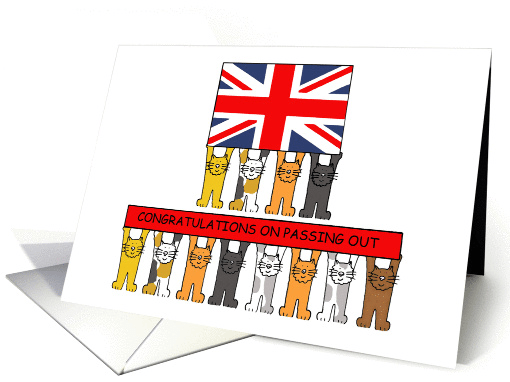
We’d like you to create at least one card for these categories using the Stock Cards function (Bigstock) or your own graphic designs.
Remember, when you’re submitting your new card, add a little note about the intended category in your Notes to Reviewers. Be inventive, be clever, be creative. Go for it!
Share this:

Freebie Wednesday: Free Dog Silhouettes
Freebie Wednesday:
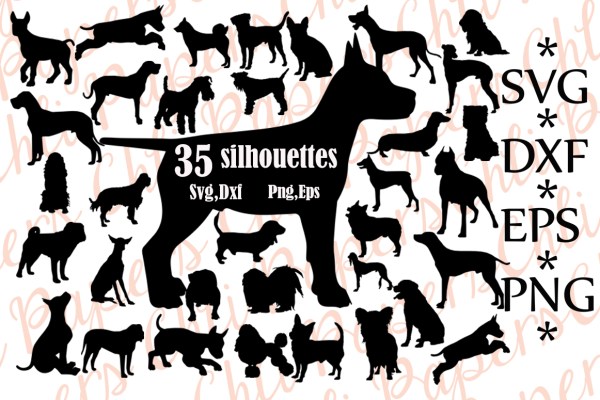
Craftbundles has this package of 35 Free Dog Silhouettes on offer for only 24 hours , so better hurry!
As usual, all freebies come with a full Commercial License.
Share this:

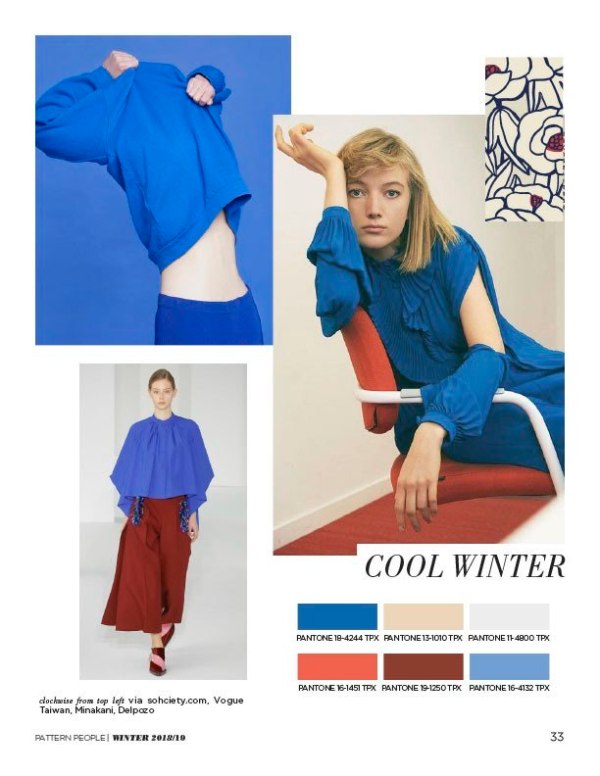
Rainbow Connection: Color Trends Fall/Winter 2018-19

Here are some Color Trends Fall/Winter 2018-19 I found on the internet this week:





Share this:

Nuts and Bolts: Artist Interview Julia Bryant

GCU Community Manager
Share this:

Wanted New Cards: Birthday for Adult Grandchildren

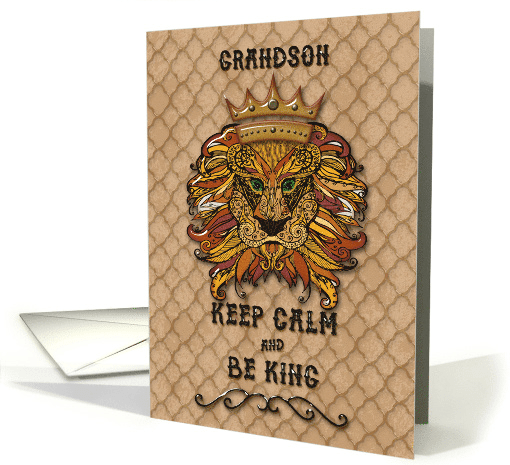
We’d like you to create at least one card for these categories using the Stock Cards function (Bigstock) or your own graphic designs.
Remember, when you’re submitting your new card, add a little note about the intended category in your Notes to Reviewers. Be inventive, be clever, be creative. Go for it!
Share this:

Freebie Wednesday: Birthday Monsters Graphic
Freebie Wednesday:
Prettygrafic Design Inc has some very cute Birthday Monsters for you for free but you have to hurry because the deal is only for 3 more days!

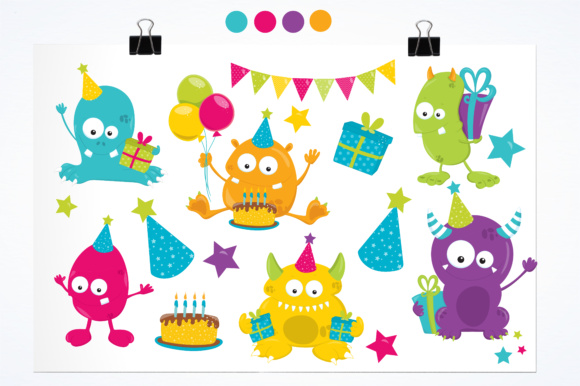
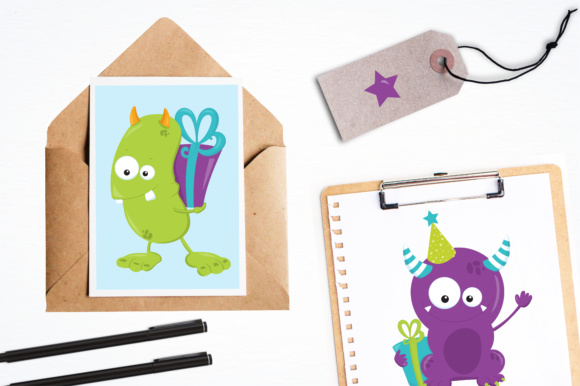
What you will receive:
– Graphic elements
– 1 EPS vector file
– Each graphic saved separately in 6?x6? 300 dpi, PNG files (transparent background)
– Each graphic saved separately in 6?x6? 300 dpi, JPEG files (white background)
All freebies come with a Commercial License.
Share this:

Rainbow Connection: Inspirational Palettes
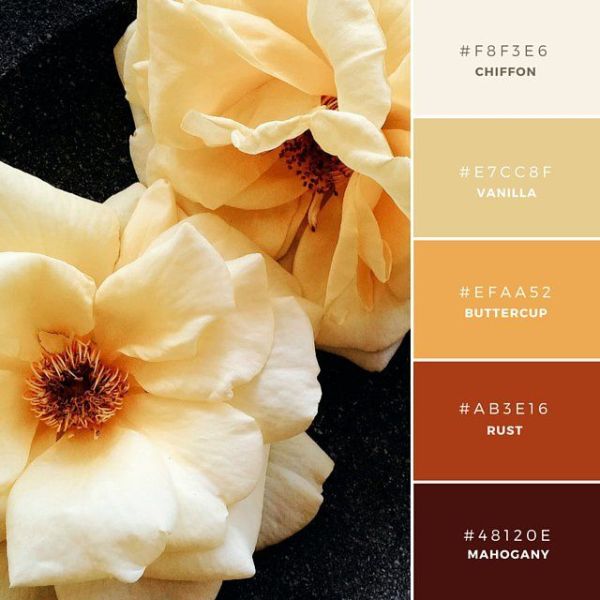
Here are some Inspirational Color Palettes I found on the internet this week:




Share this:

NUTS & BOLTS – Custom Card Requests: Tips to Seal the Deal
We are pleased to bring you a guest post by GCU artists Jay and Susan of Shoaff Ballanger Studios:
Wishing a Happy June to all of the fabulous GCU artists out there in greeting card land. We are always surprised and always enjoy receiving custom requests and look forward to customizing cards for our customers’ specific needs. Your customer has taken the time to find your card, select it, and contact you for customization. Feel proud of that fact! We wanted to share some tips and tricks, which have helped us seal the deal and increase sales.
After you have received a custom request email from GCU, try to respond to your custom requestor as quickly as possible. Communication needs to occur within the Custom Card Requests section on GCU. Also make sure to check the Custom Card Request section when you are signed into your account every so often. To find it sign in to your account, click on Manage Store > Images & Cards > Manage Custom Requests. On occasion some artists have experienced a delay or non-delivery of a Custom Request email, but in our experience this has not occurred.
Keep copies of original files with layers so you can customize your cards easily. Don’t forget you can also download images of your cards from GCU. Helpful if you need to just change the color of something or add an element requested by the shopper. Perhaps if you have a blank card with that image on GCU you can download and add text or elements requested by the shopper. Also, check and make sure you don’t already have the card requested in your line. This has happened to us a couple of times so we just sent the customer the link to the card, which was already in our gallery.
Creating variations for a custom request card has also been beneficial to our sales and customer support. We received a Custom Request email from GCU from a customer who stated she wanted to purchase 20 copies of a custom created Thank You in Japanese card. Here is an example the Thank You greeting card written in Japanese the customer wished to change.



We thought the customer might like it and it was a simple fix. We contacted the customer and sent links to both of the cards (which we placed in our Private Gallery for quick access) to the customer. Note from GCU: for customer requested cards you can submit via FastTrack, Private or Private-Waive Review. For FastTrack and Private be sure to add a Note to Reviewer about why you need an expedient review (customer request) and if the design is based on a previously approved card list that card’s pid#. If you choose Private-Waive Review, be sure to double check your work as you will be responsible for returned cards due to artist error.
Within your Manage Custom Card Requests section on GCU send a link to the card by copying the text link after selecting the Sell this Card $ icon. This can be found under the card you have created for your shopper in your Private Gallery or when it’s live in the GCU marketplace.

If your custom request shopper is a new customer to GCU, you can earn an extra $.50 for each card sold through this link, which also includes any other cards the new customer might purchase along with the custom requested card you have designed. Another hint is to also mention to your custom requestor any GCU sales or promotions currently taking place. This has often yielded quicker and more sales for us. Seal the deal!
Don’t worry if your custom request card is not purchased right away. We have had many instances where the card was not purchased immediately and sometimes not until a couple of weeks later. Wait a couple of days and if you haven’t seen any card clicks/activity on the custom card, then send a reminder email. Here are a couple of links to previous posts about Custom Card Requests. Check out this original post by Corrie on handling customer requests.
Happy sales to all!
Jay and Susan
GCU Community Manager


