
This will be our 2nd Big Stock ONLY challenge to keep things interesting and to keep the GCU artist community interested in learning to master this wonderful design outlet. While the winner of June’s challenge is being tallied – and please bear with us, between the holiday and vacation schedules of the judging team, we are slower than usual around here – let’s get started on this new journey of inspiration!
Before we get to the specifics of this month’s challenge, please note that we have added a Big Stock Creations page on the GCU Community Blog, snuggled right next to the Artist Resources, where we’ve collected all the great tips and tricks from blog posts, so that you may read up on using this creative tool – and – it’s HIGHLY recommended that you do exactly that!
………………………………………
Theme: Oh Baby!
Requirements:
- ONLY Big Stock cards will be accepted in this challenge.
- Human BABY or BABIES must be the visual focus in the stock image you choose. So enjoy the thousands of ADORABLE baby stock to choose from and create something touching or humorous. Animal lovers, don’t worry, we’ll do baby animals at some time too. 🙂
- Write your own verse/message, be creative. Find an image that speaks to you.
- The judges will be looking for professional quality text layout, typography placement and font combinations in addition to a unique and captivating message that tells the story of the stock image you choose. Your added value needs to wow the judges!
……………………………………
Entry Deadline: Monday, July 31st
…………………………………..
How to Enter: Post the PID (card number) and the URL (public storefront link – please WAIT for the card to be available in the public marketplace, please DO NOT post a link to your Manage Cards area) as a post in the challenge blog. We’ll forward your entry to the jury.
NOTE: Submissions will appear immediately in your Private gallery as they await review. If approved, the reviewer will move them to the public gallery – they will then become ‘live’ in the marketplace within 24-hours or so just like regular submissions. Be patient and wait.
…………………………………
Category: Research the category you intend to submit to before creating your card to make sure what you have in mind is different that what is currently being offered and is as good as if not better than current cards in the category. With that said, any category is accepted for this challenge as long as your card is a strong contender.
Note: Utilize the Notes to Reviewer field to include any helpful notes to the reviewer AND to indicate your intended category since you cannot select a category during submission.
Tip: Choose and work with an image that you feel a) fits with your vision and b) will meet GCU’s Submission Guidelines and c) is as good as or better than what’s being offered in the category of submission.
…………………………………
Rules:
- Submission must meet GCU’s Submission Guidelines and be Approved through the usual Review Cycle. Big Stock creations are automatically identified as Fast Track – please add in the Notes to Reviewer: July Design Challenge Submission here is the link to the blog post: (include THIS blog post URL)
- Only ONE card per artist per challenge.
- Submissions must be NEW, no existing designs.
- Your entry must meet the Challenge Requirements and Theme or it will not be included in the challenge.
- Big Stock Card Creations ONLY will be accepted.
- Your designs should differ from those already offered in the categories above to offer shoppers a variety of choices, not more of the same.
- No BLANK cards will be accepted.
……………………………….
BLIND Judging: We hope each of you enters every month! Entries are submitted anonymously for judging by the GCU Challenge Jury which means that before and during the challenge, judges do not have any way of knowing what artist is behind each entry. This eliminates any and all concerns with ‘favoritism’. Results will post on the Community Blog. The jury will judge the entries on the following criteria:
- How well the card meets the Challenge Requirements and Theme.
- How well the card speaks to the Category the artist chooses for the card submission.
- Creativity, Execution and Marketability. Your overall ‘added value’ determines this.
…………………………………
Winners: 1st Place:
- The winning designer’s card and store will be featured on the GCU Public Blog – the blog which customers view and follow.
- As well as featured on the GCU Public Facebook Page – nearly 46,000 followers, now THAT’S exposure!
- The winning card will be Design of the Day following the announcement of the winners (within 48-hours).
- The winning card will be added to the Greeting Card Universe Design Challenge Winners Pinterest Board – currently GCU’s Pinterest Page followers: 2K!
- Winning card will be included in a marketing email to over 100,000 customers!
- GCU will create a Meet the Team board for the winning artist under the Pinterest GCU account where the winning artist will be able to pin and promote her own storefront and all that makes them a unique card designer and one of GCU’s artistic community team member.
- Winning card will be posted on GCU’s Instagram with 2,000 followers and counting!
2nd Place:
- Your submission will be Design of the Day the following week of announcing the Challenge winners (within 7-days).
- Your card will be added to the Greeting Card Universe Design Challenge Winners Pinterest Board.
- Winning card will be included in a marketing email to over 100,000 customers!
- Winning card will be posted on GCU’s Instagram with 2,000 followers and counting!
…………………………………..
Tips:
Visit all the available tips, tricks and guidelines offered on the Big Stock Creation blog page!

Share this:

Nuts and Bolts: Miss California United States 2017



GCU Community Manager
Share this:

Wanted New Cards: Thank You Transplant Team


We’d like you to create at least one card for these categories using the Stock Cards function (Bigstock) or your own graphic designs.
Remember, when you’re submitting your new card, add a little note about the intended category in your Notes to Reviewers. Be inventive, be clever, be creative. Go for it!
Share this:

Font Frenzy: Fun Summer Pineapple Pack

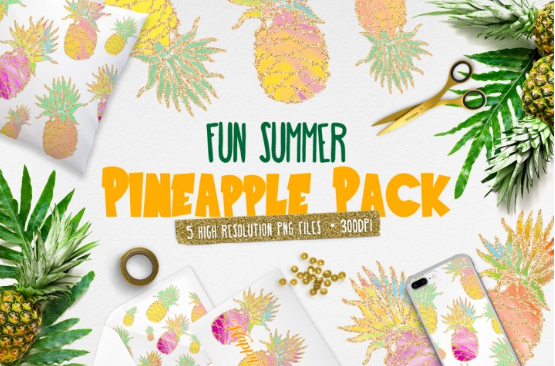

Pineapple Pack is a unique and super colourful pack of 5 different pineapple cliparts (PNG) by Free Pretty Things for You and comes with a complete Commercial License.
Share this:

Nuts and Bolts: New Printing Partner on Board
What do artists need to do? Nothing! However, if you are on the East Coast and notice any significant differences worth sharing please let us know!
GCU Community Manager
Share this:

Wanted New Cards: Summer Job


We’d like you to create at least one card for these categories using the Stock Cards function (Bigstock) or your own graphic designs.
Remember, when you’re submitting your new card, add a little note about the intended category in your Notes to Reviewers. Be inventive, be clever, be creative. Go for it!
Share this:

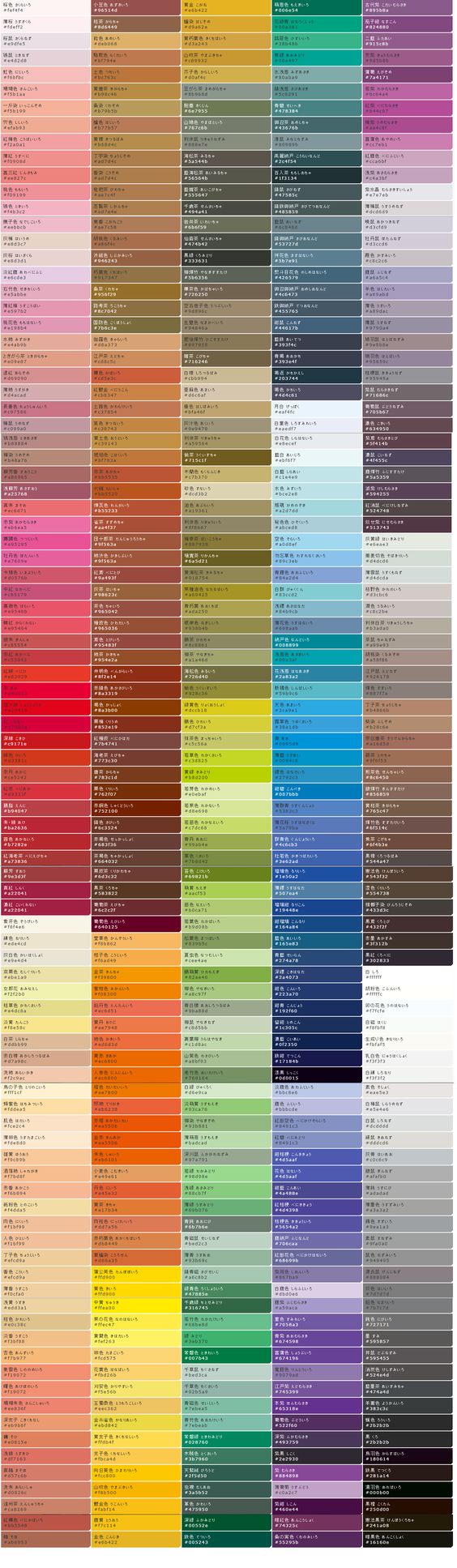
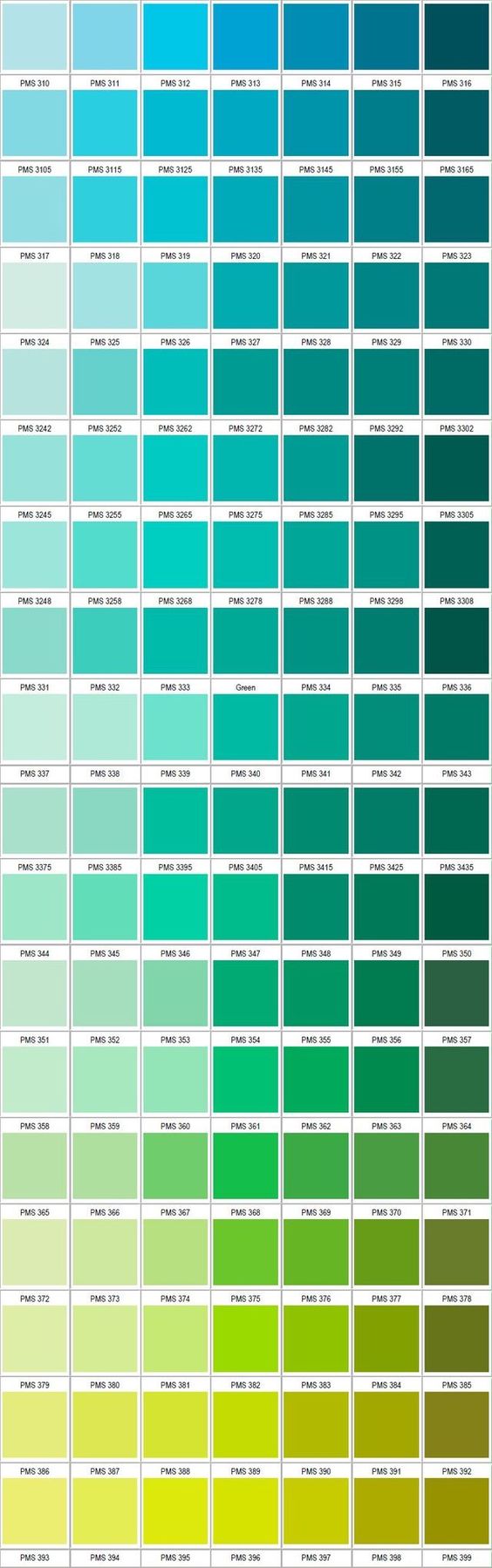
Rainbow Connection: Handy Color Charts

Here are some Handy Color Charts I found on the internet this week:

Traditional Japanese color chart:

Blue – Green Color Chart:
Share this:

Nuts and Bolts: Leveraging Designs

GCU Community Manager
Share this:

Wanted New Cards: Wedding Congrats for Greats & Grands
We’d like you to create at least one card for these categories using the Stock Cards function (Bigstock) or your own graphic designs.
Remember, when you’re submitting your new card, add a little note about the intended category in your Notes to Reviewers. Be inventive, be clever, be creative. Go for it!
Share this:

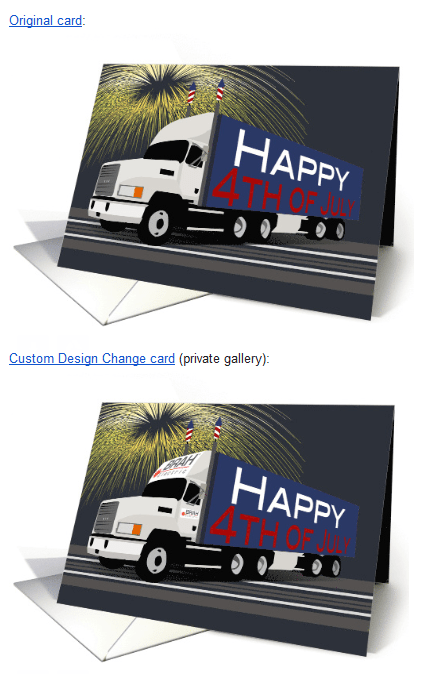
Custom Corner: Business Logos
GCU Community Manager


 GCU Community